$119.99
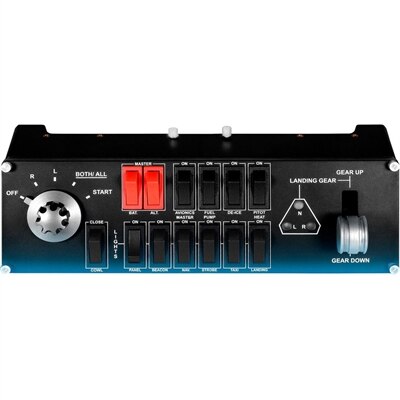
A compact modular flight simulation controller for managing landing gear, lights, engine power, and aircraft functions.
Elevate your virtual racing and flight experiences with high-quality simulator gear designed to deliver immersive gameplay. Whether you're building a home setup for competitive racing or seeking realistic controls for flight simulation, you'll find a wide selection of accessories and equipment to suit every level of enthusiast. Explore simulator gear that helps bring your favorite simulations to life, enhancing precision, comfort, and enjoyment every time you play.
A compact modular flight simulation controller for managing landing gear, lights, engine power, and aircraft functions.
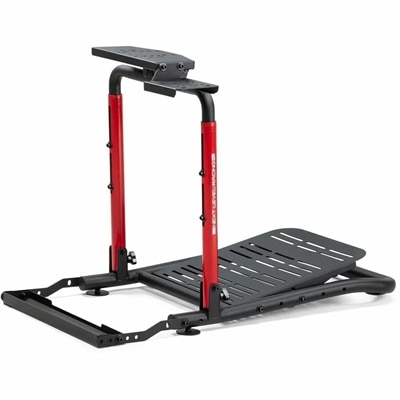
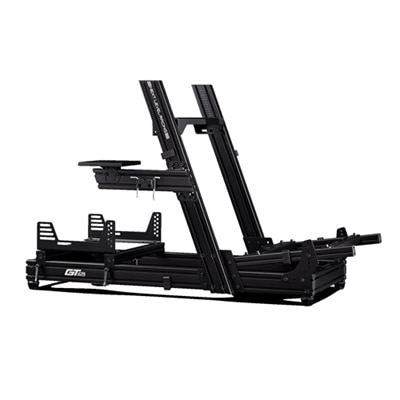
A foldable sim racing stand with adjustable positioning, chair cradle, and left-or-right gear shifter support.
Simulator gear brings the controls, feedback, and visual cues of a virtual vehicle into a physical gaming setup. In this context, the term refers to equipment for driving, racing, flying, and other interactive simulations, rather than software that models mechanical gear assemblies, tooth profiles, or gear ratios. Steering wheels, pedals, flight controls, and supporting accessories give those experiences a more recognizable feel than a keyboard alone. A measured turn into a corner, a gradual squeeze of the brake, or a small adjustment on final approach becomes a deliberate physical movement. Different types of simulation call for different control layouts: road racing emphasizes steering precision and consistent pedal input, while flight simulation often benefits from separate pitch, roll, yaw, and throttle controls. For driving-focused setups, Sim Racing Accessories complement the main controls with equipment suited to the space and the way someone prefers to drive. Force feedback, where supported, adds changing resistance to steering inputs and can communicate effects such as tire loading or a rough track surface. Vibration provides another kind of tactile cue, though it does not reproduce the same directional forces as a force-feedback system. These distinctions matter because immersion comes from how the components work together, not simply how many controls surround the seat. A desktop setup can suit occasional evening sessions, while a dedicated arrangement may appeal to enthusiasts who return to the same virtual circuit or aircraft regularly. Beginners may appreciate a straightforward layout with accessible buttons; experienced players may place greater emphasis on repeatable inputs, adjustable resistance, and room for additional controls. Simulator equipment can also make a thoughtful birthday or graduation gift for a racing fan, aviation enthusiast, or PC gamer, provided it matches the recipient’s platform, favorite software, and available space. Its appeal lies in turning familiar on-screen actions into an experience with physical rhythm, resistance, and a greater sense of involvement.
The fit of simulator gear includes both its physical dimensions and its compatibility with the rest of the setup. Hardware support varies across computers, gaming platforms, and individual simulation titles, so a matching connector alone does not establish that every feature will work. Steering feedback, programmable buttons, separate pedal inputs, and accessory connections may depend on supported software, drivers, or firmware. A gaming laptop or desktop also needs to meet the simulation’s requirements, especially when detailed scenery, multiple displays, or virtual reality are involved. Within the workspace, mounting surfaces and seating position influence comfort as much as the controls themselves. A wheel clamped to a thin, flexible desk may move under load, while pedals resting on a smooth floor can slide during firm braking. Stable mounting and an appropriate nonslip surface help keep physical inputs consistent. Adjustable pedal spacing, control angles, and mounting positions accommodate different body proportions and seating arrangements. A comfortable position generally leaves the shoulders relaxed, the elbows slightly bent, and the legs able to operate the pedals without stretching or crowding beneath the desk. Flight controls introduce their own space considerations, particularly when a separate throttle sits beside the main controller or rudder pedals occupy the floor. Clearance for knees, chair arms, and everyday keyboard use matters in a room that serves more than one purpose. Compact equipment that can be detached and stored suits a shared home office, whereas a permanent setup allows controls to stay in the same position between sessions. Displays contribute to this fit as well: screen size, viewing distance, resolution, and refresh rate affect the visibility and fluidity of instruments, track edges, and distant landmarks. Multiple monitors can expand the view when supported, but they also require sufficient desk space and graphics performance. Headsets and speakers complete the sensory picture with engine notes, radio communication, and environmental sound, while conveniently placed volume controls make transitions between focused play and household conversation easier.
Materials and construction shape how simulator gear feels over time, particularly at the contact points that receive repeated pressure. Metal mounting plates and reinforced housings can help resist flex, while well-designed polymer components may offer useful strength without adding unnecessary weight. Neither material alone guarantees durability; secure joints, dependable fasteners, protected cable connections, and a stable base all contribute to long-term performance. Grip surfaces vary from textured plastic and rubber to leather-like coverings and fabric finishes, each with a different feel during extended sessions. Smooth surfaces are often straightforward to wipe down, while textured or fabric-covered areas may need more attention to remove dust and perspiration. Cleaning methods should follow the manufacturer’s directions, with liquids kept away from seams, switches, ports, and internal mechanisms. Cables benefit from gentle routing with enough slack for adjustment, rather than sharp bends or tension at their connectors. Equipment that is moved between a desk and storage also benefits from protected contact surfaces and a designated place for detachable parts. Intended use helps determine which construction details deserve the most attention. Repeated, firm braking puts different demands on a pedal mount than relaxed scenic driving, and frequent control changes make button placement and labeling especially noticeable. Some pedal designs measure travel, while others measure applied force; the distinction changes how braking input is registered and how it may feel across repeated laps. Likewise, adjustable resistance and control sensitivity can help tailor the experience, but they work best alongside a secure, comfortable physical layout. Noise is another practical consideration in shared spaces, where mechanical movement, vibration, and forceful pedal use may carry through a desk or floor. Keeping fasteners secure and using suitable isolation materials can help limit unwanted movement, though the appropriate solution depends on the equipment. The most satisfying simulator setup is not necessarily the largest. It is one whose controls match the intended experience, remain comfortable through a full session, and fit naturally into the room, whether that means a few laps after work or an unhurried weekend flight across a detailed virtual landscape.
Add the products you would like to compare, and quickly determine which is best for your needs.