$329.99
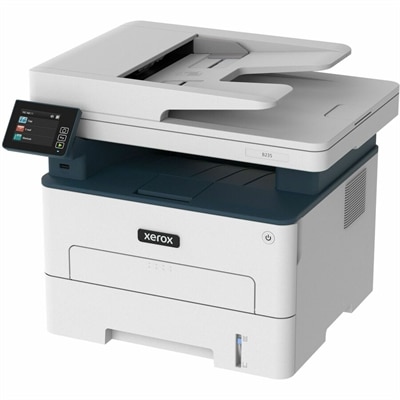
A multifunction printer delivering up to 36 ppm with print, copy, scan, fax, and automatic duplexing.
Small business printers are essential tools for keeping daily operations running smoothly, whether you’re handling invoices, marketing materials, or everyday documents. Designed to support the unique needs of growing companies, these printers offer reliable performance and efficient output to help streamline your workflow. Explore a range of options tailored for small office environments and discover the right solution to keep your business connected and productive.
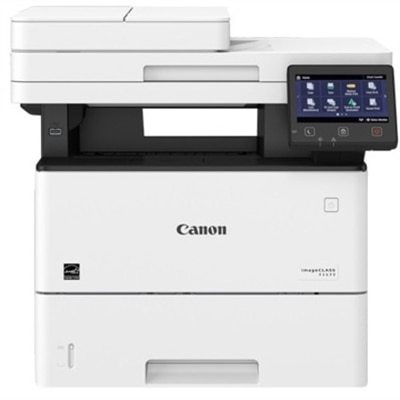
A multifunction printer delivering up to 36 ppm with print, copy, scan, fax, and automatic duplexing.
A monochrome laser multifunction printer delivering 45 ppm, duplex printing, wireless connectivity, and 600 dpi scanning.
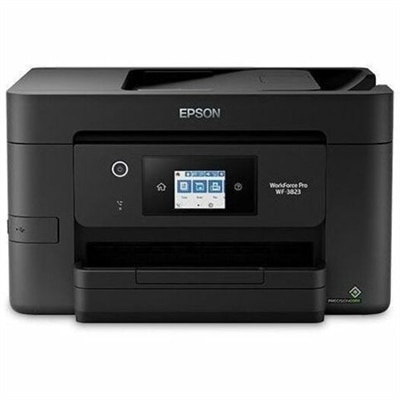
A wireless all-in-one color inkjet printer with auto two-sided printing, a 35-page ADF, and heat-free technology.
Small business printers support the everyday work that keeps an office moving, from invoices and shipping labels to client proposals, signed forms, presentations and internal records. The right choice depends less on a single headline feature than on how your business handles paper. A solo professional working from a home office may need a compact printer for occasional contracts, receipts and administrative tasks, while a growing team may rely on a shared device for dozens or hundreds of pages each week. Before choosing, consider your typical monthly volume, the kinds of documents you print most often, the space available near a desk or work table, and whether you need printing alone or a multifunction device that can also scan and copy. Black-and-white laser printers are well suited to text-heavy work because they produce sharp pages quickly and generally handle recurring office workloads with ease. They can be a practical fit for accounting documents, forms, reports and shipping paperwork where color is not essential. Inkjet and refillable ink tank printers can make more sense when color graphics, charts, customer-facing handouts or occasional photos are part of the routine. Refillable ink systems are designed around larger reservoirs rather than standard cartridges, which can help reduce interruptions and make ongoing color printing more predictable for a busy office. A basic printer may be enough for a small workspace with simple needs, but an all-in-one model can save time and desk space by combining print, scan, copy and, on some configurations, fax functions in one unit. That versatility is useful when a team moves between digital and paper records throughout the day, such as scanning a signed agreement, copying an identification document or sending a completed form.
Print speed is another practical consideration, particularly when several people share one printer. Speed is measured in pages per minute, but the experience also depends on how a device warms up, processes complex documents and manages multiple jobs in a queue. A printer rated for higher output can help prevent a line from forming when reports need to be prepared before a meeting or shipping documents must be printed in batches. Paper capacity matters in the same way. A larger input tray means fewer interruptions for replenishment, while adjustable guides can accommodate common office sizes and specialty media. Automatic duplex printing produces text on both sides of a sheet without requiring manual reloading, helping reduce paper use and creating neater, more compact reports. For scanning and copying, an automatic document feeder, often called an ADF, is valuable when working with multipage contracts, receipts or forms. Instead of placing each page on the scanner glass, you can load a stack and let the printer process it in sequence. Single-pass duplex scanning can make that workflow even faster by capturing both sides of a page in one pass. Look at the printer’s recommended duty cycle as a guide to the volume it was designed to handle, but also think about the rhythm of your own office. A device that suits steady, moderate use may be more comfortable and dependable than one selected only for its maximum rated output. Running costs deserve attention as well: compare the expected yield of toner cartridges, ink cartridges or refill bottles, along with the cost of replacement supplies. Energy-saving modes, sleep settings and automatic shutoff can help manage power use when the office becomes quiet during evenings or cooler months.
Connectivity determines how easily a printer fits into your existing routine. Dual-band Wi-Fi can provide flexible placement without running a cable to a desk, while Ethernet may offer a stable connection for a shared office where several computers depend on the same device. USB connectivity is useful for direct printing from a nearby computer, and mobile printing support can allow authorized users to send documents from compatible phones and tablets. Compatibility with common mobile printing standards, including AirPrint and Mopria, can be helpful when employees move between workstations or handle tasks away from their main computer. Security features also deserve a place on the checklist, especially when printed documents may contain payroll information, customer records or confidential proposals. Look for options such as secure wireless setup, access controls, user authentication or print release features when your business needs added oversight. A printer’s physical design matters in close quarters: measure the available surface, leave room for paper trays and scanner lids to open fully, and account for ventilation and access to replacement supplies. For teams that create polished brochures, menus, charts or client presentations, explore Small Business Color Printers for options centered on color output. A well-matched printer can become an unobtrusive part of the workday—the steady sound of pages moving through a tray while a proposal takes shape, a scanned receipt joining a digital folder, or a stack of clearly printed labels ready for pickup. Whether it serves a home-based consultancy, a neighborhood shop, a growing professional office or a newly equipped workspace, the most useful printer is the one that aligns with real volume, document types, connectivity preferences and the amount of hands-on attention your team wants to give it.
Add the products you would like to compare, and quickly determine which is best for your needs.