$119.99
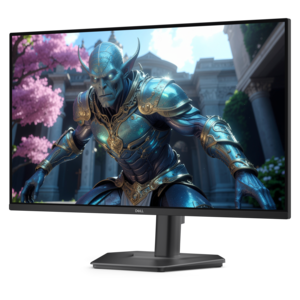
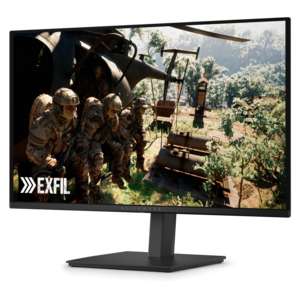
A crisp FHD monitor with smooth 144Hz visuals, built-in speakers, and TÜV 4-star eye comfort certification.
Elevate your gaming experience with smooth gaming monitors designed to deliver seamless visuals and exceptional performance. Whether you're a casual gamer or a competitive enthusiast, these monitors offer the clarity and responsiveness needed to stay ahead in every game. Explore our collection to find the perfect match that enhances your setup and takes your gameplay to the next level. Dive into the world of smooth gaming monitors and discover how they can transform your virtual adventures with stunning detail and fluid motion.
A crisp FHD monitor with smooth 144Hz visuals, built-in speakers, and TÜV 4-star eye comfort certification.
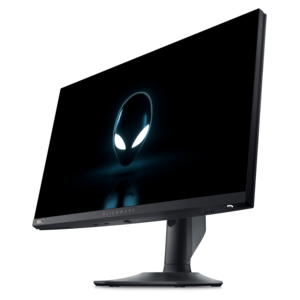
A fast IPS monitor with FHD resolution, 240Hz refresh rate, adjustable stand, and certified eye comfort.
A high-performance IPS gaming monitor delivering ultra-smooth 500Hz refresh rates with AMD FreeSync Premium.
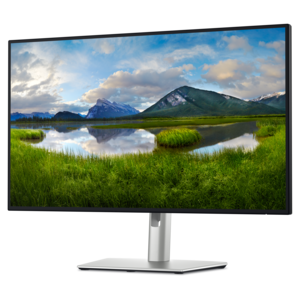
A 4K monitor with IPS Black, 3000:1 contrast, 120Hz refresh, ambient light sensing, and eye comfort.
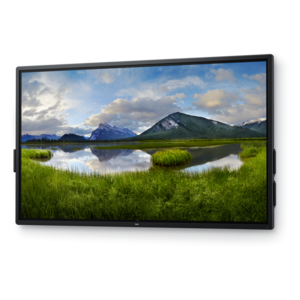
A 4K touchscreen monitor featuring 20-point InGlass Touch, palm rejection, and up to 90W USB-C power.
Smooth Gaming Monitors are designed to make on-screen movement feel fluid, responsive, and easy to follow during fast-paced play. The most important specifications are refresh rate, response time, resolution, and adaptive-sync support. Refresh rate, measured in hertz (Hz), indicates how many times the display can update the image each second. A 144 Hz or 180 Hz monitor can show motion more frequently than a traditional 60 Hz display, helping camera pans, racing turns, and quick character movements appear more continuous. Response time, often listed in milliseconds (ms), describes how quickly a pixel can change from one color to another. A fast response time can reduce visible ghosting behind moving objects, which is especially helpful when tracking opponents or aiming across a detailed scene. Adaptive-sync technology helps coordinate the monitor’s refresh cycle with the graphics output from a compatible computer, reducing screen tearing and minimizing stutter when frame rates vary. These features work together rather than independently: a high refresh rate is most useful when the computer can produce enough frames, while a fast response time helps the display keep up with those updates. For competitive players, smoother motion can make rapid visual information easier to read. For players who prefer story-driven adventures, sports, strategy, or open-world games, a fluid display can add polish to everything from a sweeping landscape to a quick turn through a busy environment. Smooth Gaming Monitors can also be a practical choice for everyday desktop use, where scrolling through long pages, moving windows, and browsing photos may feel more natural on a responsive screen.
Choosing the right monitor begins with matching resolution and size to the computer’s graphics capability and the way the screen will be used. Full HD resolution can be a sensible option for a compact setup or a computer built for high frame rates, while QHD resolution, commonly known as 2560 x 1440, provides a noticeable increase in detail and workspace without requiring the same level of graphics power as 4K. Larger screens can make game worlds feel more immersive, although viewing distance and desk depth matter. A monitor that looks comfortable at arm’s length may feel overwhelming on a shallow desk, while a smaller display can be easier to scan during competitive play. Panel type is another consideration. Fast IPS panels are often valued for their balanced color, wide viewing angles, and quick performance, making them suitable for gaming, homework, photo browsing, streaming, and general productivity. Contrast, brightness, and color coverage can matter just as much for players who spend time in dark environments or visually rich games. Look for a brightness level suited to the room, along with a matte or low-glare finish if overhead lighting reflects across the screen. A height-adjustable stand, tilt range, and built-in cable management can make a meaningful difference during long sessions, especially as cooler months encourage more time indoors. VESA mounting support may be useful for a flexible desk arrangement, while multiple video inputs make it easier to connect a gaming computer, console, or second device. When comparing options, check which ports support the desired resolution and refresh rate, and remember that the cable and graphics hardware must also support the intended performance. Players focused on rapid competitive games can explore High Refresh Gaming Monitors for Competitive Play for displays built around quick updates and responsive motion.
These monitors can suit a broad range of people, from a first-time PC gamer assembling a space for evening play to an experienced player refining a carefully tuned setup. A student may use one screen for games and another for research, communication, or creative work, while a remote worker can appreciate the extra clarity and smoother movement during long periods of scrolling and multitasking. A monitor can also be a thoughtful gift for someone who has outgrown an older display, particularly when their computer has enough graphics capability to take advantage of a higher refresh rate. Before choosing one as a gift, it helps to know the recipient’s preferred games, desk size, computer connections, and desired resolution. A compact Full HD display may fit a smaller bedroom or shared workspace, while a QHD screen can be a better match for a more powerful computer and a player who values sharper detail. Competitive players may prioritize refresh rate, response time, and adaptive-sync compatibility; fans of cinematic single-player games may place more emphasis on resolution, contrast, color, and screen size. Comfort should remain part of the decision. Position the top of the display near eye level, keep the screen at a comfortable viewing distance, and choose a stand or mounting arrangement that supports a relaxed posture. During longer sessions, a screen that is easy to adjust and pleasant to view can be just as valuable as a faster specification. Whether the display is used for a tense online match, a quiet exploration game, creative projects, or everyday computing, Smooth Gaming Monitors bring together motion clarity and practical features for a more enjoyable desktop experience throughout the changing seasons.
Add the products you would like to compare, and quickly determine which is best for your needs.