Tablet Charging Stations
Tablet charging stations offer a convenient solution for powering multiple devices in one organized location. Ideal for homes, offices, classrooms, and public spaces, these stations help keep tablets charged and ready for use while minimizing clutter. With a variety of designs and capacities available, tablet charging stations make it easy to manage your devices efficiently and maintain a tidy environment. Explore options that suit your needs and streamline your charging routine.
This product is not available
Check out the following recommendations.




Tablet Charging Stations
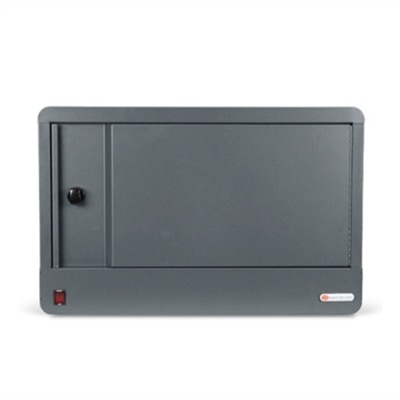
Tablet charging stations provide a practical way to power, organize, and store several tablets in one central location. Rather than leaving devices scattered across desks, counters, classrooms, or work areas, a charging station keeps them upright, visible, and ready for the next lesson, meeting, shift, or family activity. The right setup can range from a compact desktop dock with a handful of charging slots to a larger cabinet or cart designed to hold and charge many devices at once. When comparing tablet charging stations, start by counting the tablets that need power at the same time, then consider whether the station should accommodate phones, laptops, or other USB-C devices as well. A four- to six-device dock can suit a home office, reception desk, small business, or shared workspace, while a high-capacity cabinet may be more appropriate for a classroom, training room, healthcare setting, library, or organization that distributes tablets to many users. Pay close attention to the charging connections included, since newer tablets commonly use USB-C while older devices may require a different cable. A station with integrated ports or cable channels helps reduce the familiar tangle of cords that gathers behind a desk, and clearly separated bays make it easier to identify which device belongs where. Some desktop charging stations are compact enough to sit beside a monitor without taking over the work surface, while enclosed models provide a dedicated place to return devices at the end of the day. If the tablets will be used alongside portable computers, a larger setup may also complement Laptop Charging Cabinets for a more complete charging area.
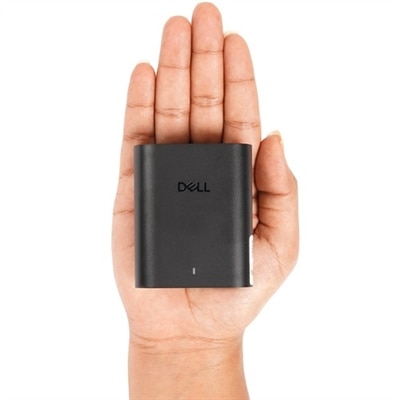
Capacity is only one part of the decision. Charging speed, compatibility, construction, ventilation, and everyday access all influence how well a tablet charging station fits a particular routine. A multi-port charging block can be useful when several people need to power tablets, phones, and smaller electronics from one outlet, especially on a shared desk or worktable. Look for sufficient total power so connected devices can charge efficiently rather than competing for limited output. Stations that support modern USB-C power delivery may offer added flexibility for newer tablets and other compatible electronics, although the actual charging speed depends on the device, cable, and power requirements. For a school, office, or business, a cabinet or cart with individual slots can simplify check-in and check-out while keeping each tablet protected between uses. Locking storage may be important in rooms that are unattended, open to visitors, or used by multiple groups throughout the day. Solid construction, smooth hinges, secure casters, and sturdy handles matter when a station will be moved between rooms or repositioned as layouts change. Ventilation is another worthwhile consideration for enclosed charging furniture because multiple devices can produce warmth while charging. A well-designed station allows air to circulate and keeps cables arranged without pressing against screens or ports. It is also helpful to think about where the station will live: a low-profile dock may fit neatly beside a reception computer, while a rolling cart can be parked against a wall and brought into a classroom or conference room when needed. For homes, a simpler station can create a dependable landing place near a family workspace, helping children and adults return tablets after use instead of searching under cushions or carrying them from room to room.
Tablet charging stations are used by a wide range of people because tablets support learning, communication, point-of-sale tasks, presentations, entertainment, and mobile work. Educators can place one near the front or side of a classroom so tablets are collected, charged, and distributed without interrupting the flow of the day. Businesses may use centralized charging in training rooms, shared offices, waiting areas, retail spaces, or meeting rooms where devices rotate among employees. Healthcare and service organizations can benefit from an orderly charging point for tablets used during registration, documentation, scheduling, or customer support. At home, a station can keep family tablets together in a kitchen, study, or home office, making it easier to manage charging before travel, schoolwork, video calls, or a quiet evening of reading and streaming during the cooler months. A dedicated station can also be a thoughtful practical gift for someone setting up a home office, organizing a learning space, or equipping a small business, particularly when several devices are already part of the daily routine. Before choosing, measure the intended surface or storage area, confirm the number and type of charging cables needed, and check whether the station holds tablets with protective cases attached. Consider how often devices will be removed, whether users need to see charging indicators, and whether the station should remain fixed in place or move from room to room. It is worth leaving a little extra capacity for future devices, since a station that is completely full from the first day may become restrictive as needs change. With the right combination of capacity, charging support, organization, and security, a tablet charging station turns a loose collection of personal electronics into a dependable shared resource that is easier to maintain and ready whenever the next task begins.
FAQs:
Most tablet charging stations are designed to accommodate a wide range of devices, including tablets, e-readers, smartphones, and other USB-powered electronics. Many stations feature a mix of USB-A and USB-C ports, making them compatible with the latest devices as well as older models.
Yes, tablet charging stations are widely used in educational environments to keep student devices organized, fully charged, and ready for use. Some models are designed specifically for classrooms, offering lockable storage and the ability to charge multiple tablets at once, making device management more efficient for teachers and IT staff.
Absolutely. Tablet charging stations often include built-in cable management features, such as adjustable dividers and hidden compartments, which help keep charging cables organized and out of sight. This creates a cleaner, more organized environment whether you’re at home, at work, or in a shared space.
Many tablet charging stations are designed with adjustable or wider slots to accommodate devices with protective cases. This means you can keep your tablets protected while charging, without the hassle of removing and replacing cases each time.
Tablet charging stations are ideal for families with multiple devices, educators managing classroom technology, office teams sharing tablets for meetings, and anyone looking to keep their devices organized and powered up. They also make thoughtful gifts for students, teachers, and tech enthusiasts.