Tablet Pens
Tablet pens offer a seamless way to enhance your digital experience, making it easier to sketch, take notes, or navigate your device with precision. Designed for compatibility with a range of tablets, these versatile tools are ideal for students, professionals, and creatives alike. Discover an array of tablet pens that combine comfort and functionality, helping you get the most out of your technology. Explore options that suit your needs and elevate how you interact with your favorite devices.
This product is not available
Check out the following recommendations.
Tablet Pens
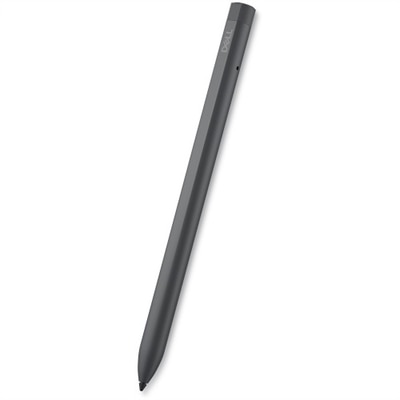
Tablet pens, also called styluses, make a touchscreen feel more natural for writing, sketching, marking up documents and navigating apps. Instead of tapping with a fingertip and leaving smudges across the display, you can use a slim, pen-shaped tool that offers more control and a familiar grip. The right choice depends first on the tablet it will be used with and then on the way it will be used. Passive or capacitive styluses are the simplest option: they imitate the touch of a finger, do not require charging or pairing, and generally work with a wide range of capacitive touchscreens. They are useful for tapping small on-screen controls, scrolling through recipes, signing forms, browsing while wearing gloves designed for touchscreens, or keeping a shared family tablet cleaner. Many have a soft rubber, mesh or disc-style tip intended to glide across the glass without the drag of a fingertip. They can be a practical choice for students, travelers, customer-facing work and anyone who wants an inexpensive everyday writing accessory. Active tablet pens are more specialized. They communicate electronically with compatible tablets and may support pressure sensitivity, tilt recognition, palm rejection, shortcut buttons, low-latency ink and other features that make digital writing feel closer to using a pencil or fine-tip pen on paper. A student can rest a hand on the screen while taking notes in a lecture, an illustrator can create a light sketch and build darker lines with firmer pressure, and a professional can annotate a presentation without interrupting the flow of a meeting. Because these features depend on communication between the pen and tablet, an active pen designed for one device family may not work with another, even if both tablets have similar screen sizes. Checking the tablet’s exact model, operating system support and compatible pen technology before purchasing is the most important step.
Compatibility deserves careful attention because a tablet pen can look like the perfect match and still lack the features a user expects. Start with the tablet manufacturer’s specifications or the device manual, then confirm whether the tablet supports an active pen, a particular protocol or only basic capacitive input. Some active pens pair wirelessly, while others begin working when placed near the screen or connected during setup. Charging methods also vary. A pen may use a built-in rechargeable battery, a replaceable battery or a wired connection such as USB-C, and battery life can affect how convenient it is for travel, school and long work sessions. Magnetic attachment is helpful for keeping a compatible pen with a tablet, but it does not always mean the pen charges magnetically, so those details should be verified separately. Consider the tip, too. A narrow tip can make handwriting and detailed drawing more precise, while a broader capacitive tip may be better suited to casual navigation. Replaceable tips can extend the useful life of an active pen, particularly for people who write every day or draw with firm pressure. Palm rejection is valuable for note-taking because it helps prevent accidental marks when the side of the hand rests on the display. Pressure sensitivity and tilt support matter most to artists, designers and students who want expressive strokes, shading or calligraphic effects; they may be unnecessary for someone who mainly opens apps and taps buttons. Button placement, texture, weight and balance are personal considerations that become noticeable over time. A pen that feels comfortable for a few minutes may feel tiring after filling several pages of digital notes. For a useful test, imagine holding it through a full class, a client review or an evening of drawing. A secure cap, a clip or a storage sleeve can also reduce the chance of leaving it behind in a backpack or beside a coffee cup. For retail counters, reception desks and other customer-facing settings, a capacitive stylus or compatible active pen can support cleaner, more deliberate interaction with a touchscreen. When comparing tablet-based checkout equipment, explore options such as Tablet POS Systems while confirming that the selected pen works with the display and software in use.
Tablet pens can suit a broad range of people and make thoughtful gifts for students, remote workers, artists, journalers and anyone who enjoys organizing life on a digital screen. A basic capacitive stylus is easy to share and requires little setup, making it a sensible addition to a household tablet or a useful accessory for someone who is new to touchscreen devices. An active pen is a more personal choice, especially when the recipient takes handwritten notes, reviews documents, practices lettering or creates digital art. During the warmer part of the year, a pen can slip into a tote with a tablet for planning trips, sketching outdoors or signing paperwork on the go; during cooler months, it can help turn a tablet into a comfortable reading, study and creative workspace at home. Think about the recipient’s habits rather than choosing based only on appearance. Someone who uses a tablet for recipes and video calls may value a no-charge, universally compatible stylus, while an architecture student or illustrator may need pressure sensitivity, tilt support and a precise active tip. A business user may prioritize dependable pairing, long battery life and shortcut controls for switching tools or erasing marks. It is also worth considering the screen protector, since some thick or textured protectors can change the feel of a pen or affect responsiveness. Keep the tablet’s intended use in mind: digital handwriting benefits from low latency and palm rejection, drawing benefits from pressure and tilt detection, and general navigation may call for a simple, durable tip. Selecting a pen with the right balance of compatibility, comfort and features helps avoid paying for capabilities that will go unused while ensuring the accessory feels natural in daily routines. Whether it rests beside a notebook for quick ideas, travels in a work bag for on-screen signatures or becomes the main tool for layered illustrations, a well-matched tablet pen can make a touchscreen more precise, expressive and personal.
FAQs:
When selecting a tablet pen for digital art, focus on features like high pressure sensitivity for detailed strokes, tilt support for shading, and palm rejection to prevent accidental marks while drawing. Compatibility with your device, such as a dell tablet with pen support, is also essential to ensure optimal performance and access to all available functions.
Many digital pens are designed for specific brands or models, so it's important to check compatibility before use. Some options, like a lenovo compatible stylus or a dell pen, are tailored for certain tablets, while others may offer broader compatibility across multiple devices. Always verify your device's requirements to ensure smooth functionality.
Palm rejection technology allows you to rest your hand naturally on the screen while writing or drawing with your tablet pen, without causing unwanted marks or interruptions. This feature is especially valuable for note-takers and artists who rely on a comfortable, natural writing position for extended periods.
Tablet pens are valuable for a wide range of users, including students taking handwritten notes, professionals annotating documents or signing contracts, artists creating digital illustrations, and even families using educational or creative apps. The versatility of a digital pen makes it a practical tool for anyone looking to enhance their touchscreen experience.
A dell tablet pen can be used for marking up PDFs, navigating presentations, editing photos, and even controlling certain apps with greater precision. In business settings, it’s useful for signing digital documents, sketching diagrams during meetings, and improving workflow efficiency on compatible devices.