Triple Screen Mounts
Elevate your workspace with our selection of triple screen mounts, designed to enhance productivity and create an immersive viewing experience. Whether you're optimizing your home office or setting up a professional workstation, these mounts offer the flexibility to arrange your monitors in a configuration that best suits your needs. With sleek designs and sturdy construction, triple screen mounts not only maximize desk space but also provide ergonomic benefits by allowing you to adjust the height and angle of each screen effortlessly. Discover how these versatile solutions can transform your multi-monitor setup, making it more efficient and visually appealing.
This product is not available
Check out the following recommendations.




Triple Screen Mounts
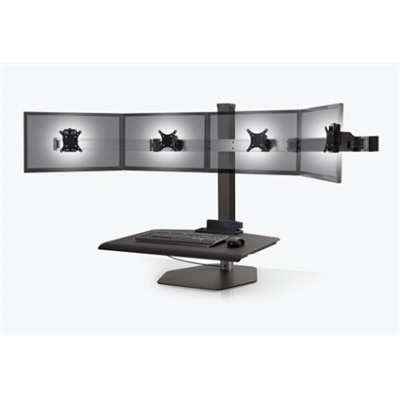
Triple screen mounts hold three monitors on a shared support system, bringing separate displays together into a more organized workspace. By replacing individual monitor bases with a central structure and supporting arms, a mount can open up room for a keyboard, notebook, drawing tablet, or other everyday accessories. The effect is especially noticeable on a desk where three original stands would otherwise compete for space. A side-by-side arrangement gives each screen a distinct role: a main document in the center, reference material to one side, and messages or a calendar on the other. Software developers, designers, analysts, and people working across several applications may appreciate having information visible without repeatedly switching windows. Gaming setups can also benefit from a three-screen layout, whether the outer displays hold supporting applications or form part of a wider view in compatible games. The mount provides the physical arrangement; the computer, graphics hardware, connections, and software determine how those screens function together. Different mount structures suit different habits. A rigid crossbar keeps displays in a relatively consistent row, while articulated arms allow more independent positioning. Some designs support a central landscape display flanked by portrait screens, a useful arrangement for reading long documents or reviewing code, provided the monitors and arms have sufficient rotation and clearance. Three displays do not have to sit perfectly flat across the desk, either. Angling the outer screens inward can create a gentle arc that makes their content easier to see from a central seat. The usable arrangement depends on screen width, arm reach, and desk depth, not just the number of mounting points. For someone who spends hours comparing drawings, editing timelines, or keeping several reference windows open, a well-matched triple monitor mount can make the workspace feel more deliberate, with screens positioned around the task rather than wherever their original bases happen to fit.
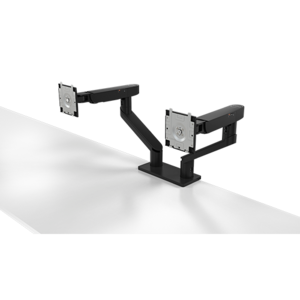
Fit begins with the relationship between the mounting plates, the monitors, and the desk. Many triple screen mounts use VESA mounting patterns, commonly 75 by 75 millimeters or 100 by 100 millimeters, but the hole spacing on each monitor must match the mount or a compatible adapter. Recessed mounting areas, curved rear housings, and nearby connection ports can affect attachment even when the hole pattern matches. Screen size is only one part of compatibility: each monitor’s weight without its original stand must fall within the stated capacity for its supporting arm, and the complete setup must meet any total load limit. Spring-assisted arms may also have a minimum supported weight, so a very lightweight screen is not automatically a suitable match. Curved and unusually wide monitors deserve particular attention because their shape and depth can affect clearance and positioning. Three panels that each meet a mount’s diagonal size limit may still need careful width checks to fit the intended layout. The desk attachment is equally important. A clamp mount grips an appropriate desk edge, while a grommet mount fastens through a suitable opening in the desktop. Both need the specified desktop thickness, adequate contact area, and a surface capable of supporting the assembled load. Rear aprons, drawers, cable trays, and a desk pushed tightly against a wall can limit installation space or restrict arm movement. Glass and hollow-core desktops require explicit confirmation of suitability rather than an assumption that a clamp will work. Freestanding triple monitor stands use a weighted base instead of a desk attachment, making the base footprint and the manufacturer’s positioning limits important considerations. Height adjustment, tilt, swivel, and rotation vary by design, and a mount described as adjustable may not offer independent height adjustment for every screen. For workspaces built around four displays instead of three, Quad Monitor Stands offer a related configuration to consider, with their own requirements for screen spacing, overall height, and desk support.
Materials and construction influence how a triple screen mount feels during daily use, particularly when the displays are moved often. Steel components can provide rigidity, while aluminum components can reduce structural weight; neither material alone establishes how much weight a mount can safely support. Joint design, fasteners, mounting plates, and the desk connection all contribute to stability. Painted or powder-coated finishes help protect exposed metal during normal indoor use, although repeated impacts and abrasion can still mark the surface. A setup that stays in one position may suit a fixed-height or manually adjusted structure, while frequent changes between tasks can make independently moving arms more useful. Gas-spring and mechanical-spring designs can support smoother repositioning when correctly matched and adjusted to the monitors, but the available movement differs between mounts. On a sit-stand desk, screen height and cable routing matter throughout the desk’s travel, not only at the seated position. Power and display cables need enough slack for the arms to extend and the desktop to rise without pulling on connectors. Built-in channels, clips, or sleeves can gather those cables along the support structure, keeping them away from the keyboard area without pinching them at moving joints. Everyday comfort depends on placement as much as adjustment range. A primary screen centered in front of the chair, with frequently used content within an easy viewing distance, can reduce the need for repeated twisting; less frequently checked windows can occupy the outer displays. Very wide arrangements still require some head movement, and a mount cannot compensate for text that is too small or a desk that is too shallow. Care is generally straightforward: a soft cloth removes dust, finishes should be cleaned according to the manufacturer’s directions, and fasteners and cable clearances merit periodic checks, especially after repositioning. Loose joints, persistent drooping, or unexpected movement should be addressed before continued use. As a practical gift for a home-office user or gaming enthusiast, a triple screen mount is most useful when the recipient’s monitor specifications and desk construction are already known. The lasting benefit comes from that physical match: three securely supported screens, accessible desk space, and an arrangement that fits the way the workspace is used.
FAQs:
A triple monitor mount offers a wider, more immersive field of view, making it easier to multitask, compare documents, or keep multiple applications open at once. It also helps keep your workspace organized by freeing up desk space and providing cable management, resulting in a cleaner and more efficient setup.
Most triple monitor mounts provide a range of adjustments, including tilt, swivel, and rotation for each arm. This allows you to customize the viewing angles and height of each screen to achieve an ergonomic and comfortable setup tailored to your preferences.
Triple monitor mounts are ideal for professionals such as graphic designers, video editors, financial analysts, and software developers who need to view multiple windows simultaneously. Gamers, streamers, and remote workers also benefit from the increased screen real estate and immersive experience.
Triple monitor mounts are designed with versatile mounting options, including clamp and grommet bases, making them compatible with a wide variety of desk types and thicknesses. Always check your desk’s specifications to ensure a proper fit.
Many triple monitor mounts feature integrated cable management systems that route cables along the arms or through dedicated channels. This keeps cables organized, reduces clutter, and contributes to a neat and professional-looking workspace.