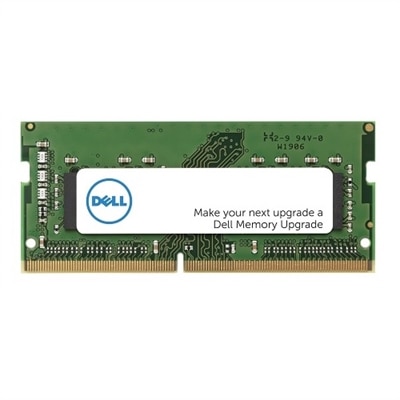
UDIMM Memory
Upgrade your computing experience with UDIMM memory, designed to enhance system performance and reliability for a variety of desktop applications. Whether you’re building a new PC or looking to boost your current setup, UDIMM memory offers the flexibility and compatibility needed for seamless multitasking and efficient workflow. Explore a wide selection of capacities and speeds to find the right fit for your needs, and take your productivity to the next level with dependable memory solutions.
This product is not available
Check out the following recommendations.




UDIMM Memory
UDIMM memory is unbuffered dual in-line memory module RAM, a full-size memory format commonly used in desktop computers, gaming PCs, and compatible desktop workstations. It provides the temporary working space a computer uses for open applications, active documents, and other tasks in progress. “Unbuffered” means the module does not place a register between the processor’s memory controller and the memory chips to buffer command and address signals. This design suits the memory requirements of many everyday desktop systems, though overall responsiveness depends on capacity, memory speed, timings, and the rest of the computer. For someone moving between a video meeting, a large spreadsheet, and a browser full of research tabs, sufficient RAM helps keep those tasks running together without frequent pauses caused by memory pressure. For a gamer, it supports the game alongside voice chat and background applications; for a creative professional, it gives editing software room to work with complex projects. More memory is most useful when a workload is approaching the computer’s existing capacity. Adding capacity beyond what applications use does not automatically make every task faster, and RAM cannot compensate for every processor or graphics limitation. As a general point of reference, 16GB can suit everyday multitasking and many games, while 32GB offers more headroom for heavier multitasking and demanding creative applications. Larger capacities may be appropriate for substantial media projects, complex design work, or multiple virtual machines, provided the computer supports them. Application requirements and actual usage are more useful than capacity alone when judging a suitable configuration. UDIMMs are primarily desktop components, not a universal upgrade for every computer: many laptops and compact desktops use smaller SO-DIMM modules or memory attached directly to the system board. Even among full-size desktop computers, the right fit depends on the exact system, processor, and motherboard. That makes compatibility just as important as the number printed on a module’s capacity label.
DDR generation is one of the first distinctions among UDIMM memory modules. DDR4 and DDR5 are different electrical and physical standards, with different signaling requirements and notch positions; they are not interchangeable, even though both desktop formats have 288 pins. A motherboard designed for one generation cannot accept the other simply because the modules look similar. For desktops that specify DDR4, DDR4 Memory Modules belong to that generation, but the UDIMM form factor, supported capacity, and other specifications still need to match the computer. System documentation typically identifies the required memory type, maximum total capacity, supported capacity per slot, and recommended slot arrangement. These details matter when adding memory to an existing configuration as well as when replacing all installed modules. A desktop with four memory slots, for example, may specify a particular pair of slots for a two-module configuration. Following that arrangement can enable the intended memory-channel operation and help the system perform as designed. Memory speed is commonly expressed in megatransfers per second, or MT/s, which describes the effective data transfer rate rather than the underlying clock frequency. A module’s advertised rate is not a promise that every compatible computer will run it at that setting. The processor, motherboard, firmware, number of installed modules, and supported memory profiles all influence the operating rate. Some higher-speed settings require explicit platform support and configuration, while standard settings may run at a lower rate. Timings also contribute to latency, so a single speed number does not describe the entire performance picture. Combining modules with different specifications can lead to a shared lower operating rate or compatibility problems. Modules tested together as a kit can reduce uncertainty, although the kit must still meet the system’s requirements. Matching capacity, generation, and supported operating specifications provides a more dependable basis for an upgrade than assuming any two UDIMMs will work together.
The physical construction of UDIMM memory is straightforward but precise: semiconductor memory chips sit on a rigid printed circuit board, and an edge connector with metal contacts fits into the motherboard’s memory slot. Some modules leave their chips exposed, while others use metal heat spreaders, often aluminum, to help distribute heat and provide a finished exterior. A heat spreader’s height can affect clearance beneath a large processor cooler, especially in a tightly packed desktop case. Decorative lighting and taller profiles may appeal in a windowed gaming computer, but neither establishes compatibility or guarantees better performance. For an office desktop tucked under a desk, a standard-height module with the correct specifications may be the more practical fit. Electrical characteristics matter too. Most mainstream consumer desktops use non-ECC UDIMMs, while some compatible desktop workstations support ECC UDIMMs, which can detect and correct certain memory errors when supported by the processor and motherboard. ECC capability is not something that can be assumed from the UDIMM label, and ECC and non-ECC modules should not be treated as interchangeable without confirmation from the system documentation. DDR5’s internal on-die error correction is also distinct from system-level ECC support; its presence does not make an ordinary DDR5 module equivalent to an ECC UDIMM. With a suitable configuration, memory generally needs little routine care because it has no moving parts. Long-term reliability depends more on correct installation, stable operating conditions, and adequate case airflow than on cosmetic features. Handling modules by their edges, avoiding contact with exposed connectors, and observing electrostatic-discharge precautions help protect sensitive circuitry. Installation belongs in a fully powered-down, unplugged computer, following its service instructions, and the keyed notch should align without forcing the module into place. Packaging that protects against static is useful when modules are transported or kept for future use. For students handling research and coursework, households sharing a desktop, and professionals juggling demanding applications, compatible UDIMM RAM can provide working room where it is needed. As a gift for a desktop enthusiast, memory is best chosen with the recipient’s exact system specifications in hand rather than by appearance or capacity alone.
FAQs:
UDIMM RAM, or Unbuffered Dual In-line Memory Module, connects directly to the memory controller without an intermediate buffer or register. This design reduces latency and is commonly used in consumer desktops and laptops, offering faster data access compared to registered (RDIMM) or buffered modules typically found in enterprise environments.
High-speed UDIMM memory, such as 4400 mt/s RAM, is especially beneficial for gamers, creative professionals, and power users who run demanding applications. It provides smoother multitasking, faster application launches, and improved responsiveness during intensive tasks like video editing, 3D rendering, and gaming.
DDR4 UDIMM is compatible with most modern desktop motherboards that support DDR4 memory. However, it's important to verify your system’s specifications to ensure compatibility, as older systems may require DDR3 RAM or a different memory type.
Yes, upgrading desktop RAM can significantly enhance everyday computing tasks such as web browsing, document editing, streaming, and running multiple applications simultaneously. More memory allows your system to handle more data at once, resulting in a smoother and more efficient experience.
UDIMM memory modules are designed for straightforward installation, making them accessible for first-time upgraders. Most desktop systems allow for tool-free access to the memory slots, and the modules snap into place with minimal effort. Always consult your computer’s manual for specific installation instructions.