$659.99
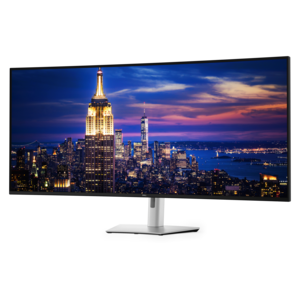
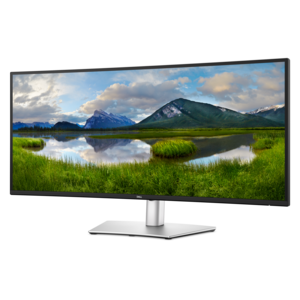
A curved ultrawide WQHD monitor with USB-C power delivery up to 90W and RJ45 Ethernet connectivity.
Ultrawide Monitors for Multitasking deliver an expansive workspace designed to enhance productivity and streamline your workflow. With a broader screen area, these monitors make it easy to manage multiple applications, compare documents side by side, or immerse yourself in creative projects. Whether you’re handling complex tasks or seeking a more efficient setup for work and entertainment, explore options that help you stay organized and focused throughout your day.
A curved ultrawide WQHD monitor with USB-C power delivery up to 90W and RJ45 Ethernet connectivity.
A 6K ultrawide monitor designed for seamless multitasking, superior visual clarity, and all-day eye comfort.
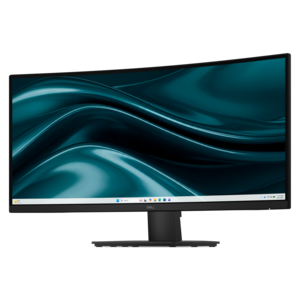
A curved WQHD monitor with 165Hz refresh rate, 1ms MPRT, and TÜV Rheinland 3-star certification.
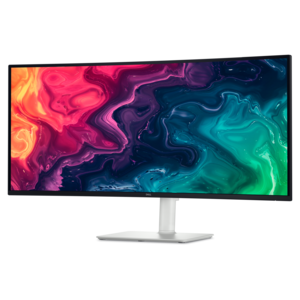
A curved WQHD USB-C monitor with 120Hz refresh and dual 5W speakers for entertainment.
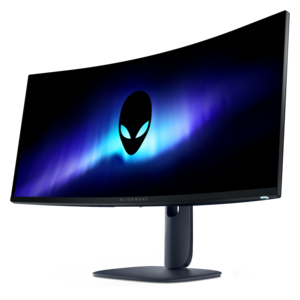
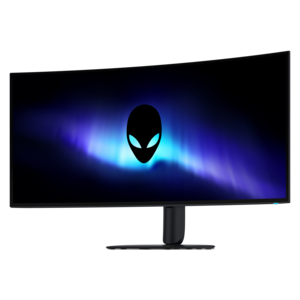
An ultrawide QD-OLED gaming monitor delivering 240Hz speed, immersive visuals, and a striking modern design.
Ultrawide monitors have become an essential tool for anyone looking to elevate their multitasking capabilities, whether you’re managing complex workflows at the office, organizing a home workspace, or diving into creative projects that demand expansive digital real estate. With their signature panoramic aspect ratios, these displays offer a seamless, uninterrupted canvas that can comfortably accommodate multiple applications side by side—eliminating the distraction of center bezels that come with traditional dual-monitor setups. This extra width is particularly valuable for professionals who need to keep several documents, spreadsheets, or browser windows open at once, such as financial analysts comparing data sets, designers working with layered timelines, or remote workers juggling video calls and project management tools. Even for students or busy households, the ability to split the screen for research, note-taking, and communication can transform productivity and make everyday tasks feel more manageable. As the days grow longer or cooler, depending on the season, having a workspace that adapts to your needs—whether you’re starting fresh in the school year or settling into new routines—can make all the difference in maintaining focus and efficiency.
When considering an ultrawide monitor for multitasking, several features are worth keeping in mind to ensure the best fit for your workflow and environment. Screen size and curvature play a significant role in comfort and usability; larger displays, especially those 34 inches and above, often incorporate a gentle curve that reduces eye strain and keeps the entire workspace within your natural field of view. This design makes it easier to scan across wide spreadsheets or creative timelines without constantly turning your head. Resolution is another key factor—higher pixel counts, such as 3440 x 1440 or even 5K and 6K options, provide crisp, detailed visuals that allow you to view more content without sacrificing clarity. Connectivity options like USB-C or Thunderbolt ports can simplify your setup by allowing you to transmit power, data, and video through a single cable, reducing desk clutter and streamlining transitions between devices. Built-in KVM switches are especially useful for those who switch between a work laptop and a personal desktop, enabling control of both systems with a single keyboard and mouse. For anyone who values a tidy, efficient workspace—whether you’re gifting a monitor to a college-bound student, a remote worker, or treating yourself to a more organized setup—these features can make everyday multitasking smoother and more enjoyable.
Ultrawide monitors are also an excellent choice for anyone who enjoys immersive entertainment or creative pursuits outside of work. The same wide aspect ratio that supports multitasking can enhance movie nights with cinematic visuals or provide a competitive edge in gaming sessions. For those interested in displays tailored specifically for gaming, explore the selection of Ultrawide Gaming Monitors to find options designed for speed, color accuracy, and smooth motion. Whether you’re optimizing your workspace for productivity or seeking a versatile display that transitions seamlessly from work to play, an ultrawide monitor offers a flexible, future-ready solution that adapts to your evolving needs throughout the changing seasons.
Add the products you would like to compare, and quickly determine which is best for your needs.