$34.99
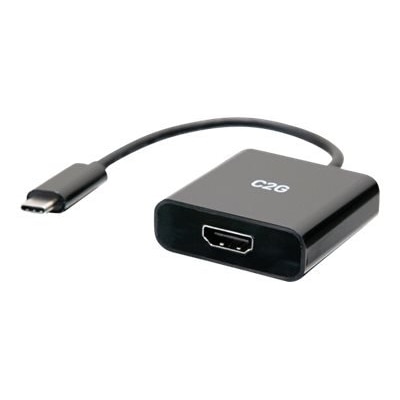
A lightweight USB-C to HDMI adapter supports 4K resolution and 60W power delivery for seamless connectivity.
Unlock the potential of seamless connectivity with USB-C to HDMI adapters, essential tools for bridging the gap between modern devices and high-definition displays. Perfect for both work and play, these adapters allow you to effortlessly connect your USB-C-enabled laptops, tablets, or smartphones to HDMI-equipped monitors, TVs, and projectors. Whether you're delivering a presentation, streaming your favorite movies, or expanding your desktop workspace, USB-C to HDMI adapters offer a convenient solution for enhancing your digital experience. Explore our selection to find the perfect adapter that meets your connectivity needs and elevates your tech setup.
A lightweight USB-C to HDMI adapter supports 4K resolution and 60W power delivery for seamless connectivity.
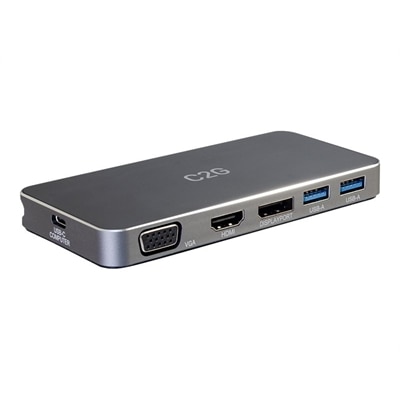
A versatile 7-in-1 USB-C docking station with HDMI, DisplayPort, VGA, and 100W power delivery support.
A compact adapter enabling 8K resolution at 60Hz from USB-C to HDMI with HDR10 support.
A lightweight black hub enabling a USB-C device to connect to two HDMI displays at 4K 60Hz.
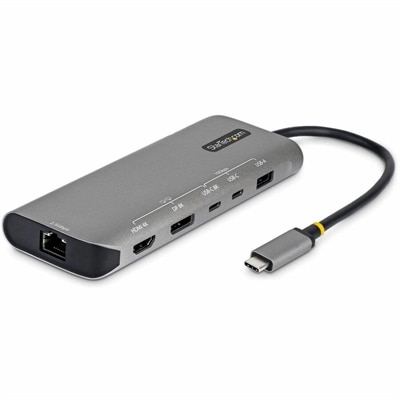
A space gray multiport adapter enabling dual 4K displays, 140W charging, 10Gbps ports, and 2.5GbE connectivity.
A 2-meter USB-C to HDMI 2.0 cable delivering smooth 4K 60Hz output for vivid displays.
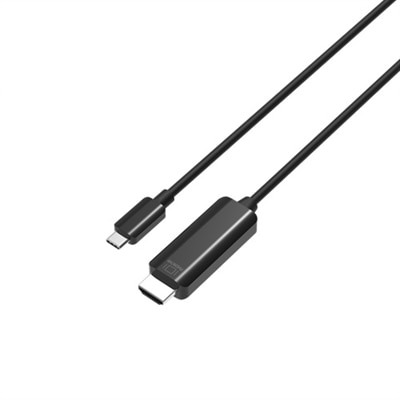
A black 6ft USB-C to HDMI cable delivers 4K 60Hz video for seamless connectivity to displays.
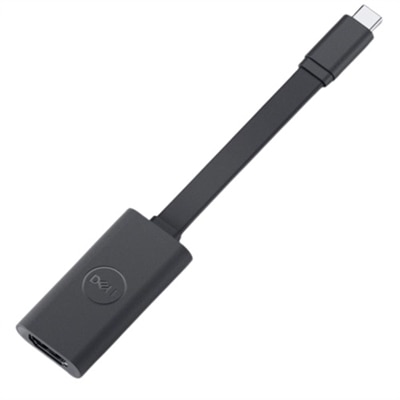
A compact black adapter that converts USB-C to HDMI, supporting up to 4K resolution at 60Hz.
As technology continues to evolve, the need for seamless connectivity between devices becomes more essential, especially as more laptops, tablets, and smartphones rely on USB-C ports for both charging and data transfer. USB-C to HDMI adapters have emerged as a practical solution for anyone looking to extend their workspace, share content, or enjoy high-resolution entertainment on a larger screen. Whether you’re setting up a home office as the days grow longer or preparing for collaborative projects during the cooler months, these adapters enable you to connect your USB-C-enabled device to external displays such as monitors, projectors, or TVs. For professionals, students, and creatives alike, the ability to mirror or extend your display can make presentations smoother, multitasking more efficient, and streaming movies or games more immersive. The versatility of these adapters means they are just as useful for a business traveler needing to plug into a conference room projector as they are for a student sharing a project in class or a family streaming videos together in the living room.
When selecting a USB-C to HDMI adapter, it’s important to consider several factors to ensure compatibility and optimal performance. Many modern adapters support resolutions up to 4K at 60Hz, delivering crisp visuals and smooth motion—ideal for everything from video editing to gaming marathons. Advanced models may even support higher refresh rates or resolutions, catering to those with specialized display needs. If you’re using a Dell monitor adapter to HDMI, you’ll want to ensure it matches your display’s capabilities and your device’s USB-C port supports DisplayPort Alt Mode. For those who rely on their device for extended periods, choosing an adapter with HDMI with power delivery can be a game-changer, allowing you to charge your laptop or tablet while connected to an external screen—perfect for long meetings, creative sessions, or extended viewing. Compatibility is another key consideration; many adapters work seamlessly with a wide range of devices, including MacBooks, iPad Pro, Chromebooks, Surface devices, and newer USB-C smartphones. Whether you’re looking for a straightforward dell usb c to hdmi solution or a more versatile dell usb-c to hdmi 2.0/ usb-a 3.0 adapter to connect multiple peripherals, there’s an option to fit nearly every setup.
USB-C to HDMI adapters also make thoughtful gifts for anyone upgrading their tech or seeking more flexible ways to connect and share. Imagine gifting a recent graduate an adapter usb-c till hdmi to help them transition from campus life to a new job, or surprising a friend who loves movie nights with an easy way to stream content from their phone to their TV. As families gather for backyard barbecues or settle in for movie marathons indoors, the ability to connect devices quickly and reliably becomes even more valuable. For those looking to expand their connectivity options further, exploring USB C Multiport Adapters can offer even greater versatility, combining HDMI output with additional ports for USB-A devices, Ethernet, and more. With the right adapter, you can transform your device into a true productivity or entertainment hub, making it easier to stay connected and get the most out of your technology throughout every season.
USB-C to HDMI adapters are compatible with a wide range of devices that feature a USB-C port supporting DisplayPort Alt Mode. This includes many modern laptops, tablets, and smartphones, such as MacBooks (2016 and newer), certain Chromebooks, iPad Pro models, Windows laptops, and USB-C smartphones. Always check your device’s specifications to confirm compatibility.
A standard USB-C to HDMI adapter typically supports connecting to a single external display. However, some advanced adapters or docking solutions may allow for multi-monitor setups, depending on your device’s capabilities. For more versatile connectivity, consider exploring USB C Multiport Adapters, which can offer additional display and peripheral options.
Yes, most USB-C to HDMI adapters support audio as well as video transmission. This means you can enjoy both high-definition visuals and sound when connecting your device to monitors, TVs, or projectors equipped with speakers.
Most USB-C to HDMI adapters are plug-and-play, requiring no additional drivers or software for installation. Simply connect the adapter to your device and the HDMI cable to your display. Your device should automatically detect the external monitor or TV.
A powered USB-C to HDMI adapter often features pass-through charging, allowing you to charge your device while it’s connected to an external display. This is especially useful for laptops and tablets with limited ports, ensuring you can work or stream content without worrying about battery life.
Add the products you would like to compare, and quickly determine which is best for your needs.