$49.99
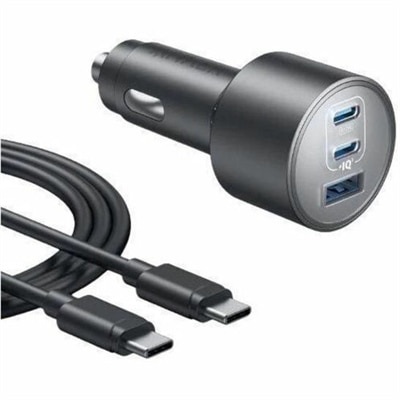
A car adapter delivering up to 100W, 45W, and 22.5W across three ports with advanced safety.
Discover the versatility and convenience of USB C multiport adapters, the ultimate solution for expanding your device's connectivity options. Ideal for professionals, students, and tech enthusiasts alike, these adapters seamlessly integrate with your existing setup, offering a streamlined way to connect multiple peripherals through a single USB C port. Whether you're looking to enhance your productivity or simplify your workspace, USB C multiport adapters provide the flexibility you need to stay connected and efficient in today's fast-paced digital world. Explore our selection and find the perfect adapter to meet your needs.
A car adapter delivering up to 100W, 45W, and 22.5W across three ports with advanced safety.
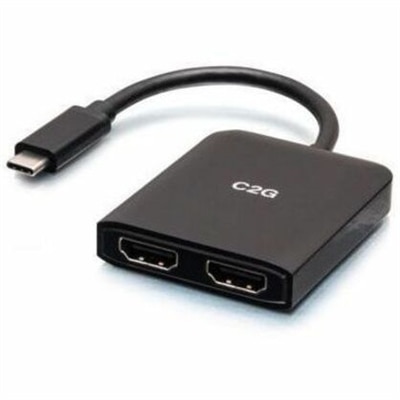
A compact USB-C hub supporting dual HDMI displays, 4K at 60Hz, mirroring, extending, and spanning.
USB C Multiport Adapters provide a practical way to expand the connectivity of a compatible laptop, desktop, tablet, or other USB-C device without carrying a collection of separate cables. A single compact adapter can add HDMI for an external display, USB-A ports for familiar accessories, an SD or microSD card reader for photos and video, Ethernet for a wired network connection, and USB-C Power Delivery pass-through for charging. This makes an adapter especially useful for people who move between a home office, classroom, studio, conference room, or shared workspace. A laptop with only a few USB-C ports can become a complete workstation with one connection: plug in a monitor, keyboard, mouse, storage drive, wired network cable, and charger through the adapter, then disconnect everything just as easily when it is time to pack up. Travelers also appreciate the smaller footprint compared with a full docking station. An adapter can slip into a laptop sleeve or accessory pouch and help maintain access to essential peripherals wherever work or entertainment takes place. For display-only connections, shoppers may also wish to explore USB C To HDMI Adapters, while a multiport model is better suited to setups that require several connection types at once. These adapters can also make thoughtful gifts for students, remote workers, photographers, content creators, and anyone upgrading to a slimmer computer with fewer built-in ports. Before choosing one, check the host device’s specifications, since USB-C ports can support different combinations of charging, data transfer, video output, and networking. The shape of the port alone does not guarantee that every function will work, so compatibility is an important first step.
The best USB C Multiport Adapter depends on the devices and workflow it needs to support. For monitor use, review the HDMI output details carefully, including supported resolution and refresh rate. Basic models may handle standard high-definition viewing comfortably, while a setup with a 4K monitor benefits from an adapter rated for 4K at 60Hz when the computer, cable, and display also support that standard. A lower refresh rate can still be suitable for documents, web browsing, and many everyday tasks, but smoother motion is valuable for video playback, creative work, and high-refresh displays. Consider the number and type of USB ports as well. USB-A remains useful for keyboards, mice, printers, flash drives, and other established accessories, while USB-C data ports can accommodate newer peripherals. Data speed ratings matter when moving large photo libraries, project files, or backups; USB 3.0 or USB 3.2 connections rated at 5Gbps or higher are generally more appropriate for frequent transfers than USB 2.0. If photography or videography is part of the routine, built-in SD and microSD slots can eliminate the need for a separate card reader and make it easier to move files from a camera, recorder, or handheld device. Ethernet is valuable in a home office, hotel, dormitory, or workplace where a wired connection may provide more consistent performance than wireless service. Some adapters include Gigabit Ethernet, while others use different speed ratings, so match the adapter to the network equipment and internet plan when wired connectivity is important. Port placement and cable length deserve attention as well. A short attached cable keeps the setup tidy beside a laptop, but a slightly longer lead may be more convenient when ports are positioned on the opposite side of a desk or when the adapter needs to rest away from a crowded computer edge. Aluminum or other sturdy housings may help an adapter withstand frequent travel, while a lightweight design can be preferable for daily commuting.
Power Delivery pass-through is another central consideration for USB C Multiport Adapters. With a compatible charger connected to the adapter, power can travel through to the laptop while accessories and displays remain attached, reducing the need to unplug the workstation whenever the battery needs charging. Compare the adapter’s maximum input rating with the computer’s charging requirements, and remember that the adapter uses a portion of the available power for its own operation. A charger rated at a particular wattage may therefore deliver somewhat less to the laptop after the adapter and connected devices draw power. Higher-wattage pass-through can be helpful for demanding laptops, external drives, and long work sessions, but the computer, charger, cable, and adapter must all support the intended standard. Look for clear information about operating-system compatibility and supported display modes, especially when connecting multiple monitors or using a tablet in place of a laptop. Some systems support only one external display through a given adapter, while others may require special software or have limits based on the computer’s graphics hardware. Heat is also normal during extended use, particularly when several ports are active or the adapter is delivering power, so a design with room for airflow is preferable to one buried beneath papers or fabric. A USB C Multiport Adapter can simplify a desk covered in cables, turn a thin laptop into a capable workstation, or help a student connect familiar classroom accessories to a newer computer. By matching the port selection, video capabilities, transfer speeds, power requirements, physical design, and device compatibility to the intended setup, shoppers can choose a dependable connection solution for work, study, creative projects, travel, and everyday entertainment.
Add the products you would like to compare, and quickly determine which is best for your needs.