$17.99
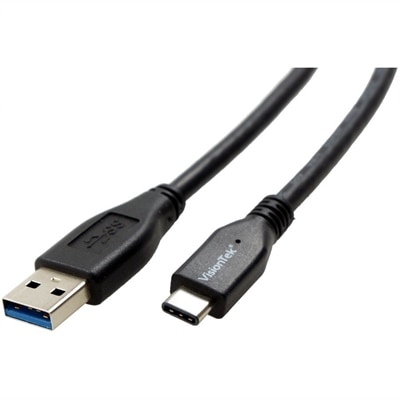
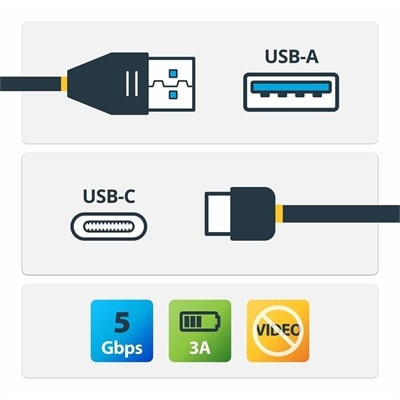
A USB-A to USB-C cable supporting 5Gbps data transfer, 3A charging, and device synchronization.
Discover the essential connectivity solution with our diverse range of USB cables, designed to seamlessly connect your devices and enhance your digital experience. Whether you're transferring data, charging your gadgets, or syncing multiple devices, our selection of USB cables offers reliable performance for all your needs. Explore various lengths and configurations to find the perfect fit for your setup, ensuring that your electronics are always connected and ready to go. Embrace the convenience and versatility of USB cables to keep your technology running smoothly and efficiently.
A USB-A to USB-C cable supporting 5Gbps data transfer, 3A charging, and device synchronization.
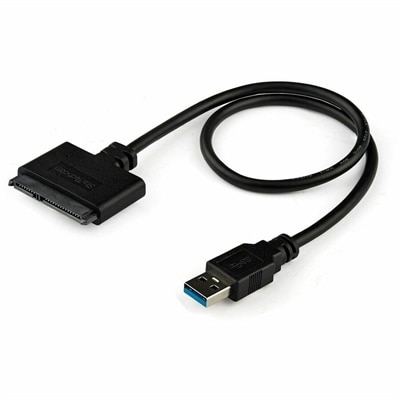
A USB-A to SATA adapter supporting 5Gbps transfers, UASP, plug-and-play connectivity, and SSD or HDD upgrades.
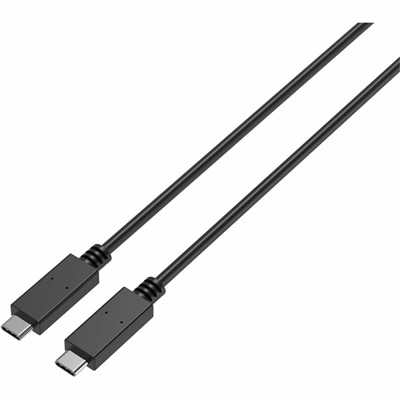
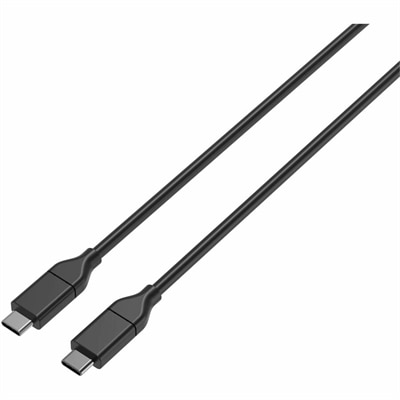
A durable USB-C cable supporting 100W charging, 10Gbps data transfer, and DisplayPort Alt Mode video.
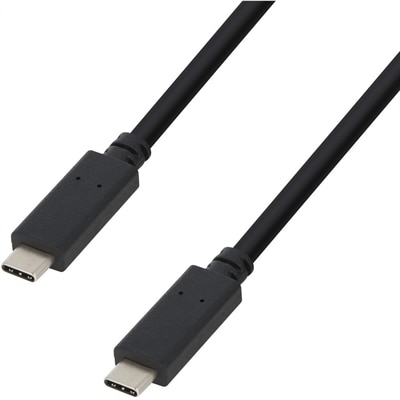
A USB-C cable supporting 100W Power Delivery, 10Gbps transfers, and 4K 60Hz DisplayPort Alt Mode.
USB cables connect everyday devices to power sources and to one another, supporting charging, data transfer, syncing, and connections between accessories. The right cable starts with the ports on both ends, not simply the shape or color of the cable. USB-C has a small, rounded connector that can be inserted either way and is common on newer laptops, desktops, monitors, tablets, phones, headphones, portable batteries, keyboards, mice, and other accessories. USB-A has the familiar flat, rectangular connector found on many computers, charging adapters, and older accessories. Micro-USB has a smaller, tapered connector and remains useful for select older phones, compact speakers, cameras, e-readers, game controllers, and other electronics. USB-B is the squarer connector often associated with printers and scanners. A USB-C-to-USB-C cable is useful when both the device and the charger or computer have USB-C ports, while a USB-A-to-USB-C cable can connect a newer device to an older wall adapter, desktop, or laptop. Other combinations serve specific connections, so checking each port before choosing a cable can help prevent an inconvenient mismatch. If you are building a more complete setup, browse Computer Cables for additional connection options. Cable length also matters: a short cord can reduce clutter beside a laptop or nightstand, while a longer one can reach a wall outlet behind a desk, across a bedside table, or from a desktop tower to a nearby accessory. Braided coverings may offer added flexibility and resistance to everyday bending, while smooth jackets can be easy to wipe clean and store. For travel, a compact cable that fits neatly in a pouch can keep a phone, tablet, and headphones ready during a commute or a long trip. For a permanent workspace, keeping separate cables at the desk, bedside, and in a travel bag can make charging less of a daily shuffle.
Performance depends on more than the connector. A cable designed primarily for charging may not provide the same data-transfer capability as one built for syncing files or connecting peripherals. USB versions and cable specifications influence transfer speeds, display support, and how much power a cable can carry, so look for compatibility with the requirements of the connected devices and charger. A USB-C connector by itself does not guarantee the highest charging speed, the fastest data transfer, or video output; the cable, power adapter, computer, monitor, and device all need to support the intended function. For charging, compare the cable’s supported power rating with the charger and device. For moving photos, documents, or larger files, check the listed data speed. For a monitor or other display connection, confirm that the cable supports the required video standard rather than assuming every USB-C cable will do so. People working from home may use USB cables to connect a laptop with a monitor, keyboard, mouse, external drive, or desk hub, while students may rely on them to keep tablets, headphones, and other study essentials powered throughout the day. A family charging area benefits from clearly labeled cable types, especially when several devices use different connectors. They can also make practical gifts for someone setting up a first apartment, refreshing a home office, organizing a travel kit, or replacing worn cords in a busy household. During cooler months, when more time is spent indoors, dependable cables can help keep a laptop powered during work, a tablet ready for reading, or a controller charged for an evening of entertainment. Before placing an order, identify the connector at each end, estimate the reach you need, decide whether charging, data transfer, or both are important, and consider how often the cable will be bent, packed, or moved. Choosing the proper type and length can reduce desk clutter, protect connected devices from unnecessary strain, and make daily charging and file transfers feel simple.
Add the products you would like to compare, and quickly determine which is best for your needs.