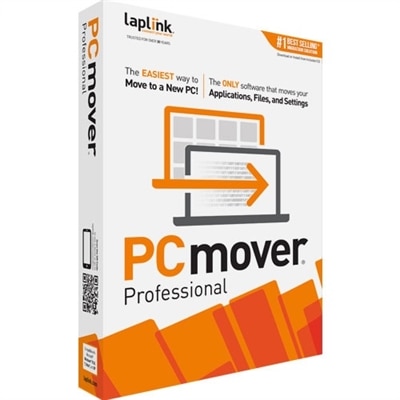
User Profile Migration Tools
User profile migration tools are essential for efficiently transferring user data and settings between devices or systems. Whether upgrading hardware, moving to a new operating system, or managing organizational changes, these solutions help streamline the process and minimize downtime. Explore a range of user profile migration tools designed to support seamless transitions, safeguard important information, and enhance productivity during migrations.
This product is not available
Check out the following recommendations.




User Profile Migration Tools
User profile migration tools help people move a familiar Windows computing experience from one account, device, or environment to another while preserving the details that make a workstation feel personal. Depending on the tool, that may include desktop files, documents, browser preferences, email settings, application data, accessibility options, wallpaper, mapped resources, and other user-specific settings. Some tools are designed to reconfigure an existing profile in place, such as changing a local profile so it works with a domain, Microsoft Entra ID, or another organizational account without copying every file to a separate location. Others support a complete move from an older laptop or desktop to a replacement PC, capturing selected data and settings before restoring them on the new system. This distinction matters because a same-device account transition has different requirements from a full PC refresh. Before choosing a tool, consider whether the source and destination are on the same computer, whether the user is moving to new hardware, which Windows editions are involved, and whether the transition is personal, organizational, or part of a larger deployment. A thoughtfully chosen migration utility can reduce repeated setup work, help users return to familiar routines sooner, and make a change of device or account feel less like starting over.
These tools are useful for a wide range of situations. An individual may use one when replacing an aging laptop, setting up a new desktop, or changing from a personal Windows account to an account managed by an employer or school. A family member helping someone prepare a new computer can use profile migration software to preserve familiar documents, browser preferences, and accessibility settings, reducing the frustration that often comes with a blank desktop. Small businesses and home offices may rely on migration utilities when several employees receive new laptops or desktops, particularly when each person has a different collection of work files and application preferences. IT professionals may use them during domain changes, organizational transitions, operating system upgrades, and PC refresh cycles. For larger groups, look for tools that support command-line operation, automation, logging, repeatable workflows, and centralized control. For a single workstation, a guided interface may be more approachable and easier to review step by step. In either case, a migration tool should complement, not replace, a reliable backup. Keep an untouched copy of important documents in a secure location, confirm that applications are compatible with the destination system, and make sure sign-in credentials, encryption keys, licenses, and cloud-sync settings are available before beginning. These simple precautions are especially helpful when a migration takes place during a busy work period or while preparing equipment for cooler months of study, travel, or home projects.
When comparing user profile migration tools, pay close attention to what each option can capture, what it can restore, and how much control it provides over the process. Some utilities let you select individual folders, known document locations, application settings, or user accounts instead of transferring an entire profile. XML-based rules or other filtering controls can be valuable for technicians who need to include specific data while leaving temporary files, caches, and unnecessary system content behind. Support for local-to-domain, domain-to-domain, local-to-cloud identity, and operating system transitions can help a tool remain useful as needs change. Clear status reporting, migration logs, rollback guidance, and preflight checks are also worthwhile features, especially when multiple laptops or desktops are involved. Hardware matters as well: a dependable replacement PC with sufficient storage, a compatible operating system, and the right accessories can make the process smoother, while an external drive or secure network location may be needed for staging data. Anyone who wants broader planning context can also review Windows Upgrade Tools for Seamless Migration. Whether the goal is to preserve one person’s familiar workspace or coordinate a carefully scheduled fleet refresh, the best choice balances migration scope, ease of use, security, automation, and technical support. A clear inventory of users, devices, accounts, applications, and essential files will make it easier to select a tool that fits the transition and helps each person settle into the next computing environment with less disruption.
FAQs:
When choosing a profile migration tool, look for compatibility with your operating system, support for transferring user settings, documents, and application data, and options for both local and cloud-based migrations. Security features such as encryption during transfer and a user-friendly interface are also important, especially if you’re migrating multiple profiles or sensitive information.
Profile migration tools are commonly used by IT professionals managing device upgrades in business environments, home users upgrading to new computers, students transitioning between school and personal devices, and anyone who wants to preserve their digital workspace during a hardware change. These tools are also helpful for remote workers and those setting up multiple devices.
Many profile migrators are designed to move not just files and folders, but also application settings, preferences, and even browser bookmarks. This helps ensure that your new device feels familiar and ready to use right away, reducing the time needed to reconfigure software after a migration.
Yes, most profile migration tools are versatile enough to be used in both personal and business settings. Some tools offer advanced features tailored for enterprise environments, such as batch migrations or centralized management, while others are designed for straightforward, individual use.
A Windows profile migration tool streamlines the process of moving user data and settings when upgrading to new devices, which is especially helpful during common upgrade periods like spring. It ensures a smooth transition, minimizes downtime, and allows users to pick up where they left off, making seasonal refreshes more efficient and less disruptive.