VGA Connections
VGA connections are an essential component for anyone looking to connect their computer to a monitor, projector, or other display devices. These versatile connectors have been a staple in the tech world for years, providing reliable and efficient transmission of video signals. Whether you're setting up a new workstation, enhancing your gaming setup, or simply need a dependable connection for presentations, VGA connections offer the compatibility and performance you need. Explore our range of high-quality VGA options to find the perfect solution for your display needs.
This product is not available
Check out the following recommendations.
Related Products
VGA Connections
VGA connections remain useful wherever older computers, monitors and projectors need to work with newer displays or replacement equipment. A VGA connection uses a trapezoid-shaped plug with three rows of 15 pins, commonly identified as DE-15 or HD-15, to carry an analog video signal from a compatible computer to a monitor or projector. The signal is divided into red, green and blue color channels along with synchronization information that helps the display form an image. VGA transmits video only, so it does not carry sound; if a presentation, video or game includes audio, a separate audio connection is needed. Many people encounter VGA in classrooms, meeting rooms, offices, small businesses and home workspaces where reliable legacy equipment is still in service. It can also be useful when connecting an older desktop or laptop to a display that accepts VGA input. Before choosing a connection, check the ports on both devices rather than relying on appearance alone. A VGA port is usually female and features a three-row pin arrangement, while the cable has a matching male connector with two thumb screws. Those screws are more than a design detail: gently tightening them helps keep the plug seated when a cable is routed behind a desk, moved between work areas or connected to a ceiling-mounted projector. Inspect the pins for bending or damage, and avoid forcing the connector into place. VGA cables are available in different lengths, but choosing the shortest length that comfortably reaches between devices can help keep a workspace tidy and reduce the possibility of signal loss. Longer runs may be convenient in a conference room or classroom, yet analog video can become softer or show ghosting, flickering or color irregularities as distance increases. For that reason, cable placement, build quality and the environment around the connection all deserve attention. Avoid running a VGA cable tightly alongside power cords when possible, and leave enough slack near each connector to prevent strain.
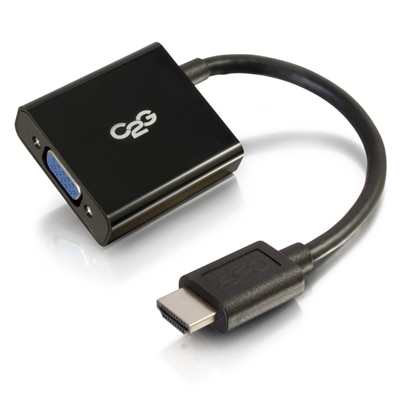
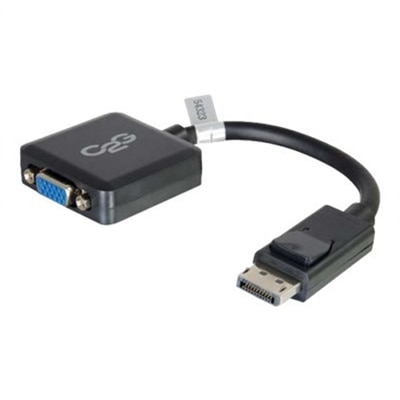
When connecting an older computer to a modern monitor or projector, compatibility is the central consideration. Some newer displays omit VGA entirely, so a direct VGA cable may not be enough; an appropriate adapter or converter may be required to translate the signal to a different input type. In that situation, confirm the direction of conversion, since an accessory designed to send a digital signal to a VGA display may not work in reverse. The source device, display and adapter must support the same type of signal path. A passive plug adapter may be suitable when the underlying devices already support compatible signals, while an active converter is often needed when translating between analog VGA and a digital display input. For shoppers comparing VGA connection options, useful details include connector gender, cable length, supported resolutions, construction, shielding and whether the cable includes audio functionality. Because VGA carries no audio, a cable that only has VGA connectors cannot deliver sound, even when the connected display has built-in speakers. Resolution and refresh rate also matter. VGA can handle common office, educational and presentation resolutions, but the final image depends on the capabilities of the computer, the display and the quality of the analog signal. Digital standards generally provide sharper images, higher refresh rates and integrated audio, while VGA’s enduring strength is broad compatibility with older equipment. A person maintaining a home office may use VGA to give an older computer a second screen for documents, email or reference material. A teacher may rely on it to connect a familiar classroom computer to a projector before a lesson begins. A small business may use a VGA connection for a workstation that runs dependable legacy software, while a family member may need one to revive an older monitor for household tasks. In each case, checking the available ports first can prevent an unsuitable purchase and make setup much less frustrating.
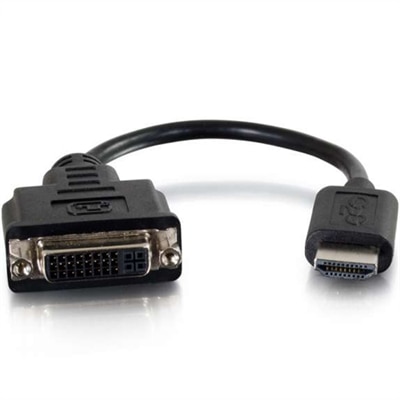
Simple troubleshooting often resolves the most common VGA issues. If the display remains blank, make sure the monitor or projector is set to the correct input, confirm that the cable is firmly connected at both ends and check that the computer is configured to extend, duplicate or send its image to the intended display. On many computers, a display-toggle command can cycle through output modes. If the image appears blurry, adjust the display resolution to one supported by both devices and use the display’s automatic adjustment feature when available. Missing colors or unusual tinting may point to a loose connector, bent pin or damaged cable, while intermittent flicker can result from a connection that is not fully seated. A different cable length may help when the current run is unnecessarily long. When a device has a different connector type, shoppers comparing related options may also want to review DVI Adapters to find a suitable way to connect compatible display equipment. VGA connections are especially practical for keeping older technology useful rather than replacing a working computer or monitor solely because its video port is no longer common. They can support an orderly workspace during the cooler months, help a shared family computer remain available in a spare room and make it easier to prepare a presentation in a familiar setup. With careful attention to port types, signal direction, distance and audio requirements, choosing the right VGA connection can turn a frustrating mismatch into a stable, functional display arrangement.
FAQs:
VGA connections are most commonly used with older computers, laptops, monitors, and projectors. They are popular in settings where legacy hardware is still in use, such as schools, offices, and home workstations, and are ideal for connecting devices that do not support newer digital video standards.
Many modern monitors still include a VGA port for compatibility with legacy devices. However, some newer models may only offer digital connections like HDMI or DisplayPort. If your monitor supports VGA, you can use a standard VGA cable to connect compatible computers or laptops.
No, VGA connections only transmit analog video signals. If you require audio along with your video, you will need to use a separate audio cable or connect external speakers to your device.
To connect a VGA cable to a monitor, align the 15-pin connector with the VGA port on both your computer and the monitor. Insert the connector firmly and use the screw-locks on each side to secure the connection, ensuring a stable and reliable video signal.
Yes, there are a variety of adapters available that allow you to connect VGA to other video ports such as HDMI, DVI, or DisplayPort. These adapters are helpful when connecting older devices with VGA outputs to newer monitors or projectors that use digital inputs.