$2164.00
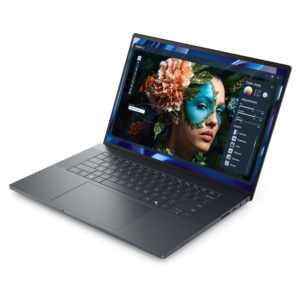
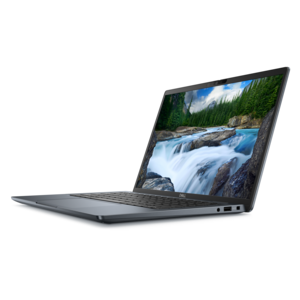
A sleek, modular laptop featuring durable construction, robust security, a spacious 16:10 display, and built-in AI.
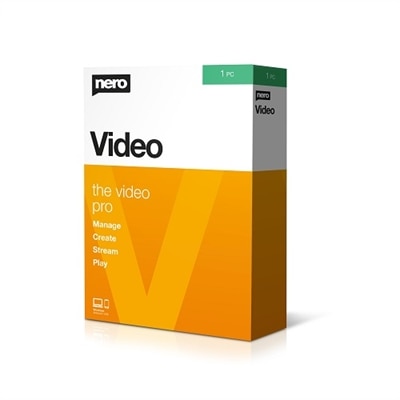
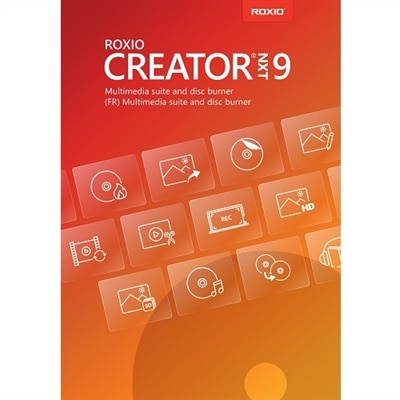
Transform your creative vision into stunning visual stories with video collage software. Whether you're a professional videographer or an enthusiastic hobbyist, this innovative tool allows you to effortlessly blend videos and images into captivating collages that capture the essence of your moments. With a user-friendly interface and a variety of customizable options, video collage software offers endless possibilities for personalizing your projects. Dive into the world of dynamic storytelling and elevate your content creation with tools designed to inspire and impress.
A sleek, modular laptop featuring durable construction, robust security, a spacious 16:10 display, and built-in AI.
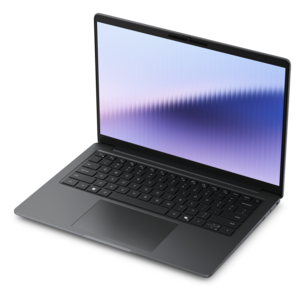
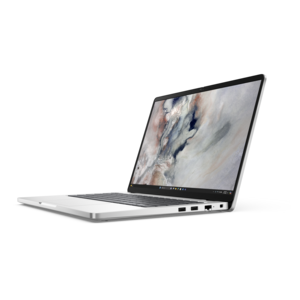
A sleek, lightweight laptop with Intel Core Ultra processors, NVIDIA graphics, and advanced on-device AI.
Video collage software brings multiple videos, photographs and design elements together in a single visual composition. Instead of presenting one clip after another, it can place several moments in frames, grids, split-screen panels or custom layouts, creating a lively sequence that feels more like a digital scrapbook or short visual story. A birthday gathering, weekend trip, school performance, family recipe, creative project or collection of everyday memories can become more expressive when still images and moving footage appear side by side. Many tools let you trim clips, adjust the order of scenes, crop images, add transitions, apply filters, place text overlays and choose background music from within the same workspace. Some also include animated stickers, captions, voiceover support and designs sized for popular social platforms. For shoppers comparing options, the most important starting point is the device used for editing. Browser-based software can be convenient when you want to work from different locations, while a Windows or Mac application may be preferable for longer projects or a more traditional editing workspace. Mobile-focused apps are useful for quick creations made from photos and clips captured on a phone or tablet. Check the supported operating system, whether an internet connection is needed, the types of video files accepted and the export resolutions available before choosing a tool. A simple collage intended for a private family message may not need the same capabilities as a polished video prepared for a social channel, presentation or small business.
Templates can make the creative process more approachable, especially when a project needs to come together in an afternoon. A template may provide a ready-made arrangement of frames, coordinated typography, motion effects and timing, allowing you to replace sample media with your own content while keeping the composition balanced. Look for software that still offers room to adjust the layout, since the best results usually come from making a few personal changes rather than accepting every preset exactly as it appears. A landscape clip may need a wider frame, a portrait image may look better in a vertical panel, and a quiet close-up may deserve more screen time than a brief, shaky recording. Tools with drag-and-drop controls, clear timelines and automatic alignment can help beginners build confidence, while advanced options such as keyframe animation, aspect-ratio controls, layered audio and color adjustment may appeal to experienced creators. Captions are valuable when viewers watch without sound, and built-in music choices can establish a mood without requiring a separate audio editor. Pay attention to licensing terms for music, fonts, stock imagery and templates, particularly if a collage will represent a business or appear in public. Export controls also matter: look for options that match the destination, whether that means a vertical format for a phone screen, a square layout for a social feed or a widescreen frame for a laptop or monitor. For additional ways to compare creative tools, browse Video Editing Software With Templates and consider how template variety, editing controls and output options fit the project you have in mind.
Video collage software can suit a wide range of creators, from someone assembling a heartfelt family montage to a small business owner introducing a service through a handful of short clips. Students can combine photos, recorded demonstrations and title cards for class presentations, while teachers and community groups can create engaging recaps of activities. Travelers may pair scenery with brief video snapshots to capture the feeling of a journey, and hobbyists can document cooking, crafts, fitness routines or home projects in a compact format. It can also make a thoughtful creative gift for a relative, friend or aspiring content creator who enjoys taking pictures and recording videos but has not yet tried editing them together. A laptop with a comfortable screen can make longer editing sessions easier, while a desktop setup may provide a spacious view of the timeline and preview window; a monitor, keyboard, mouse or other compatible accessory can complement that workspace. When selecting software, consider the recipient’s comfort level, preferred device and likely project length rather than choosing the most feature-heavy option. A first-time editor may appreciate guided layouts, automatic timing and one-click sharing, whereas an experienced creator may want precise control over layers, transitions and audio levels. During the cooler months, a collage project can turn a collection of outdoor adventures, gatherings and quiet indoor moments into something worth revisiting. The most memorable results often include small imperfections: a laugh that starts before the camera is steady, a candid glance toward the lens or a still image that brings a missing detail into view. Choose software that makes those moments easy to arrange, refine and share while leaving enough creative freedom for each collage to feel personal.
Add the products you would like to compare, and quickly determine which is best for your needs.