VR-Ready Gaming Computers

VR-Ready Gaming Computers deliver the power and performance needed for an immersive virtual reality experience. Designed to meet the demands of cutting-edge VR games and applications, these systems provide the robust graphics capabilities and seamless responsiveness essential for next-level gameplay. Explore a range of options that make it easy to step into new worlds, enjoy lifelike visuals, and elevate your gaming setup with technology built for the future of interactive entertainment.

Filters

$2329.99

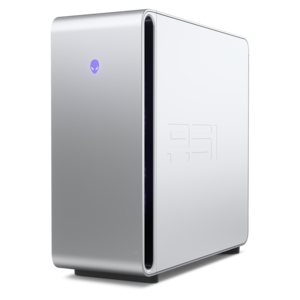
A purpose-built gaming desktop featuring efficient airflow and improved acoustics for immersive play in any setting.
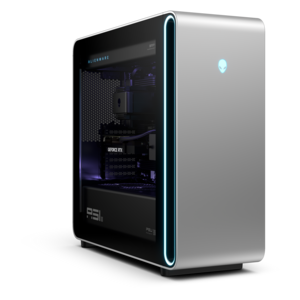
$2329.99
$5499.99

A flagship gaming desktop featuring AMD Ryzen 9000X3D series processors, advanced design, and high-performance hardware.

$5499.99
$5499.99

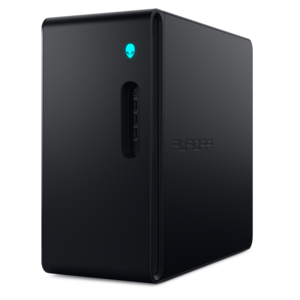
A powerful gaming desktop featuring an advanced design for a legendary gaming experience.

$5499.99
$2699.99

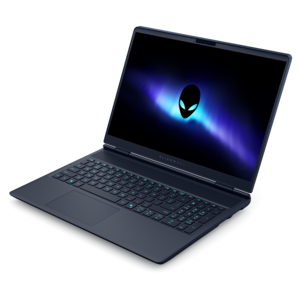
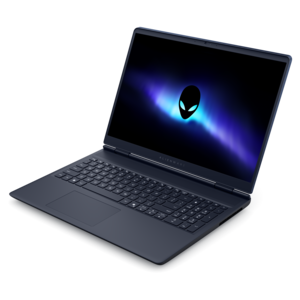
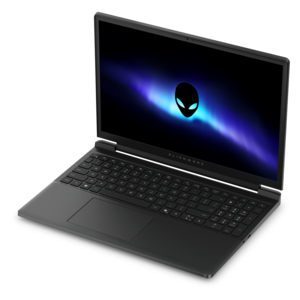
A streamlined gaming laptop delivering powerful performance with NVIDIA GeForce RTX 50 Series graphics.

$2699.99
$3999.99

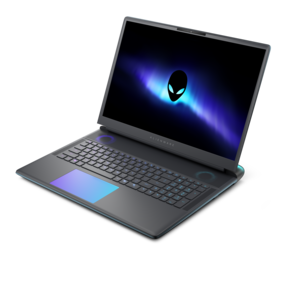
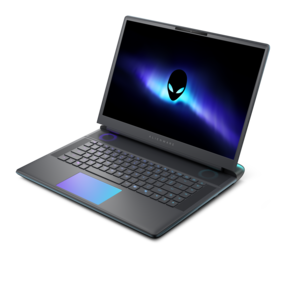
A flagship gaming laptop engineered with innovative performance for passionate gamers.

$3999.99
$3899.99

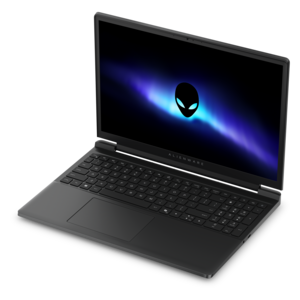
A flagship 16-inch gaming laptop engineered with innovative performance for passionate gamers.

$3899.99
$2649.99

A streamlined gaming laptop delivering essential performance with up to NVIDIA GeForce RTX 50 Series graphics.

$2649.99
$1399.99

A streamlined gaming laptop powered by AMD Ryzen 200 Series processors and NVIDIA GeForce RTX graphics.

$1399.99
$2199.99

A powerful gaming laptop with Intel Core processors and NVIDIA GeForce RTX graphics for immersive gaming.

$2199.99

VR-Ready Gaming Computers

VR-ready gaming computers are desktops and laptops equipped to run compatible virtual reality games through a supported headset, with the graphics performance, processing power, and connections needed for responsive play. Unlike a game displayed on a conventional monitor, PC-based VR renders separate views for each eye while continuously updating the scene as the player moves. That workload makes a modern dedicated graphics processor especially important, particularly in detailed racing simulators, expansive adventure games, and busy multiplayer environments. A capable multicore processor helps handle physics, character behavior, and background tasks, while sufficient system memory keeps demanding applications from competing for limited resources. For many current PC VR games, 16GB of RAM is a practical starting point; 32GB provides more headroom for heavily modified games, complex simulations, recording software, and multitasking. Exact requirements still depend on the game, headset, and selected settings. Video memory is another consideration, since detailed textures and higher rendering resolutions can place additional demands on the graphics processor. An SSD helps games load promptly and gives large installations room to grow, though its capacity should reflect the size of the intended game library. The most useful meaning of “VR-ready” is compatibility with a particular headset and its software, not a promise that every title will run at maximum settings. A headset with a higher resolution or refresh rate may demand considerably more graphics performance than another model, even when both connect to the same computer. Consistent frame delivery matters as much as visual detail: a cockpit should remain steady during a sharp turn, and a virtual room should respond naturally when the player looks over a shoulder. Higher performance can support that responsiveness, but comfort also depends on headset fit, game design, individual sensitivity, and appropriate settings. For players who also enjoy traditional PC games, these computers can serve as versatile systems for high-resolution gaming, streaming, and creative applications outside the headset.

Desktop and laptop designs bring different strengths to a VR setup. A desktop generally offers more physical room for cooling components and may provide easier access for compatible memory, graphics, or SSD upgrades, depending on its design. That can suit a dedicated gaming room where the computer stays beside a desk and the headset has a permanent place nearby. A gaming laptop fits players who need the same computer for coursework, travel, or everyday work, then connect a headset at home. Laptop performance depends on the complete cooling and power design, not just the name of the graphics processor, and demanding VR sessions generally call for the supplied power adapter rather than battery operation. The emphasis on graphics capability also connects this category with RTX Graphics Card PCs for Gaming and AI, particularly for players whose interests extend to video editing, 3D projects, or other visually demanding work. Headset connections deserve equal attention. Some tethered headsets require a specific DisplayPort or HDMI connection alongside USB, while others receive compressed PC video through a compatible USB connection. On a laptop, the required display output may need to connect directly to the dedicated graphics processor; the presence of a matching socket alone does not establish compatibility. USB connector shape also does not establish transfer speed or power capability, so the headset’s exact requirements remain important. Wireless PC VR adds another layer of compatibility. Supported Wi-Fi 6E or Wi-Fi 7 connections can provide useful wireless capacity, but results depend on the headset, local wireless conditions, and the complete connection path. A wired connection between the computer and a compatible router often helps keep that path consistent. Wireless headsets still require charging, and wireless operation does not remove the computer’s graphics workload. For either connection style, accessible ports and a sensible cable route can make the difference between a tidy setup and a cord stretched across the play area.

The best physical fit comes from considering both the computer’s placement and the way the room will be used. A compact tower can leave more space beneath a desk, but it still needs clearance around its intake and exhaust vents. A larger chassis may accommodate substantial cooling hardware, although size alone does not guarantee quieter operation or better performance. Metal panels can provide rigidity, while durable polymer sections can help reduce weight; panel fit, hinge construction on laptops, and accessible components also contribute to everyday practicality. For an apartment desk or shared bedroom, fan noise during sustained gaming may matter more than decorative lighting. In a room used for active games, the computer should sit somewhere stable and protected from swinging controllers, accidental kicks, and pulled cables. Headset cables need enough slack for movement without crossing a doorway or wrapping around furniture, and the play area should meet the headset manufacturer’s clearance recommendations. A monitor, keyboard, and mouse remain useful for launching software, adjusting settings, and letting another person follow the action, even when most play happens inside the headset. Routine care supports dependable use: keeping vents clear, removing dust according to the manufacturer’s directions, and placing laptops on firm surfaces all help preserve airflow. Software updates and compatible graphics drivers are also part of maintaining a working VR setup, especially after a new game or headset update. These computers can suit simulation enthusiasts building a seated racing station, players who prefer room-scale rhythm games, and adults exploring immersive creative tools alongside their gaming library. As a gift, a VR-ready computer is most useful when its connections and performance match the recipient’s existing headset and favorite games. A thoughtfully matched configuration leaves room for those real habits, whether that means a long evening in a virtual cockpit, a short movement-based session after work, or switching back to a monitor for everyday computing.

FAQs:

Add the products you would like to compare, and quickly determine which is best for your needs.

Add the products you would like to compare, and quickly determine which is best for your needs.