Ways To Prevent Computer Viruses
Protecting your digital devices is essential for maintaining smooth performance and safeguarding personal information. Exploring ways to prevent computer viruses helps ensure that your laptop, desktop, or monitor continues to operate efficiently while reducing the risk of security threats. By adopting best practices and using reliable accessories, you can enhance your system’s defenses against unwanted intrusions and enjoy a safer computing experience every day.
This product is not available
Check out the following recommendations.




Ways To Prevent Computer Viruses
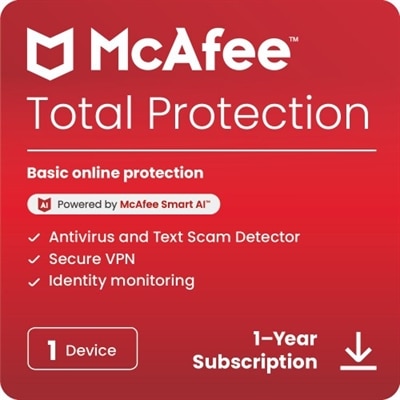
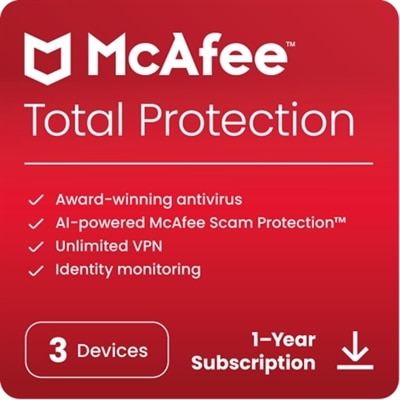
Finding effective ways to prevent computer viruses starts with matching everyday computer use to the right protective features. Security software and laptops or desktops with supported operating systems can help reduce exposure to malicious downloads, infected attachments, and other threats that interrupt work or put personal files at risk. A computer virus is a type of malicious software that spreads by infecting files or programs; broader malware protection also addresses threats such as spyware and ransomware. For a household computer used for homework, online shopping, and family photos, useful security features include real-time scanning, automatic threat updates, and clear warnings about suspicious websites. A laptop that travels between a home office and a college classroom may also benefit from built-in firewall controls, browser protections, and an easy way to check whether updates have finished. These features serve different purposes: antivirus software looks for malicious activity, a firewall helps control connections, and software updates fix known vulnerabilities. None provides complete protection alone, and even a well-protected computer still requires care when opening files or installing applications. When comparing security software, compatibility with the operating system matters as much as the list of features. The software should support the computer’s current version, receive ongoing security updates, and work without noticeably disrupting video calls, coursework, or creative projects. Clear alerts are especially valuable for anyone who wants to understand whether a download was blocked, a file was isolated, or an action needs attention. For computers shared by several people, straightforward controls can make protection easier to maintain without expecting every household member to become a technical expert. The strongest fit is usually protection that stays active in the background while making important decisions understandable. That balance matters on busy mornings, when an unexpected attachment arrives between meetings, and on quiet evenings, when a convincing pop-up appears during casual browsing. Protection that is easy to recognize and manage is less likely to be ignored or switched off out of frustration.
Security features deserve the same practical attention as screen size, keyboard comfort, and battery life when choosing a computer for everyday use. A supported operating system, automatic updates, and built-in security controls establish a useful foundation, while hardware-backed security features can help protect sign-in information and check that the startup process has not been tampered with. These capabilities do not replace malware protection, but they can strengthen the computer’s overall defenses. For a student carrying a laptop from a desk to a backpack several times a day, sturdy construction and durable hinges support daily use; for someone working at a kitchen table, a comfortable keyboard and readable display make security messages easier to review. Exterior materials affect portability, feel, and physical durability, not resistance to computer viruses. Digital protection depends instead on supported software, sensible settings, and ongoing maintenance. A computer that still runs familiar applications may nevertheless carry greater risk if its operating system no longer receives security fixes. Security software also needs enough computing resources to run alongside normal activities, so performance requirements are worth checking against the way the device will be used. Photo editing, gaming, and multiple open browser tabs can already place substantial demands on a system. Flexible scan scheduling helps keep routine checks from competing with those tasks, while real-time protection should remain active. Households with several computers may find centralized security settings helpful, provided the controls clearly show which devices are protected and which need attention. For a laptop given to a college student or a desktop intended for a relative, ease of setup and understandable notifications can be more useful than an extensive menu of advanced settings. Regular care includes restarting when updates require it, checking that protection remains enabled, and removing applications that are no longer needed. Running multiple antivirus programs with overlapping real-time functions can cause conflicts rather than add meaningful protection, so any additional security software should work with existing safeguards. A well-matched setup supports ordinary routines without turning every login into a troubleshooting session.
The most useful computer protection supports the moments when mistakes are easy to make. An attachment labeled as an invoice, a browser message claiming that the computer is infected, or a download button placed beside legitimate content can all encourage a rushed click. Email scanning and website warnings may help identify these risks, but unfamiliar attachments and unexpected requests still deserve scrutiny, even when the sender’s name looks recognizable. Downloading applications from official publishers or trusted app sources reduces exposure to altered installers, while keeping browsers and everyday applications updated helps close weaknesses that malicious websites or files may exploit. Browser extensions warrant similar attention because their permissions can give them access to browsing activity or page content. For shared computers, separate user accounts and standard permissions for routine tasks can limit unnecessary access and reduce opportunities for unauthorized changes. Strong, unique passwords and multifactor authentication protect accounts against unauthorized sign-ins, although they do not directly stop a virus from infecting a computer. This distinction helps set realistic expectations: account protection, malware detection, and recovery features address related but different problems. Broader information on Cyber Threat Prevention can provide context for how these protections fit together. Reliable backups are another important consideration for anyone keeping school assignments, business documents, or irreplaceable photos on a computer. Backups do not prevent infection, but separate, protected copies can make recovery possible if files are damaged or encrypted by ransomware. Keeping a backup beyond the reach of ordinary computer access and checking that files can be restored are more meaningful than simply assuming a backup exists. Likewise, a warning that a threat was blocked is useful only if it is genuine; unexpected pop-ups urging a phone call or an immediate software installation should not be treated as trusted security notices. Products with recognizable notifications, accessible protection status, and dependable update controls help make these distinctions clearer. Together, compatible security software, a maintained computer, careful downloading, and recoverable files create a practical foundation for everyday computing, whether the screen is filled with a term paper, a family calendar, or a project deadline.
FAQs:
To prevent computer viruses, it's important to keep your operating system and software up to date, use reputable antivirus software, avoid clicking on suspicious links or downloading unknown attachments, and regularly back up your data.
Antivirus software scans your files and programs for known threats, blocks malicious downloads, and provides real-time protection against new viruses by monitoring suspicious activity on your device.
Regular updates patch security vulnerabilities that hackers can exploit to install viruses. Keeping your system and applications updated ensures you have the latest protections against emerging threats.
Yes, using strong and unique passwords for all your accounts reduces the risk of unauthorized access, which can be a gateway for hackers to install viruses or malware on your computer.
Practicing safe browsing habits—such as avoiding untrusted websites, not clicking on pop-up ads, and being cautious with downloads—significantly lowers the risk of accidentally downloading a virus onto your computer.