Webcams Compatible With Windows 11

Filters

Webcams compatible with Windows 11 make it easy to stay connected for video calls, online meetings, and virtual events. Designed to integrate seamlessly with the latest operating system, these webcams offer reliable performance for both home and office setups. Whether upgrading your workspace or enhancing your streaming experience, finding the right webcam ensures smooth compatibility and dependable functionality on Windows 11 devices. Explore a range of options to suit your needs and enjoy clear communication every time.

$69.99

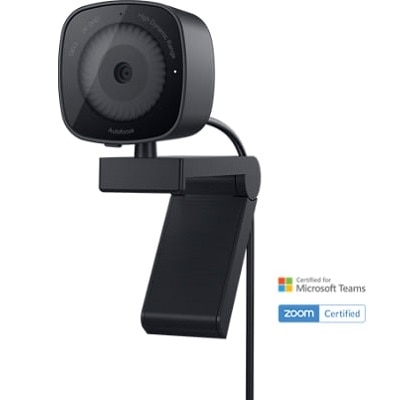
A 2K QHD webcam with noise reduction, face detection, HDR, and integrated privacy shutter.

$69.99
A 2K QHD webcam with noise reduction, face detection, HDR, and integrated privacy shutter.
$119.99

A 2K QHD webcam offering automatic exposure, smart scene detection, and secure collaboration across major platforms.

$119.99
A 2K QHD webcam offering automatic exposure, smart scene detection, and secure collaboration across major platforms.
$199.99

An intelligent 4K webcam with automatic exposure, smart scene detection, and vibrant visuals for seamless collaboration.

$199.99
An intelligent 4K webcam with automatic exposure, smart scene detection, and vibrant visuals for seamless collaboration.
$249.99

A graphite black webcam delivering 4K HDR video, AI tracking, dual microphones, and advanced low-light performance.

$249.99
A graphite black webcam delivering 4K HDR video, AI tracking, dual microphones, and advanced low-light performance.
$169.99

A white streaming camera with dual microphones, AI autofocus, USB-C connectivity, and full HD 1080p at 60fps.

$169.99
A white streaming camera with dual microphones, AI autofocus, USB-C connectivity, and full HD 1080p at 60fps.
$749.99

A black 34-inch curved WQHD IPS monitor with built-in webcam, speakers, microphone, and eye comfort technology.

$749.99
A black 34-inch curved WQHD IPS monitor with built-in webcam, speakers, microphone, and eye comfort technology.
$559.99

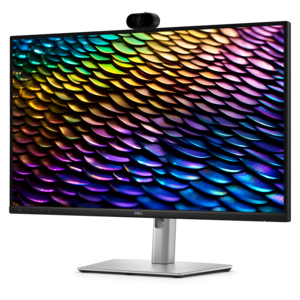
A black 27-inch QHD IPS monitor with built-in webcam, speakers, microphone, and advanced eye comfort features.

$559.99
A black 27-inch QHD IPS monitor with built-in webcam, speakers, microphone, and advanced eye comfort features.
$139.99

A graphite webcam delivering smooth 1080p HD video at 60fps with AI facial tracking and USB-C connectivity.

$139.99
A graphite webcam delivering smooth 1080p HD video at 60fps with AI facial tracking and USB-C connectivity.
$3499.00

A graphite video conferencing camera offering AI-driven insights, seamless connectivity, and advanced audio engineering.

$3499
A graphite video conferencing camera offering AI-driven insights, seamless connectivity, and advanced audio engineering.
$494.99

A black 27-inch QHD IPS monitor with built-in webcam, eye comfort technology, and multiple security features.

$494.99
A black 27-inch QHD IPS monitor with built-in webcam, eye comfort technology, and multiple security features.
$254.99

A productivity-enhancing bundle featuring a wireless keyboard, mouse, 2K webcam, and AI noise-canceling headset.

$254.99
A productivity-enhancing bundle featuring a wireless keyboard, mouse, 2K webcam, and AI noise-canceling headset.
$444.99

A black 23.8-inch Full HD IPS monitor with built-in webcam, speakers, microphone, and eye comfort technology.

$444.99
A black 23.8-inch Full HD IPS monitor with built-in webcam, speakers, microphone, and eye comfort technology.
$999.00

A USB 3.1 Type C video conferencing camera with AI features for small meeting rooms.

$999
A USB 3.1 Type C video conferencing camera with AI features for small meeting rooms.
$2199.00

A graphite AI-powered camera with 4K resolution and 7 mics for enhanced hybrid meeting experiences.

$2199
A graphite AI-powered camera with 4K resolution and 7 mics for enhanced hybrid meeting experiences.
$319.99

A compact, ultra-wide 16mm f/2.8 lens ideal for landscapes, interiors, and vlogging with EOS cameras.

$319.99
A compact, ultra-wide 16mm f/2.8 lens ideal for landscapes, interiors, and vlogging with EOS cameras.
$2199.00

A white AI-powered camera with 4K resolution and 7 mics for enhanced hybrid meetings.

$2199
A white AI-powered camera with 4K resolution and 7 mics for enhanced hybrid meetings.
$3499.00

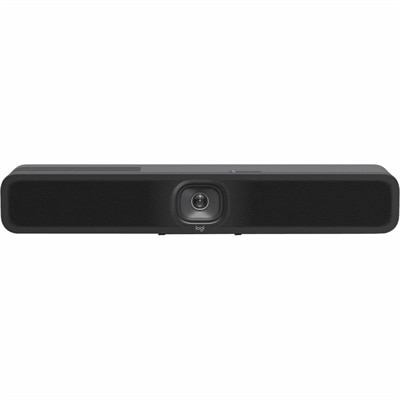
A compact graphite video bar with studio-quality audio, AI-driven performance, and versatile mounting options.

$3499
A compact graphite video bar with studio-quality audio, AI-driven performance, and versatile mounting options.
$2199.00

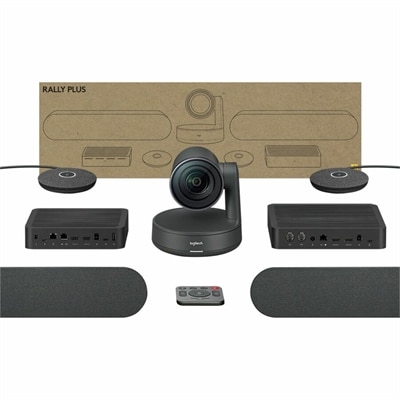
A comprehensive black USB PTZ video kit with wireless preset buttons, ceiling or wall mount, and easy management.

$2199
A comprehensive black USB PTZ video kit with wireless preset buttons, ceiling or wall mount, and easy management.

Webcams Compatible With Windows 11

Whether you’re setting up a home office, connecting with loved ones across distances, or collaborating in a classroom or business environment, choosing a webcam that’s compatible with Windows 11 can make a meaningful difference in your daily digital interactions. Today’s webcams are designed to meet a wide range of needs, from crisp video calls and online classes to content creation and live streaming. As the seasons shift from the warmth of late summer into the crisp air of fall, more people find themselves indoors, relying on reliable video connections for work, learning, and staying in touch. Webcams that integrate seamlessly with Windows 11 take advantage of the latest security features and user-friendly controls, making them a practical choice for both tech enthusiasts and those who simply want to plug in and get started. When evaluating which webcam to bring home, consider core features like resolution, frame rate, autofocus, and low-light performance. Built-in microphones, privacy shutters, and adjustable mounts are thoughtful touches that add comfort and flexibility, whether you’re joining a virtual meeting in a sunlit kitchen or recording a presentation in a softly lit study.

Webcams compatible with Windows 11 are ideal for anyone who values clear, reliable video—students participating in virtual classrooms, professionals presenting to clients, or families gathering for a virtual celebration as the days grow shorter. These devices also make thoughtful gifts for remote workers, college students, or grandparents who cherish video calls with family. With Windows 11, setting up a webcam is typically straightforward: simply connect the device, and Windows will often recognize it automatically, guiding you through permissions and basic settings under the Cameras section in your system’s settings. Adjustments for brightness, contrast, and privacy can be easily managed, and built-in troubleshooting tools help resolve any connection or display issues quickly. For those looking to create a complete multimedia setup, pairing a quality webcam with other accessories—like a comfortable headset or clear, immersive speakers—can elevate the experience. Explore options such as USB Speakers for Windows 11 to round out your workspace or entertainment area, ensuring both your audio and video are crisp and engaging for every call, class, or creative project.

As you browse through the curated selection of webcams compatible with Windows 11, keep in mind how these devices can adapt to a variety of lifestyles and environments. Whether you’re preparing for a busy season of virtual meetings as the weather cools, helping a student gear up for a new semester, or simply looking to enhance your digital communications at home, the right webcam can make every interaction feel a bit more personal and professional. From easy installation to intuitive controls, these webcams are designed with everyday convenience in mind, offering peace of mind and reliable performance throughout the changing seasons.

FAQs:

When choosing a webcam for Windows 11, consider features like high-definition video resolution, autofocus, built-in microphones, low-light correction, and plug-and-play USB connectivity. Compatibility with popular video conferencing apps is also important.

Most modern webcams are plug-and-play with Windows 11 and do not require additional drivers. However, some advanced models may offer optional software for enhanced functionality or customization.

Yes, external webcams can be easily connected to laptops running Windows 11 via USB ports. They often provide improved video quality compared to built-in laptop cameras.

Many webcams designed for Windows 11 include physical privacy shutters or covers. These features help protect your privacy when the camera is not in use.

Webcam settings can be adjusted through the Camera app or within video conferencing applications. Some webcams also come with dedicated software that allows you to fine-tune image quality, brightness, and other preferences.

Add the products you would like to compare, and quickly determine which is best for your needs.
Add the products you would like to compare, and quickly determine which is best for your needs.