What Are the Best Alienware Laptops Under $2000?
Finding high-performance gaming laptops that deliver exceptional value is easier than ever with what are the best Alienware laptops under 2000? Whether you’re a dedicated gamer, creative professional, or tech enthusiast, there are impressive options available that balance power and affordability. Explore a variety of models designed to meet your gaming needs while staying within budget, all while enjoying the cutting-edge design and innovation that make Alienware stand out. Discover how you can elevate your gaming experience without exceeding the $2000 price point.
This product is not available
Check out the following recommendations.


What Are the Best Alienware Laptops Under $2000?
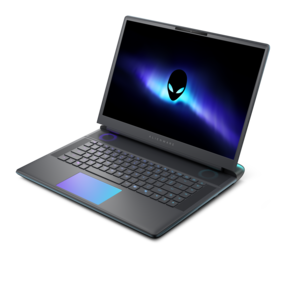
Choosing among the best gaming laptops under $2,000 means balancing the parts that shape everyday play: display quality, graphics performance, processor speed, cooling, storage, memory and portability. The products listed on this page are designed for people who want a capable gaming computer without moving into the highest price tiers. A 15-inch display can make a laptop easier to carry between rooms, classrooms and workplaces, while a 16-inch screen gives games, creative projects and streaming content a little more breathing room. Screen resolution also matters. A WUXGA panel can help extend battery life and support strong frame rates, while a WQXGA display offers sharper detail for expansive worlds, detailed maps and photo or video work. Refresh rate is another important consideration: a 120Hz or 165Hz display can make fast movement look smoother than a conventional 60Hz screen, especially in racing games, competitive shooters and action titles. An anti-glare finish may be helpful in a room with overhead lighting or near a bright window, reducing distracting reflections during a long session. Graphics capability determines how well a laptop handles visual effects, high resolutions and demanding game settings, so shoppers should compare the graphics processor, available graphics memory and the performance targets they have in mind. A midrange graphics configuration can be an excellent fit for popular multiplayer games, role-playing adventures and many creative applications, while more demanding settings may call for a stronger configuration. Processor performance affects more than game launches; it supports background applications, voice chat, recording, browser tabs and school or work software running at the same time. Memory capacity helps keep that multitasking responsive, and solid-state storage provides quick startup and shorter loading times while leaving room for a growing game library. Since modern games can require substantial space, checking the included storage and whether additional expansion is supported can prevent an inconvenient cleanup later. The listed price is only one part of the value equation. Consider the complete configuration rather than focusing on a single component, because a laptop with a powerful graphics processor may feel less balanced if it has limited memory or storage. It is also useful to review the keyboard layout, port selection, wireless connectivity, webcam, audio features and included power adapter before choosing a configuration. These practical details become especially noticeable when a laptop is used every day at a desk, on a sofa or at a shared table.
These gaming laptops can suit a wide range of users, from players building their first serious setup to experienced PC enthusiasts who need a flexible computer for home and travel. A student may use one for classwork during the day and then connect a mouse, headset and external display for gaming in the evening. A remote worker or creator may appreciate the combination of a large, high-refresh display and enough processing power for video calls, photo adjustments, coding tools or content creation. For someone who moves often, a more compact chassis may be easier to place in a backpack, although gaming laptops generally weigh more and use larger chargers than everyday productivity notebooks. Before buying, check the dimensions, weight and battery expectations against the way the computer will be carried. Gaming performance is usually strongest when the laptop is connected to power, so a convenient desk setup with room for airflow can make a meaningful difference. Cooling deserves particular attention: performance components generate heat during demanding play, and a well-designed ventilation system can help maintain consistent operation during longer sessions. Keep vents clear of blankets, cushions and clutter, and use a hard, stable surface whenever possible. A laptop stand can improve airflow and raise the screen to a more comfortable height, while a compatible monitor, keyboard or mouse can create a desktop-style experience when space allows. Accessories also make these computers thoughtful gifts for a college student, a family member who enjoys online games or a friend setting up a new entertainment area. A headset can provide clearer game audio and voice communication, an external mouse can offer more precise control, and a durable carrying case can make transportation easier. Someone who enjoys both games and creative work may value a color-rich display, generous storage and a responsive processor just as much as high frame rates. Shoppers comparing broader categories can also explore What Are the Best Laptops Under $2000 for Gaming? for additional context across gaming laptop sizes and configurations. As cooler months encourage more time indoors, a well-matched laptop can become the center of a comfortable personal setup, supporting evening games, streaming, group chats, coursework and creative projects from one adaptable computer. The strongest choice is the configuration that fits the user’s favorite games, preferred screen size, available space and daily routine while leaving enough performance headroom for new software and future game releases.
FAQs:
When selecting an Alienware laptop under $2000 for gaming and creative tasks, prioritize models with dedicated graphics cards, such as NVIDIA RTX series, fast processors, and at least 16GB of RAM. High-refresh-rate displays (120Hz or higher) and QHD+ resolution panels enhance both gaming and visual content creation. Consider laptops with advanced cooling systems to maintain performance during extended sessions, and look for solid build quality and customizable lighting for a personalized touch.
Yes, Alienware laptops in this price range can be an excellent choice for students and professionals who need reliable performance for multitasking, media editing, or running demanding applications. Their sturdy construction, advanced hardware, and portability make them well-suited for classroom, office, or remote work environments.
Alienware laptops under $2000 typically come equipped with modern processors and graphics cards capable of running the latest games and software updates smoothly. They are designed to support new titles and productivity applications, ensuring you can enjoy up-to-date experiences without frequent hardware upgrades.
Laptops with advanced cooling technology maintain optimal performance during demanding tasks by preventing overheating and thermal throttling. This ensures consistent frame rates in games, faster rendering times for creative work, and a longer lifespan for internal components, even during extended use.
Yes, exploring refurbished or open-box Alienware laptops can allow you to access higher-end configurations with more powerful graphics cards or additional storage and memory, all within the $2000 budget. These options are thoroughly inspected and tested, offering great value for users seeking premium features at a more affordable price.