$79.99
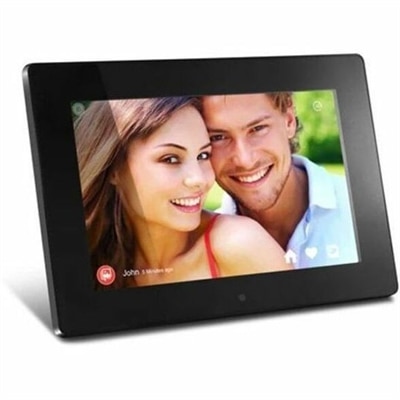
A WiFi digital photo frame with 1024x600 true-color display, 8GB storage, motion sensor, and USB support.
Explore the world of seamless connectivity with our wide range of Wi-Fi connected devices, designed to enhance your digital lifestyle. Whether you're looking to upgrade your home network or boost productivity on the go, these cutting-edge gadgets offer unparalleled convenience and flexibility. From smart home appliances to portable electronics, our selection ensures you stay connected wherever life takes you. Dive into the future of technology and transform your everyday experiences with the power of Wi-Fi connected devices.
A WiFi digital photo frame with 1024x600 true-color display, 8GB storage, motion sensor, and USB support.
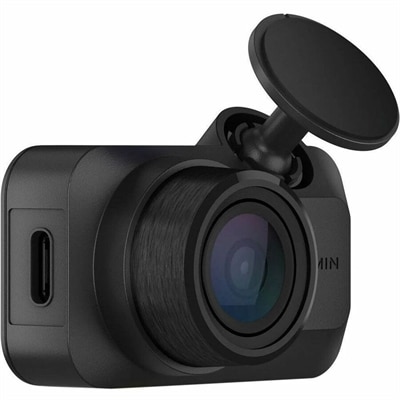
A voice-controlled ultracompact dash camera capturing 1080p HDR video with 140-degree coverage and glare-reducing polarization.
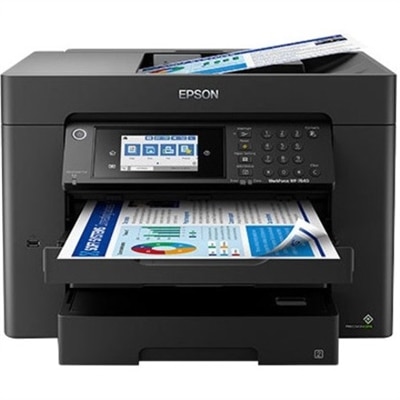
A black 12MP wireless camera delivering 1080p streaming with USB-C connectivity and smartphone control.
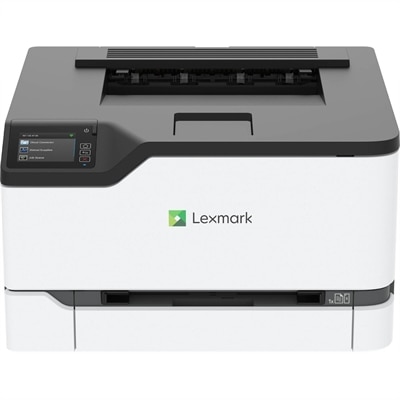
A compact color wireless laser printer with steel construction, duplex printing, mobile connectivity, and Unison toner.
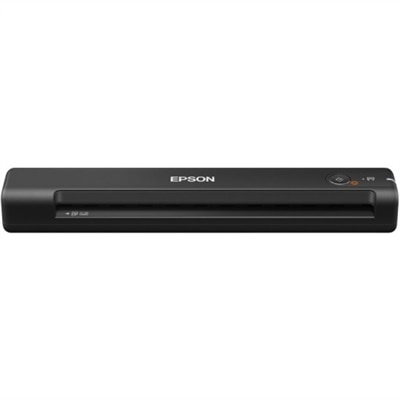
A high-speed duplex document scanner with 600-dpi imaging, touchscreen, Wi-Fi, USB connectivity and 60-sheet feeder.
Wi-Fi connected devices make it easier to work, learn, communicate and enjoy entertainment throughout the home or office without being tied to a wired connection. This category can include laptops, desktops with wireless capability, monitors and accessories that connect to a network for updates, collaboration, streaming, cloud access and everyday convenience. A wireless laptop can move from a desk to a kitchen table, reading nook or shared workspace while maintaining access to files, video meetings and online services. A connected desktop can serve as a dependable home base for schoolwork, creative projects, gaming or household administration, while a Wi-Fi enabled monitor or accessory can help keep a workstation organized with fewer cables crossing the surface. When comparing options, consider how the device will be used, where it will be placed and how many other devices share the same connection. A student who carries a computer between rooms may value a slim design, reliable wireless performance, long battery life and a comfortable keyboard. Someone building a home office may place more importance on screen size, camera quality, microphones, port selection and a display that makes long work sessions easier on the eyes. Families often benefit from devices that support multiple user profiles, straightforward setup and dependable access in rooms with different levels of signal strength. During the cooler months, when more time may be spent indoors, a well-chosen connected device can make a home workspace feel more capable without requiring a complete room makeover. It can also be a practical gift for a college student, remote worker, creative hobbyist or family member who wants to stay in touch, manage personal projects or enjoy digital entertainment from a comfortable space.
Before choosing a Wi-Fi connected device, check the wireless standards supported by the device and the capabilities of the home network. Newer equipment may offer improvements in speed, efficiency and performance when several devices are online at once; browsing options such as WiFi 6 Devices can help shoppers compare products designed for modern wireless environments. Compatibility is important, but it is only one part of the decision. Look at the device’s operating system, storage capacity, memory, processor performance, display resolution, battery expectations and available connections. A computer used for documents and browsing may have different needs from one used for photo editing, software development or high-resolution media. Think about the physical environment, too. Thick walls, crowded wireless channels and distance from the access point can affect performance, while placing a computer or display in an open area may improve the experience. If multiple people stream, attend video calls or transfer large files at the same time, a device with current wireless support can help it make better use of the available connection, although the overall experience still depends on the internet service and home network. Security and privacy deserve attention as well. Use a strong, unique network password, keep the device and its applications updated, enable built-in security features and review permissions for software that accesses the camera, microphone, location or personal files. It is also sensible to name devices clearly so they are easy to recognize later. A simple label such as “upstairs laptop” or “study computer” is more useful than an unfamiliar string of letters and numbers when reviewing network activity.
To see which devices are connected to a Wi-Fi network, sign in to the network equipment’s web administration page or use the official companion application provided for that network. The required address is often printed on a label attached to the equipment, and common local addresses include 192.168.1.1 and 192.168.0.1. When using a computer, the address may also be available in the network settings. Enter the address in a web browser, sign in with the administrator credentials and look for a section labeled Connected Devices, Attached Devices, Network Map or DHCP Clients. The exact wording varies, but the list commonly shows device names, connection status, assigned IP addresses and hardware identifiers. A companion application may present the same information in a more approachable format, sometimes including recent activity or the ability to pause access for a selected device. Review the list occasionally, especially after adding a laptop, display or accessory, and rename familiar devices so unexpected entries are easier to spot. An unfamiliar entry is not automatically a security problem; some devices appear under a manufacturer name, a generic description or a randomized address. Check the device details, compare the list with the computers and accessories in the home, and disconnect equipment that is no longer in use. If an entry remains unrecognized, changing the Wi-Fi password and reconnecting trusted devices can help restore control. With thoughtful selection, clear device naming and basic network maintenance, Wi-Fi connected devices can support a flexible setup that works just as well for a quiet morning of focused work as it does for shared entertainment or staying connected with family from room to room.
Add the products you would like to compare, and quickly determine which is best for your needs.