$299.99
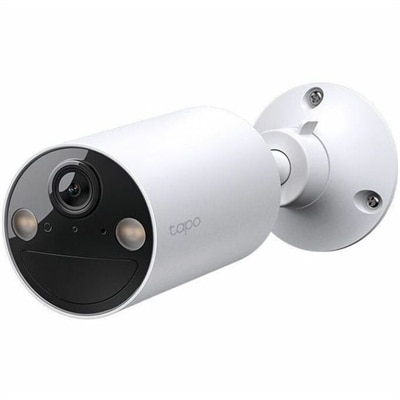
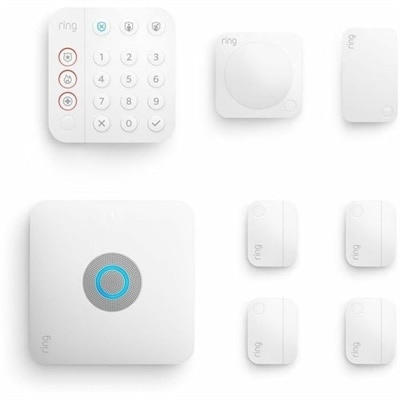
An eight-piece home security kit featuring an integrated Wi-Fi 6 router and backup internet connectivity.
In today's fast-paced digital world, reliable internet connectivity is essential for both work and play. WiFi routers play a crucial role in ensuring seamless online experiences, whether you're streaming your favorite shows, participating in video conferences, or gaming with friends. With a wide range of options available, finding the perfect WiFi router to suit your needs can significantly enhance your home or office network. Explore our selection of top-performing WiFi routers designed to keep you connected with speed and efficiency.
An eight-piece home security kit featuring an integrated Wi-Fi 6 router and backup internet connectivity.
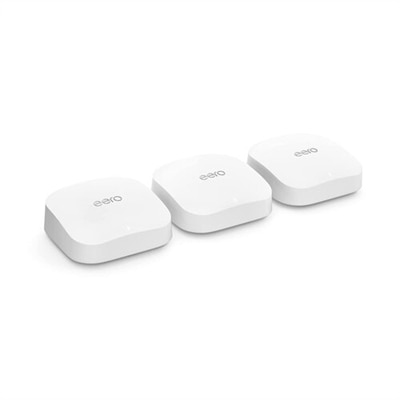
A Wi-Fi 7 mesh system delivering up to 21 Gbps, 360° coverage, and 30-day security protection.
Wi-Fi routers connect your home network to the internet through your modem or gateway, directing data between your internet service and the phones, laptops, desktops, televisions, game consoles, printers, cameras and smart home devices that share the connection. While an internet plan determines the service coming into your home, the router helps distribute that connection over Wi-Fi and, on many models, through wired Ethernet ports. Choosing the right router starts with the shape and size of your space, the speed of your internet plan and the number of devices that may be connected at the same time. A compact apartment, small home or single-level space with a moderate number of devices may be well suited to a single-unit router placed in a central, open location. Larger homes, multi-level layouts and spaces with thick walls or distant rooms may benefit from a mesh system, which uses a primary router and additional nodes to extend coverage and help reduce dead zones. Placement can make a noticeable difference: a router tucked behind furniture or inside a cabinet may struggle to send a strong signal, while a higher, unobstructed position near the center of the home can provide more consistent coverage. During the warmer months, home offices, streaming setups and connected outdoor spaces may increase demand on the network, while cooler months often bring more time indoors with multiple people using the connection at once. A capable router can help keep everyday browsing, video calls, streaming and connected devices working smoothly as activity shifts throughout the year.
Wireless standard, frequency bands and device capacity are important points to compare. Wi-Fi 6, also known as 802.11ax, is designed to manage busy networks more efficiently, especially when many devices are communicating at the same time. Technologies such as OFDMA help divide wireless capacity into smaller portions so multiple devices can share the connection with less unnecessary waiting, which can be useful in households with phones, computers, smart speakers, security devices and streaming screens active together. Wi-Fi 7, or 802.11be, builds on newer wireless capabilities with wider channels, higher potential throughput and Multi-Link Operation, which can use more than one band to improve responsiveness and maintain a connection as network conditions change. Actual performance depends on compatible devices, distance, walls, interference and the speed provided by the internet service provider, so the latest standard is most valuable when the rest of the household equipment can take advantage of it. Dual-band routers typically operate on the 2.4GHz and 5GHz bands. The 2.4GHz band can travel farther and pass through obstacles more effectively, while the 5GHz band generally offers faster performance at shorter distances. Some newer options add another band to help separate traffic and reduce congestion. Shoppers comparing Dual Band WiFi 7 Routers may want to consider both the capabilities of the router and the devices that will connect to it. A router with several Ethernet ports can be helpful for a desktop, television or gaming console that benefits from a wired connection, while features such as automatic updates, guest networking, parental controls and security tools can make daily management easier. Look for clear information about coverage, supported speeds, installation requirements and compatibility with your modem or gateway rather than relying on a headline speed alone.
Different households use Wi-Fi routers in different ways, and the best fit often comes down to a realistic picture of daily activity. A remote worker may prioritize reliable video calls, quick file transfers and stable coverage in a home office. A household with students may need enough capacity for research, online classes, cloud applications and streaming lessons to run alongside entertainment. Gamers often look for low latency, dependable wireless performance and wired ports for a console or gaming desktop, while a family that streams movies and music across several rooms may value strong coverage and consistent bandwidth more than peak speed in one location. Smart home users should count more than computers and phones when estimating device load; thermostats, lights, doorbells, speakers, appliances and cameras can all communicate with the network, sometimes continuously. A router with a higher device capacity can be a practical choice for a connected home that grows over time. These products can also make thoughtful gifts for someone moving into a first apartment, setting up a home office or replacing an aging router that no longer keeps pace with newer devices. Before purchasing, check the internet plan’s advertised speed, whether the provider requires a particular modem or gateway arrangement, the square footage and layout of the home, and whether expansion with additional nodes may be useful later. Security should remain part of the decision as well: use a strong, unique administrator password, enable available security updates, create a separate guest network when appropriate and review connected devices periodically. With the right combination of coverage, speed, capacity and straightforward controls, a Wi-Fi router can provide the quiet foundation behind work, learning, entertainment and the small connected routines that make a home feel more responsive.
When choosing a WiFi router for a home with several connected devices, prioritize models with dual-band or tri-band support, MU-MIMO technology, and Quality of Service (QoS) settings. These features help manage network traffic efficiently, ensuring smooth streaming, gaming, and browsing even when many devices are online at the same time.
Yes, a Dell router or an Alienware WiFi router can be an excellent choice for gaming. Look for routers that offer low-latency performance, advanced traffic prioritization, and strong WiFi coverage. These features help minimize lag and provide a more stable connection during online gaming sessions.
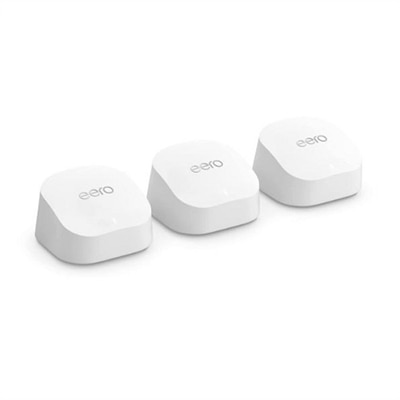
Mesh WiFi systems use multiple nodes placed throughout your home to create a single, seamless wireless network. Unlike traditional routers, which broadcast from a central point, mesh systems help eliminate dead zones and provide consistent coverage, making them ideal for larger homes or spaces with challenging layouts.
Yes, some routers are optimized for use with wireless printers, offering features like easy device discovery and stable connections. For more information on selecting the right router for your wireless printer, visit the dedicated page for Routers For Wireless Printers.
When shopping for a new WiFi router, look for built-in security features such as WPA3 encryption, firewalls, automatic firmware updates, and guest network capabilities. These features help protect your personal data and keep your network secure from unauthorized access.
Add the products you would like to compare, and quickly determine which is best for your needs.