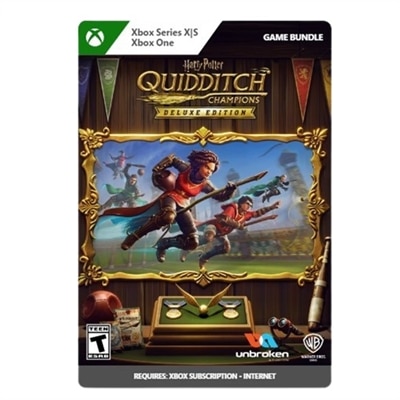
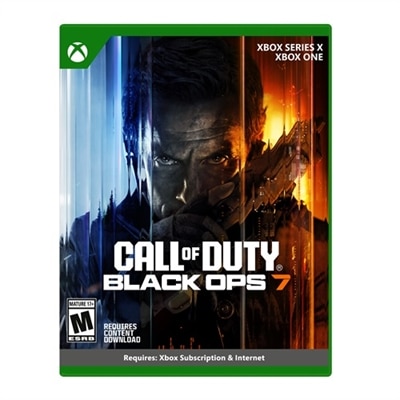
Windows 10 Multiplayer Games
Experience endless entertainment and friendly competition with a wide selection of Windows 10 multiplayer games. Whether you’re teaming up with friends or challenging players around the world, these games offer dynamic experiences for every type of gamer. Discover action-packed adventures, strategic challenges, and immersive worlds designed to bring people together on your Windows 10 device. Find the perfect multiplayer game to suit your style and elevate your gaming sessions to new heights.
This product is not available
Check out the following recommendations.




Windows 10 Multiplayer Games
Windows 10 multiplayer games bring people together across a wide range of play styles, from fast competitive matches and cooperative missions to relaxed creative worlds and local party games. A Windows 10 PC can serve as a flexible hub for online play, especially when it has the performance to maintain smooth frame rates, responsive controls and clear visuals during busy scenes. When comparing products for this type of gaming, start with the kinds of games the player enjoys most. Competitive shooters and action-focused games benefit from a capable processor, a dedicated graphics solution or a strong integrated graphics platform, and enough memory to keep the game and background applications running comfortably. Strategy games, role-playing adventures and user-created worlds may place more emphasis on processor performance and memory, particularly when large maps, detailed environments or several programs are open at once. Storage also matters: a solid-state drive can help shorten load times and make launching games, updates and other applications feel more responsive. A display with a quick refresh rate can make movement appear smoother, while a high-resolution screen can bring out fine details in expansive landscapes, colorful arenas and cinematic scenes. For a shared gaming space, consider screen size, viewing comfort and desk placement along with raw performance. A compact desktop can be a practical choice for a permanent setup, while a laptop offers the freedom to move from a desk to a living room table or a friend’s home as the cooler months encourage more indoor gatherings.
The best Windows 10 multiplayer games accommodate different kinds of connection. Online cooperative games let friends work toward a shared objective, divide responsibilities and celebrate progress together, making them a natural fit for long-distance friendships, family game nights and small groups with varied experience levels. Competitive games offer a more intense experience built around quick decisions, teamwork and repeat matches, while social sandbox and creative games give players room to explore at their own pace. Local multiplayer remains especially appealing for gatherings, with several people sharing a screen and passing controllers during a lively evening. Before choosing a gaming computer or accessory, check the connection options and make sure they suit the intended setup. Reliable Wi-Fi can be important for online play, while an Ethernet port or compatible adapter may be useful for a more consistent wired connection. Bluetooth support can simplify pairing with compatible controllers, headsets and speakers, and multiple USB ports help accommodate charging cables, input devices and other accessories without constant swapping. Audio deserves attention as well. A headset with a comfortable fit and a clear microphone can help teammates coordinate during a tense match, while speakers may be better for casual play when conversation and room-filling sound matter more than privacy. Families may also want to review game ratings, account requirements, communication settings and parental controls before setting up access for younger players. A comfortable keyboard, responsive mouse or gamepad can make a noticeable difference over a long session, and an adjustable chair or monitor stand can help create a more relaxed posture for players who spend cooler afternoons indoors.
A Windows 10 multiplayer gaming setup can be a thoughtful gift for a student, a longtime PC player, a family member who enjoys friendly competition or someone discovering cooperative gaming for the first time. For a recipient who already owns a capable computer, accessories may provide the most meaningful improvement: a second controller can make local play easier, a headset can improve communication, and a larger monitor can give games more room to breathe. For someone building a complete setup, balance performance with everyday usefulness. A laptop may suit a player who needs one device for school, work and entertainment, while a desktop can offer a stable home base with more room for future upgrades. Consider the available space, the player’s preferred genres and whether games are usually played alone, with nearby friends or through online communities. A monitor with height adjustment, low-glare treatment and comfortable viewing modes can support longer sessions, and a keyboard with well-spaced keys may appeal to players who switch between gaming, browsing and schoolwork. Storage capacity is worth planning for because modern games, downloadable content and updates can grow over time. It is also helpful to leave room for accessories and cable management so the setup stays easy to use rather than becoming a tangle of wires. Players who enjoy both PC and console gaming may appreciate browsing related options such as XBOX Series X Multiplayer Games for another way to play with friends. Whether the evening involves coordinated teamwork, a close head-to-head match or laughter around a shared screen, the right combination of Windows 10 gaming hardware, display quality, controls and audio can make multiplayer sessions feel welcoming and dependable.
FAQs:
When selecting a laptop or desktop for Windows 10 multiplayer games, consider a device with a powerful processor, ample RAM (at least 8GB, though 16GB is ideal for modern games), and a dedicated graphics card for smooth visuals. A high-refresh-rate monitor, quality audio, and reliable internet connectivity are also important for an optimal multiplayer experience.
Yes, quality accessories can significantly enhance your multiplayer gaming sessions. A responsive gaming mouse and mechanical keyboard can improve accuracy and comfort, while a good headset with a built-in microphone ensures clear communication with teammates and immersive sound effects.
Many popular Windows 10 multiplayer games support cross-platform play, allowing you to connect with friends on consoles or other devices. Always check the game's specifications to confirm cross-platform compatibility before starting a session.
A monitor with a high refresh rate delivers smoother and more responsive visuals, which is especially beneficial in fast-paced multiplayer games. This can provide a competitive edge by reducing motion blur and input lag, making it easier to react quickly during gameplay.
To create an inviting environment for group gaming, consider adding extra controllers, a spacious monitor, and comfortable seating. Investing in a quality webcam and microphone can also enhance communication for online multiplayer sessions, making it easy to coordinate strategies and enjoy social interactions.