Windows 11 Migration Software
Windows 11 migration software makes it easy to transition your system to the latest operating environment with minimal hassle. Whether upgrading a single device or managing multiple computers, choosing the right solution can help ensure your files, settings, and applications move smoothly. Explore a variety of windows 11 migration software options designed to support both personal and professional needs, so you can enjoy a seamless shift to enhanced performance and productivity.
This product is not available
Check out the following recommendations.




Windows 11 Migration Software
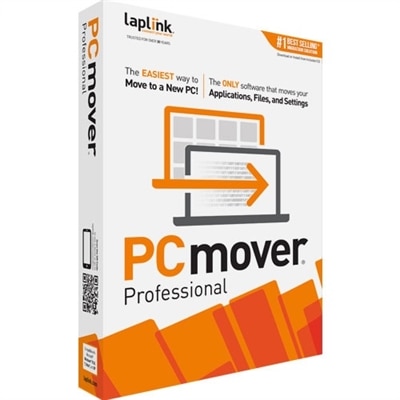
Windows 11 migration software helps make the move to a new computer more orderly by transferring the digital details that make a PC feel familiar. Depending on the tool, that may include personal files, folders, browser favorites, photos, music, contacts, desktop settings, user profiles, and selected applications. Some utilities are designed for a straightforward file transfer between two computers, while others can move a broader collection of settings and installed programs. A separate category focuses on disk cloning, creating a near-complete copy of an existing drive so it can be placed on a replacement solid-state drive or another compatible storage device. The right choice depends on the type of transition taking place. Someone moving from an older computer to a new Windows 11 laptop may want a guided PC-to-PC transfer that preserves everyday documents and familiar preferences. A person upgrading the storage inside the same desktop may be better served by a drive-cloning utility. For an employee receiving a replacement workstation, a profile migration tool can simplify the process of carrying over user folders and account settings, although it may not transfer installed applications. Before choosing, review exactly what the software includes, because “migration” can refer to several different tasks. File transfer, application transfer, profile migration, and full-system cloning are related but not interchangeable. Tools that move applications may handle program folders and configuration data differently, and some applications still require a fresh installation, a new activation, or a sign-in after the move. Likewise, a clone may reproduce an entire drive but require attention to partition sizes, boot settings, encryption, and hardware compatibility. Clear descriptions of supported Windows editions, transfer methods, and destination devices can help prevent surprises once the process begins.
A thoughtful migration starts with preparation rather than the transfer button. Keep both computers connected to reliable power, install available Windows updates, and make sure the destination system has enough free space for the information being moved. A fast local network can be convenient for a computer-to-computer transfer, while an external drive may be useful when the machines cannot be placed near each other or when a second copy of important files is desirable. Before moving anything, create an independent backup of irreplaceable photographs, tax records, schoolwork, creative projects, and other personal files. A migration is intended to make relocation easier, but it should not be the only copy of information that matters. It is also wise to review the source computer for clutter, duplicate downloads, temporary files, and old accounts. Moving fewer unnecessary files can shorten the process and leave the new PC easier to organize. Privacy deserves equal attention. Check whether the software encrypts information during transfer, how it handles saved credentials, and whether it stores logs or account information. Users should sign out of financial services and sensitive applications when appropriate, and they should keep recovery codes available for accounts protected by multifactor authentication. In a household, these tools can help a family member move from a well-used computer to a lighter laptop without losing years of photos and documents. A student can carry research folders and browser bookmarks to a new system, while a remote worker can bring along project directories, accessibility preferences, and a familiar desktop layout. For someone setting up a computer as a thoughtful gift, migration software can make the handoff more personal by helping preserve the recipient’s own files and routines, though the recipient’s permission should always be obtained before accessing private content. A clean installation may be preferable when a computer is being passed to another person, and the previous owner should remove accounts, securely erase personal data, and confirm that licensed applications can be transferred.
When comparing Windows 11 migration software, look beyond a simple feature count and match the tool to the amount of control and assistance needed. Guided utilities can be helpful for people who prefer clear prompts, progress indicators, and checklists, especially when moving a large photo library or several years of documents. More advanced users may value selective transfer, custom folder mapping, scheduling, log files, bootable media, or the ability to exclude specific file types. A limited free option may be adequate for a small collection of documents, while a paid edition can make more sense when the move involves multiple user profiles, large data sets, or applications that would be time-consuming to configure by hand. Read the license terms carefully if the software will be used across several computers, and confirm whether technical support, updates, or a transfer limit are included. Compatibility is another important consideration: verify support for the source and destination versions of Windows, available processor architectures, drive formats, cloud-synced folders, and security features such as device encryption. A migration may also be the right moment to improve the new PC’s organization. Create clearly named folders, remove outdated shortcuts, review startup applications, and confirm that printers, monitors, accessories, and other peripherals are recognized. After the transfer, open essential documents, launch important applications, check browser bookmarks, and verify that photos and media files are intact before retiring the old computer. Keep the original system untouched for a short period when possible, giving time to discover anything that did not move as expected. Users seeking tools for improving performance and maintaining a smoother Windows 11 experience can also explore Windows 11 Optimization Software. With the right migration method, careful preparation, and a final review, moving to Windows 11 can feel less like rebuilding a digital life from scratch and more like carrying a well-organized workspace into a new room.
FAQs:
Migration software is a tool designed to transfer files, applications, user profiles, and settings from your old computer or operating system to a new Windows 11 device. It streamlines the upgrade process, making it easier to move your important data and configurations without the hassle of manual copying or reinstalling programs.
Yes, many migration software solutions are capable of transferring not only your files and documents but also installed applications and personalized settings. This helps ensure your new Windows 11 system feels familiar and ready to use right from the start.
Migration software is beneficial for a wide range of users, including home users, students, professionals, and small business owners. It is especially useful for anyone upgrading to a new device, setting up a fresh workspace, or assisting others with their transition to Windows 11.
Yes, most migration software is designed to work across different hardware generations and brands. Whether you are moving from an older desktop to a new laptop or between devices from different manufacturers, these tools facilitate a seamless data transfer process.
Before starting the migration, it’s recommended to back up your existing data, review which files and applications you want to transfer, and ensure both your old and new devices are ready for the process. This preparation helps ensure a smooth and successful transition to your new Windows 11 system.