$194.99
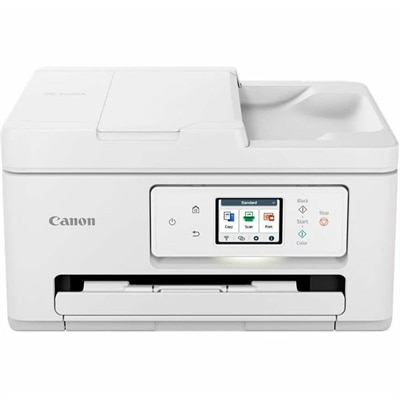
A wireless all-in-one inkjet printer for color printing, copying, scanning, and efficient 35-page automatic document feeding.
Discover the freedom and convenience of wireless color printers, perfect for both home and office use. These innovative devices allow you to print vibrant, high-quality documents and photos from anywhere in your space without the hassle of tangled cords. Whether you're working on an important project or creating memorable keepsakes, wireless color printers offer seamless connectivity and ease of use, making them an essential addition to your tech arsenal. Explore our selection to find the ideal printer that meets your needs and enhances your productivity.
A wireless all-in-one inkjet printer for color printing, copying, scanning, and efficient 35-page automatic document feeding.
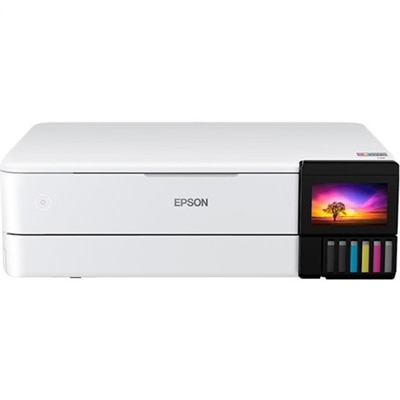
A color laser multifunction printer with wireless connectivity, 26-ppm printing, and an intuitive touchscreen.
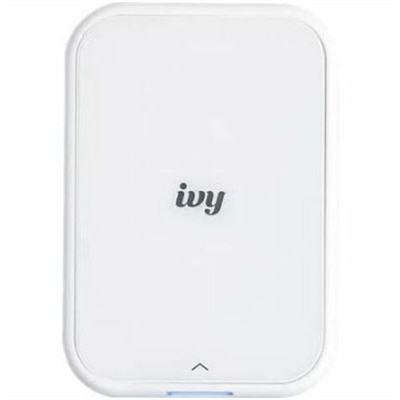
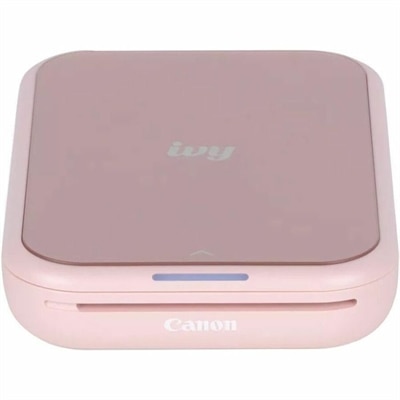
A portable, pure white zero-ink photo printer creating personalized stickers from your smartphone.
Wireless color printers make it easier to bring vibrant, useful printing into a home office, family workspace, dorm room, or creative corner without routing a cable across the desk. A wireless connection typically allows a laptop, desktop, tablet, or phone to send documents and images to the printer over a home Wi-Fi network, while many models also support printing through a companion mobile app or cloud-connected service. That flexibility can be especially helpful when several people share one printer. A student can print a worksheet from a laptop, a parent can scan a signed form from a phone, and someone working from home can copy a document without moving equipment around. Many wireless color printers are all-in-one devices that combine printing, scanning, and copying in one footprint, making them useful for everyday paperwork as well as photos, craft projects, recipes, school assignments, labels, and occasional presentations. When comparing options, consider where the printer will live and how much room is available for opening trays, lifting the scanner lid, and replacing supplies. Compact designs can fit neatly on a shelf or small desk, but a printer with a larger paper tray or automatic document feeder may need more clearance. A display with clear prompts can make setup and maintenance feel less intimidating, while a mobile app may simplify wireless configuration, ink or toner monitoring, scanning, and printing from a phone. For households that print from multiple rooms, check that the printer supports the devices and operating systems in use, and look for straightforward Wi-Fi setup instructions. Wireless printing generally depends on a stable home network, so placing the printer within reasonable range of the router can help maintain a reliable connection. Some models may also offer direct wireless printing features that connect a device to the printer without requiring the same traditional network arrangement. These details matter when a printer is used in a shared workspace, a guest room, or another location where running a cable would be inconvenient.
Printing habits should guide the choice between color inkjet and color laser technology. Inkjet printers are often a practical fit for homes and small workspaces that need rich color, occasional photographs, mixed documents, or a relatively compact machine. They can handle everything from crisp text to shaded graphics and family snapshots, though print quality depends on the paper selected and the condition of the ink system. If a printer may sit unused for extended periods, review the manufacturer’s maintenance guidance and consider whether your routine supports occasional print cycles; regular use can help keep the system ready when an important document appears. Color laser printers are commonly suited to people who print larger batches of text-heavy pages, need quick output, or prefer a toner-based system that can remain idle between projects. They may occupy more space and can have a higher initial purchase price, so compare the printer’s dimensions, output speed, paper capacity, and ongoing supply costs rather than judging by the device alone. Refillable ink tank designs can be worth considering for households that print frequently, especially when color pages, school materials, or creative projects are part of the routine. Standard cartridge-based models may suit lighter or less predictable printing, while higher-capacity cartridges or toner can reduce the number of interruptions for a busy home office. Look at the estimated page yield for replacement supplies and think about the kinds of pages you will produce; a printer used mostly for black-and-white forms has different needs from one producing full-color charts and photos. Automatic two-sided printing can reduce paper use and make multi-page documents easier to manage, while an automatic document feeder can save time when scanning or copying several pages. If faxing is part of your workflow, verify that the model includes that capability, since it is not universal. Other useful considerations include borderless photo printing, memory-card or USB support, quiet operation, paper-size compatibility, envelope handling, and the ability to print on specialty media. A printer with simple controls and accessible supply compartments can make routine tasks less disruptive, particularly during the cooler months when home schedules often include more indoor paperwork, creative projects, and family activities.
Wireless color printers can also make thoughtful, practical gifts for someone setting up a first apartment, preparing a home office, returning to school, or organizing a busy household. They are useful for a college student who needs to print forms and study materials, a remote worker who wants a dependable way to handle signed paperwork, or a hobbyist who enjoys making invitations, photo collages, recipe cards, and labels. For a gift, it helps to consider the recipient’s existing devices, available workspace, and expected print frequency rather than selecting solely by appearance or headline features. A compact all-in-one may be convenient for a small desk, while a model with a larger tray, automatic two-sided printing, and a document feeder may be more comfortable for a household that handles paperwork every week. Families may appreciate mobile printing because it lets each person send a page without taking over the main computer. Someone who enjoys photography or crafts may place greater value on color consistency, borderless output, and paper flexibility, while a professional may prioritize fast text printing, scanning, and reliable document handling. Before choosing, estimate how many pages are printed in a typical week and whether color is essential for most tasks. Occasional users may want an easy-to-maintain design with simple setup, whereas frequent users should examine supply yields, replacement availability, paper capacity, and the cost of maintaining a steady workflow. Keep paper and replacement supplies in a dry, accessible location, use media designed for the printer, and follow the on-screen maintenance prompts to help preserve output quality. For heavier document needs, explore Wireless Color All In One Laser Printers as another way to combine wireless convenience with color printing, scanning, and copying. With the right balance of connectivity, print technology, size, speed, paper handling, and supply planning, a wireless color printer can become a quiet but valuable part of daily life, ready for an urgent form, a bright project, or a page that turns an ordinary afternoon into something more personal.
Add the products you would like to compare, and quickly determine which is best for your needs.