Wireless Earbuds With Equalizer App
Experience audio tailored to your preferences with wireless earbuds with equalizer app. Designed for those who value both convenience and customization, these innovative earbuds allow you to fine-tune your listening experience directly from your device. Whether you're commuting, working out, or relaxing at home, enjoy the freedom of wireless connectivity paired with personalized sound settings. Discover a selection of wireless earbuds with equalizer app that combine comfort, style, and advanced controls to enhance every moment of your day.
This product is not available
Check out the following recommendations.




Wireless Earbuds With Equalizer App
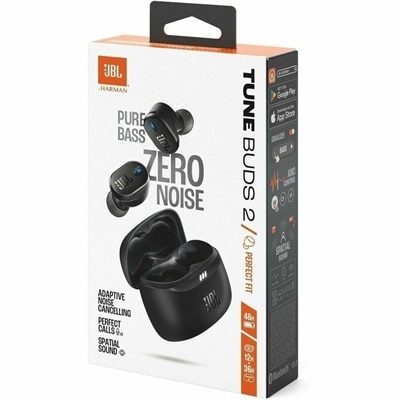
Wireless earbuds with an equalizer app combine cable-free listening with sound adjustments controlled from a compatible phone. A companion app can let listeners adjust bass, midrange, and treble, choose preset sound profiles, or save custom settings for different kinds of audio. Bass adjustments affect the weight of a kick drum or the low rumble in a movie soundtrack, while midrange changes influence the presence of voices and many instruments. Treble adjustments shape the brightness of cymbals and other higher-frequency details. The number of adjustable frequency bands varies, and more bands provide finer control rather than automatically better sound. Some apps offer a few broad sliders; others provide more detailed tuning or a guided listening assessment that creates a personalized profile. These features make app-controlled earbuds useful for listeners who prefer a little extra warmth in acoustic music, clearer dialogue in an audiobook, or less sharpness in a bright recording. Presets offer a convenient starting point, but their names do not guarantee a particular result across different earbuds. A balanced setting on one pair may sound noticeably different on another because the drivers, acoustic design, ear tips, and fit all contribute to what reaches the ear. Equalization changes the balance of sound; it does not restore missing recording detail or turn ordinary playback into higher-resolution audio. Small adjustments can be more useful than pushing every slider upward, which may reduce headroom and introduce distortion. Lowering an overpowering frequency range can make other details easier to hear without increasing overall volume. For everyday listening, the appeal is flexibility: the same earbuds can deliver a fuller sound for a morning playlist and a more restrained presentation for spoken audio on the ride home. Custom profiles, when supported, make those preferences easier to return to without rebuilding the settings each time.
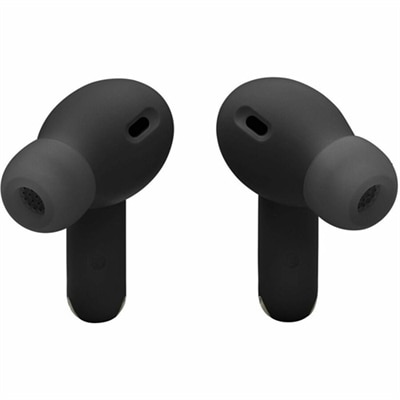
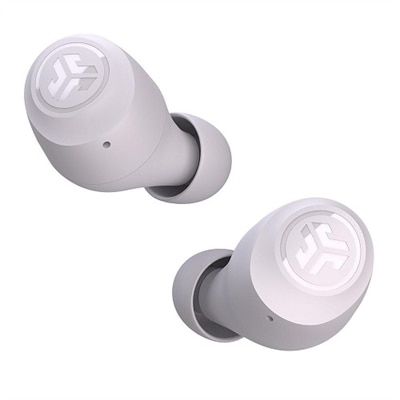
Fit matters as much as app features because an inconsistent seal can change the sound before any equalizer adjustment takes effect. In-ear designs commonly use soft silicone tips, and some support compatible foam alternatives that compress before expanding gently in the ear. Silicone is generally easy to wipe clean, while foam may require more frequent replacement and care that follows the manufacturer's directions. Multiple tip sizes help accommodate differences between ears; using a different size on each side can sometimes provide a more even fit. A secure seal often improves bass consistency and passive noise isolation, while excessive pressure can become distracting during a long study session or an afternoon of calls. Open-fit designs can feel less enclosed, though their bass response and isolation may be more sensitive to positioning and surrounding noise. Earbud weight, the shape of the housing, and optional stabilizing fins also influence comfort when walking, stretching, or sitting at a laptop. Smooth plastic housings keep many designs lightweight, but durability depends on construction, handling, and the conditions in which they are used rather than appearance alone. Water-resistance ratings deserve particular attention for exercise and outdoor use: resistance to sweat or splashes is not the same as protection during swimming, and a charging case may not share the earbuds' rating. Moisture should be allowed to dry fully before charging. Regularly removing debris from ear tips and gently cleaning accessible surfaces helps preserve comfort and consistent sound, while sharp tools and unapproved cleaning liquids can damage delicate speaker meshes. Ear tips should be cleaned separately only as directed and reattached after drying completely. Between listening sessions, a protective charging case helps keep the pair together and limits exposure to dust in a backpack or gym bag. Replaceable tips and clear care instructions are useful considerations for earbuds that will see daily use. For commuters, remote workers, college students, and frequent travelers, these practical details can matter just as much as the ability to fine-tune a favorite song.
App compatibility determines how much of that personalization fits into a daily routine. A companion app may require a particular phone operating system or software version, and its features can differ between supported platforms. Some earbuds retain an equalizer profile internally, allowing it to remain active when listening from another connected device; others depend on app processing or have settings that apply only in certain modes. That distinction matters when switching from music on a phone to a video meeting on a desktop or laptop. Third-party equalizer apps can provide another route to sound adjustment, but their effects may be limited to particular playback apps or audio paths rather than every sound the device produces. Applying several equalizers at once can also make the result less predictable. Listening EQ generally changes playback, not the sound of a microphone transmitted to someone else, so call clarity remains a separate consideration involving microphone design, background-noise processing, and connection quality. Active noise cancellation and ambient listening modes serve different purposes from an equalizer: cancellation reduces certain external sounds, while ambient modes let more of the surroundings through. Neither replaces a secure fit or attention to traffic and other hazards. Battery life also varies with volume, calls, noise cancellation, and other enabled features, and a charging case's additional capacity is separate from the earbuds' uninterrupted listening time. Touch controls, physical buttons, and customizable shortcuts affect how easily everyday tasks can be managed without reaching for a phone. For shoppers who also value hands-free reminders or spoken playback commands, Wireless Earbuds With Voice Assistant offer a related feature to consider alongside sound personalization. As a birthday, graduation, or thank-you gift, app-compatible earbuds can suit someone who moves between playlists, podcasts, and calls, provided the fit and phone compatibility match their needs. The most useful combination brings together comfortable wear, straightforward controls, dependable care requirements, and enough sound adjustment to make familiar audio feel more personal at a comfortable listening level.
FAQs:
Wireless earbuds with an equalizer app allow you to customize your audio experience by adjusting bass, treble, and other sound frequencies. This personalization ensures optimal sound quality for different music genres, podcasts, or calls.
An equalizer app lets you fine-tune audio settings to match your preferences or environment. Whether you prefer deeper bass for workouts or clearer vocals for audiobooks, the app provides control over how your content sounds.
Not all wireless earbuds support equalizer apps. Compatibility depends on the brand and model, as well as whether the manufacturer offers a dedicated app or supports third-party equalizers.
Many wireless earbuds with companion apps allow users to create and save multiple custom sound profiles. This makes it easy to switch between presets for different activities or music styles.
Most equalizer apps are available for both iOS and Android devices, but it's important to check compatibility before purchasing. Some advanced features may require the latest operating system updates.