Wireless Ergonomic Keyboards
Wireless ergonomic keyboards offer a comfortable and clutter-free solution for both home and office setups. Designed to support natural hand positioning and reduce strain, these innovative keyboards help create a more enjoyable typing experience. With a variety of designs to suit different preferences, wireless ergonomic keyboards make it easy to enhance productivity and maintain a clean, organized workspace. Explore options that blend convenience, style, and comfort to find the perfect fit for your needs.
This product is not available
Check out the following recommendations.




Wireless Ergonomic Keyboards
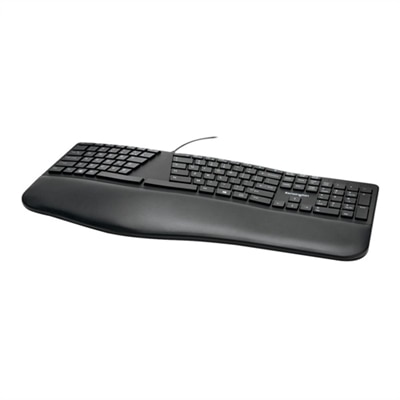
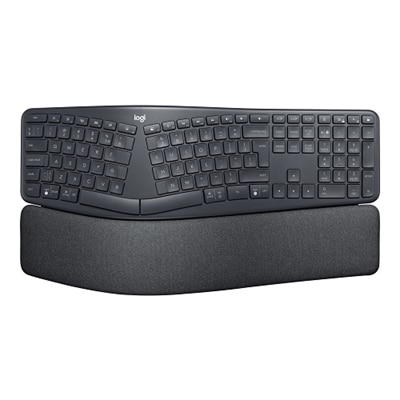
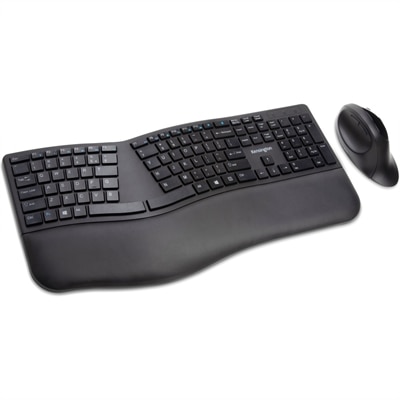
Wireless ergonomic keyboards are designed to make everyday typing feel more natural while giving your workspace a cleaner, more flexible layout. Unlike a traditional flat keyboard, an ergonomic design may use a curved or split keyframe to keep your hands and forearms in a more comfortable position, helping reduce the inward wrist angle that can develop during long typing sessions. Some models feature a gently waved layout, while others separate the key sections more noticeably so each hand can rest closer to its natural position. A cushioned or pillowed wrist rest can provide additional support beneath the palms, and a low-profile design may help keep the hands from bending sharply upward. These details can be especially useful for people who spend much of the day writing, coding, managing documents, studying, chatting, or moving between work applications. A wireless connection also frees the keyboard from a cable, leaving more room for a notebook, tablet, mouse, or cup of coffee and making it easier to adjust the keyboard’s position throughout the day. Bluetooth is a convenient choice for compatible laptops, desktops, tablets, and mobile devices, while a USB receiver can offer straightforward plug-and-play connectivity. Some wireless ergonomic keyboards support both connection methods, allowing one keyboard to work across a variety of setups. For business users building a comfortable workstation, the options gathered on this page can be explored alongside Logitech Ergonomic Keyboards for Business, particularly when shared desks, home offices, and flexible work arrangements call for dependable, uncluttered accessories.
When choosing a wireless ergonomic keyboard, begin with the shape and size that best match the way you work. A full-size layout typically includes a dedicated number pad, making it practical for spreadsheets, accounting tasks, inventory work, and frequent number entry. A compact layout can leave more space for a mouse and may be easier to carry between a home office, classroom, and shared workspace. Split keyboards are useful for people who prefer to position each hand independently, while curved or wave-shaped keyboards offer a more familiar transition from a conventional layout. Consider whether the wrist rest is integrated, removable, firm, or softly padded, and check that its height works with your desk and chair. The goal is not to force your hands into a particular position; it is to create a setup where your shoulders can relax, your elbows stay near your sides, and your wrists remain as straight and comfortable as possible. Key feel matters, too. Quiet, low-profile keys can suit open offices, libraries, and shared rooms, while more tactile keys may provide clearer feedback for people who enjoy a distinct response with each keystroke. Look for clearly labeled operating-system compatibility and connection requirements before choosing, especially if you plan to switch between a computer and a tablet. Multi-device support can be valuable for anyone who drafts a message on a phone, reviews a document on a laptop, and keeps a desktop available for focused work. Battery life, charging options, automatic sleep features, indicator lights, and the ability to use the keyboard while charging are also worth reviewing. A keyboard that fits the hands well but frequently needs attention may be less convenient than one that balances comfort, connectivity, and simple maintenance.
Wireless ergonomic keyboards can be a thoughtful choice for remote workers, students, writers, programmers, designers, customer service professionals, and anyone whose hands spend hours moving across the keys. They can also make a practical gift for a graduate setting up a first apartment, a family member creating a more comfortable study nook, or a colleague who is refreshing a home workspace during the cooler months. For a gift, a versatile design with broad device compatibility and an adjustable arrangement is often easier to enjoy than a highly specialized model. Keep the recipient’s habits in mind: a person who works with budgets may appreciate a number pad, while someone who travels between rooms may prefer a lighter compact keyboard. Ergonomic equipment works best as part of a complete setup. Place the keyboard close enough that the elbows do not reach forward, keep the monitor at a comfortable viewing height, and use a chair that supports an upright, relaxed posture. Avoid pressing the wrists heavily into the rest while typing; it is generally intended to support the palms during pauses rather than anchor the hands through every keystroke. Take short breaks to stretch, change positions, and look away from the screen, particularly during long writing or gaming sessions. A wireless keyboard can also support a calmer desk routine: move it aside when reading, bring it closer for focused typing, or pair it with another compatible device when the workday shifts from a desktop to a tablet. Whether you prefer a softly curved frame, a fully separated layout, a quiet compact design, or a full-size keyboard with extra keys, this collection makes it easier to compare ergonomic features and find a wireless option suited to your workspace, typing style, and daily rhythm.
FAQs:
Wireless ergonomic keyboards are designed to reduce strain on your wrists, hands, and forearms by promoting a more natural typing position. The wireless feature eliminates cord clutter and allows you to position your keyboard wherever it's most comfortable, making it ideal for dynamic workspaces and multi-device setups.
Anyone who spends extended periods typing—such as office professionals, students, writers, gamers, or remote workers—can benefit from an ergonomic keyboard. These keyboards are especially helpful for individuals who experience discomfort or fatigue when using traditional keyboards, or those who want to proactively support their long-term comfort and posture.
Most users find that it takes anywhere from a few days to about a week to adjust to the new layout of a wireless ergonomic keyboard. The split or curved design may feel unfamiliar at first, but with regular use, most people quickly adapt and appreciate the improved comfort.
Yes, many wireless ergonomic keyboards offer multi-device connectivity, allowing you to switch seamlessly between a laptop, desktop, or tablet. This feature is particularly useful for users who work across multiple platforms throughout the day.
Yes, there are ergonomic keyboards with features such as split layouts, negative tilt, and integrated wrist support that are designed to help alleviate symptoms associated with carpal tunnel syndrome. For more details, you can visit our page on Ergonomic Keyboards For Carpal Tunnel.