$14.99
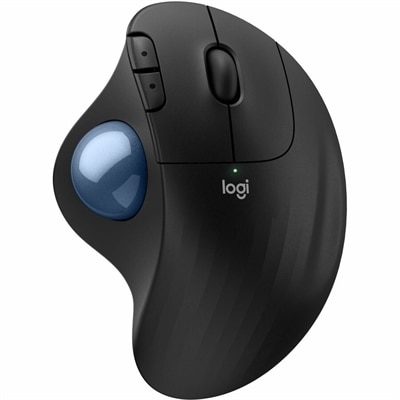
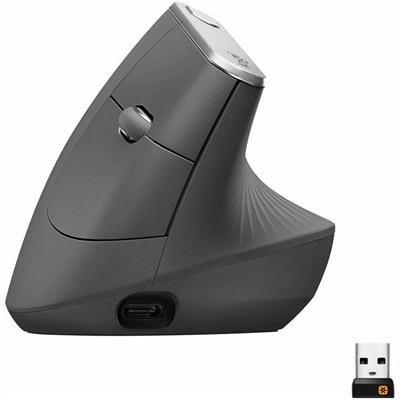
A comfortable, easy-to-set-up wireless mouse designed for reliable everyday productivity.
Enhance your computing experience with the freedom and flexibility that wireless mice offer. Whether you're navigating through spreadsheets, designing graphics, or simply browsing the web, these sleek and versatile devices provide seamless connectivity and effortless control. Say goodbye to tangled cords and enjoy a clutter-free workspace that allows you to move around with ease. Discover a range of options tailored to suit every need, from ergonomic designs for long hours of comfort to compact models perfect for on-the-go use. With wireless mice, elevate your productivity and streamline your digital tasks like never before.
A comfortable, easy-to-set-up wireless mouse designed for reliable everyday productivity.
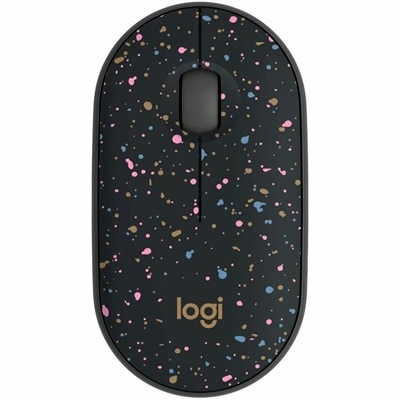
A portable wireless mouse with a speckled design, recycled plastic construction, USB receiver, and silent clicks.
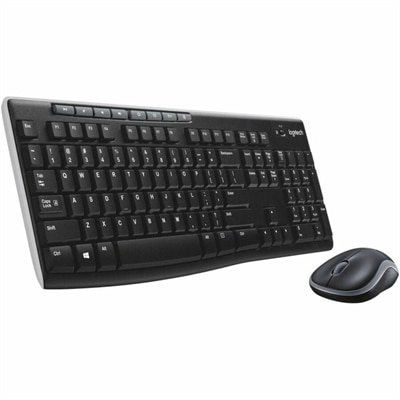
A black wireless keyboard and mouse combo with 2.4 GHz connectivity and long battery life.
A right-hand-focused wireless gaming mouse with 26,000 DPI, reliable connectivity, and robust battery life.
Wireless mice offer a practical way to make everyday computing more comfortable, flexible, and uncluttered. Without a cable stretching across the desk, a mouse can move easily between a home office, classroom, shared workspace, or travel bag, while the open space around a laptop or desktop stays neat. These products are designed for familiar tasks such as browsing the web, reviewing documents, managing email, editing photos, studying, and navigating spreadsheets. Many standard wireless mice fall within an accessible price range of about $10 to $45, with the final cost influenced by connection type, shape, sensor performance, button layout, battery life, and materials. A compact model can be a convenient companion for a laptop used at the kitchen table or in a library, while a fuller-sized design may feel more natural during long stretches of work. Office professionals often appreciate a quiet click and dependable tracking during meetings or focused work, and students may value a lightweight shape that slips into a backpack beside a computer. Wireless mice can also make thoughtful gifts for someone setting up a first home office, returning to school, upgrading a family computer, or spending more time with creative projects. For a comfortable experience, consider the way the mouse fits the hand, whether the user prefers a compact fingertip grip or a supportive palm grip, and whether the buttons are easy to reach without stretching the fingers. Right- and left-handed users should check the shape carefully, as some contoured designs are intended for one hand. A textured surface or rubberized side area can provide a steadier hold, especially during long sessions, while a lower-profile body may be easier to pack and carry.
The two most common wireless connection types are Bluetooth and 2.4 GHz radio frequency, often called RF. Bluetooth connects directly to a compatible computer, tablet, or other device, which can be especially useful for modern laptops with limited USB ports. It keeps the work area free of an extra receiver and can make pairing simple when moving between supported devices. A 2.4 GHz wireless mouse uses a small USB receiver, sometimes called a dongle, that plugs into the computer. This arrangement is widely compatible with desktops and laptops and is often preferred by people who want a familiar plug-and-use setup. Before choosing, check whether the computer supports Bluetooth and whether it has an available USB-A port for a receiver; an adapter may be needed when a device uses only USB-C ports. Battery life is another important consideration. Some models use replaceable batteries and can run for many months or longer, while others include a rechargeable battery and charging cable. Replaceable batteries can be convenient for travel because a spare can restore operation quickly, whereas rechargeable designs reduce the need to keep disposable batteries on hand. Features such as automatic sleep mode, an on/off switch, and a battery indicator can help extend use between charges or replacements. Sensor performance also matters. Optical tracking is suitable for most desks and tables, but a mouse pad can improve consistency on glossy, glass, or highly patterned surfaces. Adjustable sensitivity, often expressed as DPI, lets users change how far the pointer moves with each hand movement. Lower sensitivity can feel precise for detailed work, while higher sensitivity can help navigate large screens with less physical movement. For ordinary browsing and productivity, a moderate, dependable sensor is usually more valuable than a long list of specialized settings.
The right wireless mouse depends on the rhythm of the person using it. Someone who works at a desk throughout the day may prioritize ergonomic support, smooth scrolling, quiet buttons, and a shape that reduces hand fatigue. A frequent traveler may prefer a slim design, a protected receiver compartment, long battery life, and easy storage in a laptop sleeve. Families sharing one computer may benefit from durable construction, simple controls, and a connection process that does not require repeated troubleshooting. Creative users working with images, layouts, or video may look for accurate tracking, a responsive scroll wheel, and programmable buttons that place common commands within reach. Those who spend time playing computer games may prefer more responsive controls, adjustable sensitivity, additional buttons, and a shape designed for extended sessions; browse Wireless Gaming Mice for options suited to that style of use. A wireless mouse can also complement a desktop monitor setup by giving the user more freedom to position the keyboard and pointing device comfortably. For a tidy workspace, keep the receiver close to the mouse and avoid placing it behind dense metal objects or crowded hubs when possible. When using Bluetooth, keep the mouse charged or replace batteries before important work, and remove old pairings from devices that are no longer in use if connection lists become difficult to manage. Cleaning the sensor area and wiping the shell with a soft, dry cloth can help maintain smooth operation. During the cooler months, a comfortable mouse becomes especially useful for home offices and study spaces where people may settle in for longer sessions, and its compact size makes it easy to bring from room to room. By comparing connection requirements, hand fit, battery approach, tracking needs, button features, and portability, shoppers can choose a wireless mouse that feels natural from the first click and remains useful across work, learning, entertainment, and everyday computing.
Add the products you would like to compare, and quickly determine which is best for your needs.