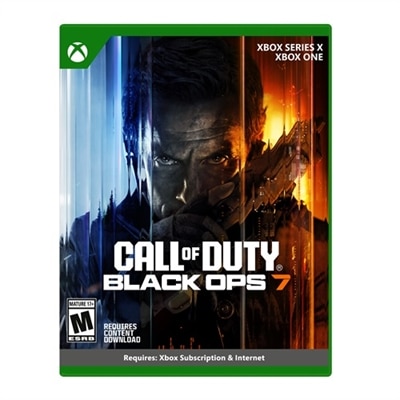
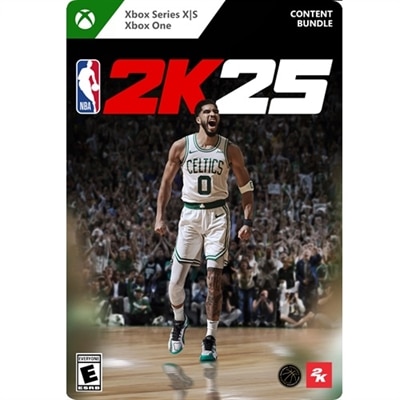
Xbox Live Games
Discover endless entertainment and thrilling adventures with Xbox Live games, offering a dynamic selection for every type of player. From fast-paced action to immersive storytelling, there’s something for everyone looking to elevate their gaming experience. Explore new worlds, challenge friends online, and find your next favorite title among the latest releases and timeless classics. Dive into the excitement and see where your gaming journey takes you with Xbox Live games.
This product is not available
Check out the following recommendations.




Xbox Live Games
Online console games bring competitive matches, cooperative adventures, and shared virtual worlds into everyday play, connecting friends across a neighborhood or across the country. The experience depends on the game: one might center on a tightly timed team contest, while another gives a small group an entire landscape to explore at its own pace. Some games combine a substantial single-player campaign with optional online modes; others build their identity around persistent communities, seasonal challenges, or repeatable multiplayer sessions. That distinction matters when choosing something for quiet evenings alone, regular weekend gatherings, or a standing game night with friends. Most premium console games require a qualifying subscription for online multiplayer, while free-to-play console games generally do not require a separate multiplayer subscription. The requirements attached to an individual game remain the clearest reference, since an internet connection, an account, or additional permissions may still be necessary. A digital game license and a subscription also serve different purposes: a license grants access under its terms, while a subscription can provide multiplayer access, a game catalog, or other features according to the plan. Catalog access is not the same as a permanent game license, and continued play can depend on membership status and whether the game remains included. These differences are useful context for anyone browsing online games, particularly when the goal is to join a particular group rather than simply find a new solo adventure. For platform-focused browsing, Digital Xbox Series X Games provides a related category to explore alongside each listing’s compatibility and feature details. A platform name alone does not establish support for every console generation or computer. The supported-device information, edition description, and online requirements help establish what the game includes and where it can be played. For players who move between a desk and a living room, support for multiple devices, shared progress, and separate game licenses are distinct considerations rather than interchangeable promises.
The best fit often comes down to how a game fills the time someone actually has. A player with twenty minutes after dinner may appreciate short rounds, clear objectives, and a natural stopping point. A group that meets every Saturday might prefer a cooperative campaign with a continuing story, complementary character roles, and progress that carries into the next session. Open-ended building and exploration games can suit players who enjoy setting their own goals, while racing, sports, strategy, and action experiences offer different balances of reflexes, planning, and repetition. Multiplayer labels deserve close attention because online cooperation, local shared-screen play, and competitive matchmaking describe different arrangements. Two people sitting on the same couch cannot assume that an online multiplayer game supports playing together on one screen. Likewise, friends using different platforms need explicit cross-platform play support, and that support may apply only to certain modes or device combinations. Cross-progression is separate: it concerns whether saved progress follows a player between supported platforms, not whether those players can enter the same match. Communication can shape the experience just as much as the rules. Coordinating a difficult objective may be easier with voice chat, whereas a game with useful visual markers and preset messages can suit someone who prefers not to speak. Subtitles, adjustable text, remappable controls, color settings, and difficulty options can make long sessions more comfortable, though the exact accessibility features vary by title. Age ratings and content descriptors offer a starting point for households choosing games for younger players, but online interactions and user-created content also warrant attention. Account privacy settings, communication permissions, and parental controls help define who can make contact and how shared play works. As a gift, a digital game is most useful when its platform, redemption region, age suitability, and edition match the recipient’s setup. Knowing what friends play can be more meaningful than choosing by genre alone, especially when joining their regular sessions is the main attraction.
Digital games have no disc surface to scratch or case to maintain, but their long-term usefulness still depends on account access, device compatibility, and continued support for connected features. Redemption terms matter because a code may be restricted to a particular region or account, and an expansion may require a separate base game. Editions can contain different combinations of the main game and additional content, so similar artwork does not necessarily mean identical contents. Once redeemed, access generally follows the account and applicable license terms rather than behaving like a physical disc that can simply be handed to another person. Keeping account recovery information current and using strong authentication helps protect a growing digital library. Download sizes and updates also affect everyday use: a game chosen for a Friday evening session may need time to install before friends can join. A stable internet connection helps reduce interruptions during online play, although connection quality cannot eliminate every source of lag or service disruption. Cloud play, where supported, is different from downloading a game to run locally; its responsiveness and picture quality depend more directly on the connection throughout the session. For supported computer versions, a laptop or desktop needs to meet the game’s operating-system and hardware requirements, with the graphics capability influencing achievable settings and performance. A comfortable controller, a clearly positioned monitor, and a well-fitting headset can make shared play easier to settle into without changing the game itself. Headset cushioning, adjustable headbands, accessible controls, and manageable cable placement are practical details for longer evenings, especially in a shared room where microphone clarity and listening volume matter. Keeping accessories clean according to their care instructions and leaving a computer’s ventilation unobstructed supports a dependable setup. Even with careful upkeep, online-only features rely on continued service operation, and some games cannot be played offline. Games with clearly described solo modes, multiplayer requirements, and supported features make it easier to choose an experience that fits both the present setup and the way someone hopes to play over time.
FAQs:
Xbox Live features a vast selection of games, including action, adventure, sports, racing, puzzle, and co op games. Whether you enjoy competitive multiplayer matches, immersive single-player campaigns, or family-friendly titles, there’s a wide variety available to suit every gaming preference.
Yes, many Xbox Live Games are accessible on PC, especially with xbox cloud gaming on pc. This service allows you to stream and play compatible games directly on your computer, offering flexibility and convenience for gamers who want to switch between devices.
Multiplayer gaming on Xbox Live enables you to connect and play with friends or other players around the world. You can join co op games, compete in tournaments, or simply enjoy casual matches. Voice chat and messaging features help keep you connected and coordinated with your team.
Dell computers are designed to deliver smooth performance and high-quality visuals, making them an excellent choice for playing dell computer games and accessing Xbox Live content. With powerful processors, advanced graphics, and seamless integration with Xbox services, Dell devices provide an immersive and responsive gaming experience.
You can browse and purchase the newest digital titles for Xbox Series X, including new xbox one games, through the dedicated online store. For a curated selection, visit the Digital Xbox Series X Games page to discover the latest releases and exclusive content.