PowerProtect Data Manager: Search Engine VM is Stuck in Restart Mode
Summary: The Search Engine is not operational, is unreachable, and stuck in restart mode.
This article applies to
This article does not apply to
This article is not tied to any specific product.
Not all product versions are identified in this article.
Symptoms
Search Engine VM cannot be started, and is stuck in restart mode.
From PowerProtect Data Manager UI, cluster is not operational as one or more nodes are in a failed state.
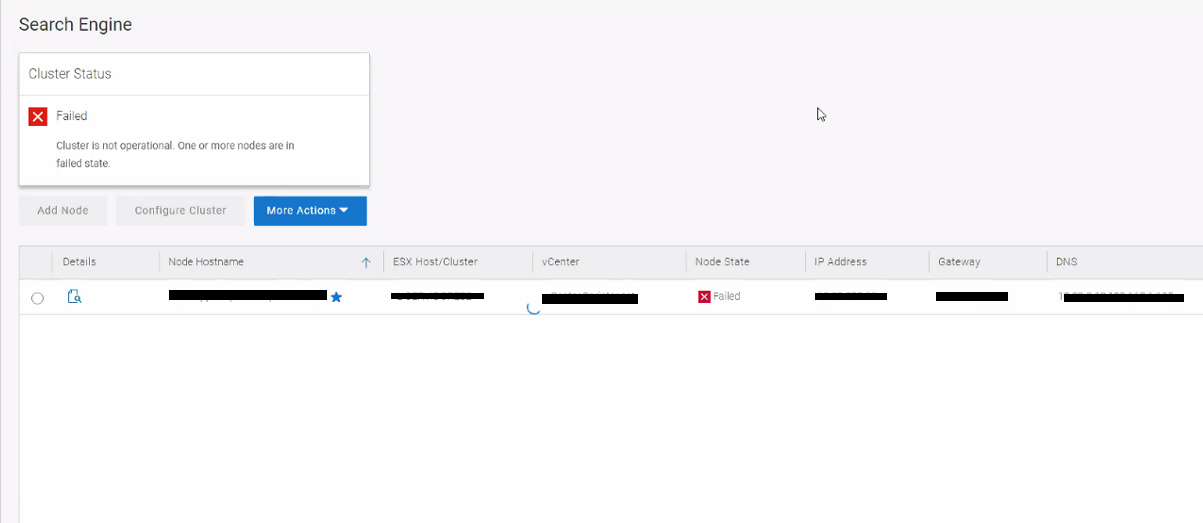
Figure 1: Screenshot of Search Engine Error Message
Cause
The root cause of the issue is that the /tmp directory is full on the search engine VM which affects the operating system.
Resolution
In version 19.12 of PowerProtect Data Manager, the size of the /tmp directory in the search engine is not monitored. This issue is addressed in 19.13 release.
Workaround:
- SSH to the PowerProtect Data Manager and elevate to root user.
- Get the Search Engine VM credentials with the following commands
source /opt/emc/vmdirect/unit/vmdirect.env  &&
/opt/emc/vmdirect/bin/infranodemgmt get -secret
- Connect to the vCenter and open the Remote Console for the Search Node VM. Use Single-User Mode to log in. Dell article 181219, PowerProtect Software: How to reset PPDM root password from single user mode provides steps on how to access the VM in single-user mode.
- Check if the /tmp directory is full. Run the following commands:
- Run the following command to check the available space on the /tmp directory:
df -h /tmp
- Run the following command find top 10 largest files in /tmp directory:
sudo find /tmp -type f -printf '%s %p\n' | sort -nr | head -10
- Remove the top largest files and then run the following command again to see whether there is enough space on the /tmp directory.
df -h /tmp
- Restart the Search engine VM.
- Check the Search Engine state on PowerProtect Data Manager and ensure that it is operational.
Article Properties
Article Number: 000214547
Article Type: Solution
Last Modified: 14 Jun 2023
Version: 4
Find answers to your questions from other Dell users
Support Services
Check if your device is covered by Support Services.