PowerFlex 3.X: Generating a PowerFlex Manager (PFxM) Log Bundle
Summary: Details steps to collect the PowerFlex log bundle.
This article applies to
This article does not apply to
This article is not tied to any specific product.
Not all product versions are identified in this article.
Instructions
Generating a PowerFlex Log Bundle -
1. Log in to PowerFlex Manager and choose 'Settings'.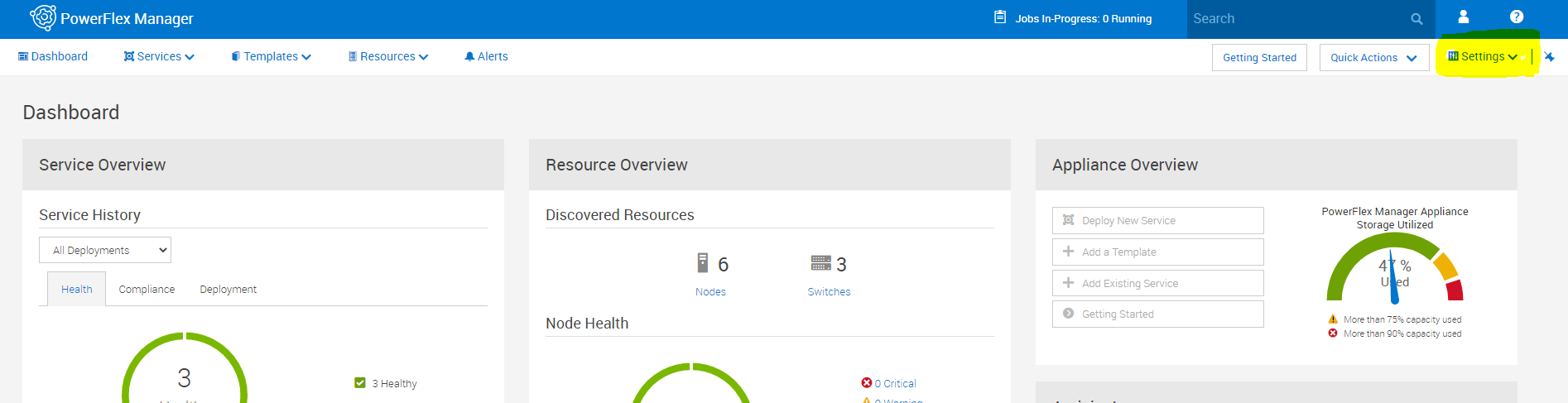
2. Within the Settings menu, choose 'Virtual Appliance Management'.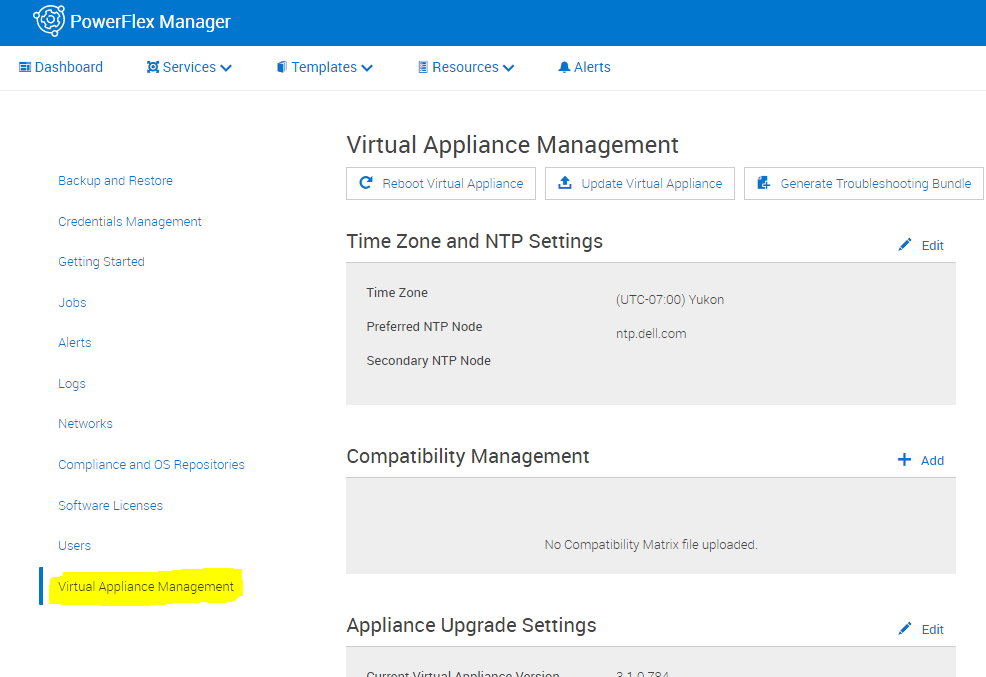
3. Choose 'Generate Troubleshooting Bundle'.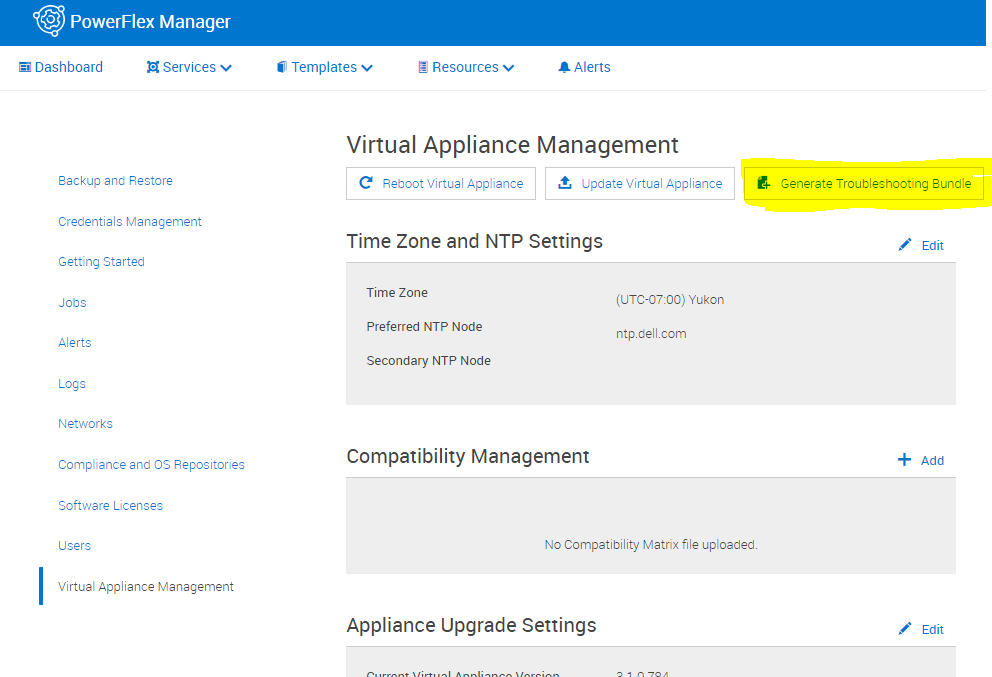
4. In the popup, choose to either send to Configured Secure Remote Services (Secure Remote Services) or choose to download locally. If downloading locally, then select the path for the downloads and enter appropriate login information followed by clicking 'Generate'.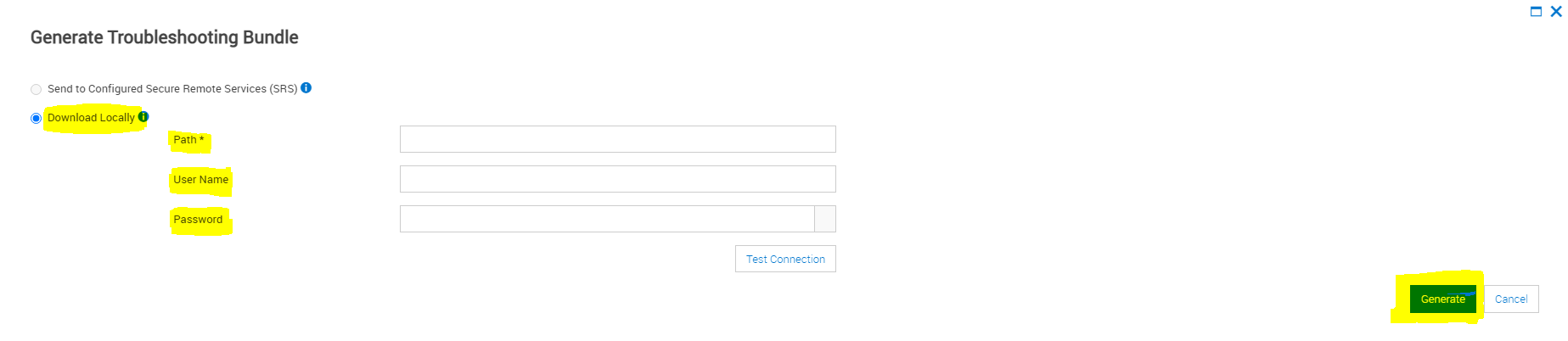
Affected Products
PowerFlex rack connectivity, PowerFlex rack HWArticle Properties
Article Number: 000213029
Article Type: How To
Last Modified: 08 Dec 2025
Version: 4
Find answers to your questions from other Dell users
Support Services
Check if your device is covered by Support Services.