

Dell Pro Max
Dell Pro Plus or Pro Max: Match Your Workflow
Pro Plus vs. Pro Max: nearly identical on paper—until you look under the hood. CPU architecture reveals which is built for your workload.
Key takeaways: Dell Pro Plus is ideal for efficiency and portability, while Dell Pro Max offers unmatched performance for sustained, demanding workflows. Choose the system that best aligns with your professional needs.
On paper, Dell’s Pro Plus and Pro Max look remarkably similar. Both target professionals, run Intel® processors with built-in graphics, and the spec sheets are almost identical. Justifying the price difference can be elusive at first. An inspection of each series CPU architecture may be the best way to identify which machine is the better fit based on your professional demands. Once you’re clear on that, Plus or Max becomes a much more straightforward choice.
An architectural approach
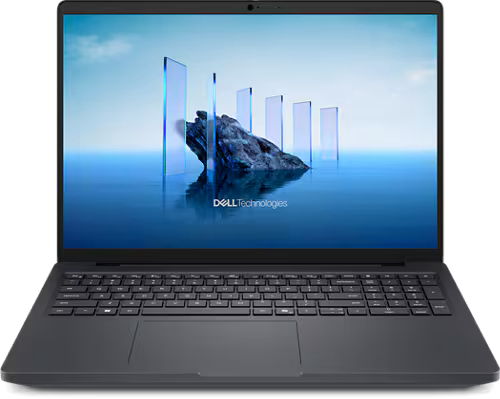
The visible differences between Dell Pro Plus and Dell Pro Max appear modest at first glance. However, looking at the CPU architecture creates a clearer understanding of their differences. Pro Plus uses Intel’s V-series processors. The “V” indicates a lower-power processor that’s focused on energy efficiency. Pro Max deploys H-series processors, where the “H” indicates a processor that’s engineered for high performance under sustained, demanding workloads.
V-series chips prioritize efficiency. They’re designed to run cool, preserve battery life, and deliver quick bursts of performance for everyday tasks. When pushed hard for extended periods, they generate heat faster than a thin laptop chassis can dissipate. The processor responds by lowering performance to prevent overheating and stay within the efficiency power envelope. This is smart engineering for a mobile productivity machine, but it results in performance drops during sustained demanding work.
H-series chips are built to run warmer while maintaining continuous high performance. Larger thermal envelopes, a greater number of cores, and higher sustained clock speeds enable them to power through long workflows without slowing down.
This architectural difference explains a counterintuitive spec sheet detail. In memory speed, a measurement of how quickly data moves between host system memory (RAM) and the processor, the Pro Plus actually has faster memory on paper. However, under sustained load, Pro Plus’s V-series chip reduces CPU performance due to power requirements, which creates a bottleneck that negates the memory advantage. Pro Max’s H-series chip maintains its speed to make full use of its (technically slower) memory bandwidth.
Pro Plus features a built-in GPU that is optimized for the most popular creator applications, like Adobe. Pro Max goes one step further with Intel’s® Arc™ Pro 140T, a built-in GPU with Independent Software Vendor (ISV)-certified drivers that accelerate professional applications through optimized code paths developed in partnership with software vendors like Adobe, Autodesk, Dassault Systèmes, and Siemens.
Benchmarking highlights
Lab specifications provide a map to understand the capabilities of hardware architecture, but benchmarks put the machines through their paces to better understand how they perform in real life. We use several benchmarking techniques, including Cinebench 2024 testing, which measures raw processor performance under sustained loads.
Cinebench scores are absolute and linear. For example, a system scoring 1,000 completes rendering work twice as fast as one scoring 500. In 30-minute sustained, multi-threaded tests (the kind that simulate a complex video export or 3D render), Pro Max 16 scored 1,144 points versus 642 for Pro Plus 16.
Notably, Pro Plus hit nearly the same score (641) at the 10-minute mark. The processor reaches its thermal ceiling quickly and stays there. Pro Max shows the same consistency, but that ceiling is 78% higher.
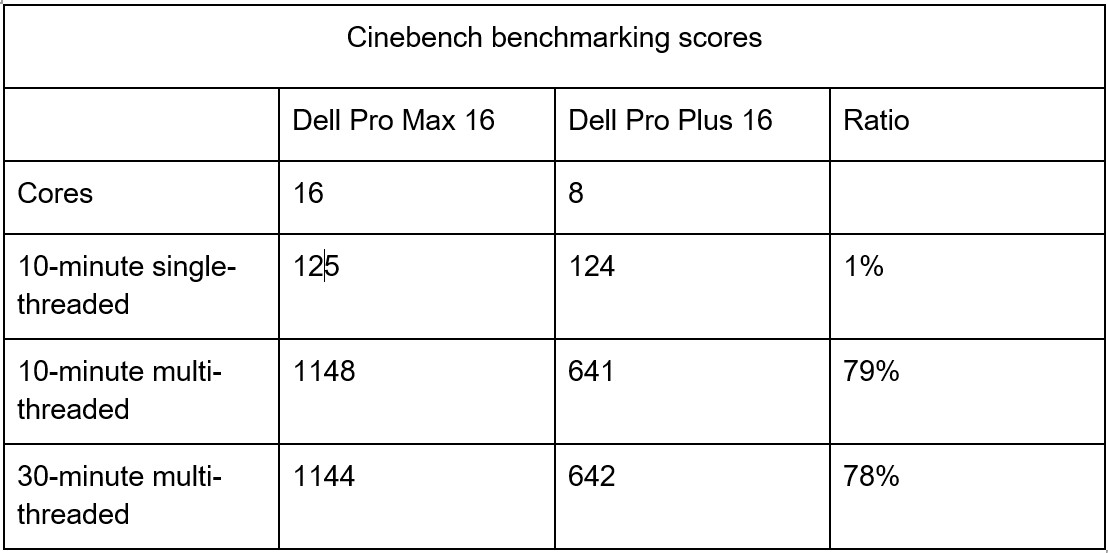
Admittedly, one of the biggest reasons that the Dell Pro Max score is so much higher is because it has 16 cores while the Core Ultra 7 268V only has 8 cores. Multi-threaded workloads scale across many cores. The 268V favors power efficiency, which necessitates fewer cores, however; this does lead to a lower multi-threaded score. Ultimately, the scores confirm that if you’re looking for performance, lean into workstations that feature H-processors. If efficiency is your priority, then go with V-processors.
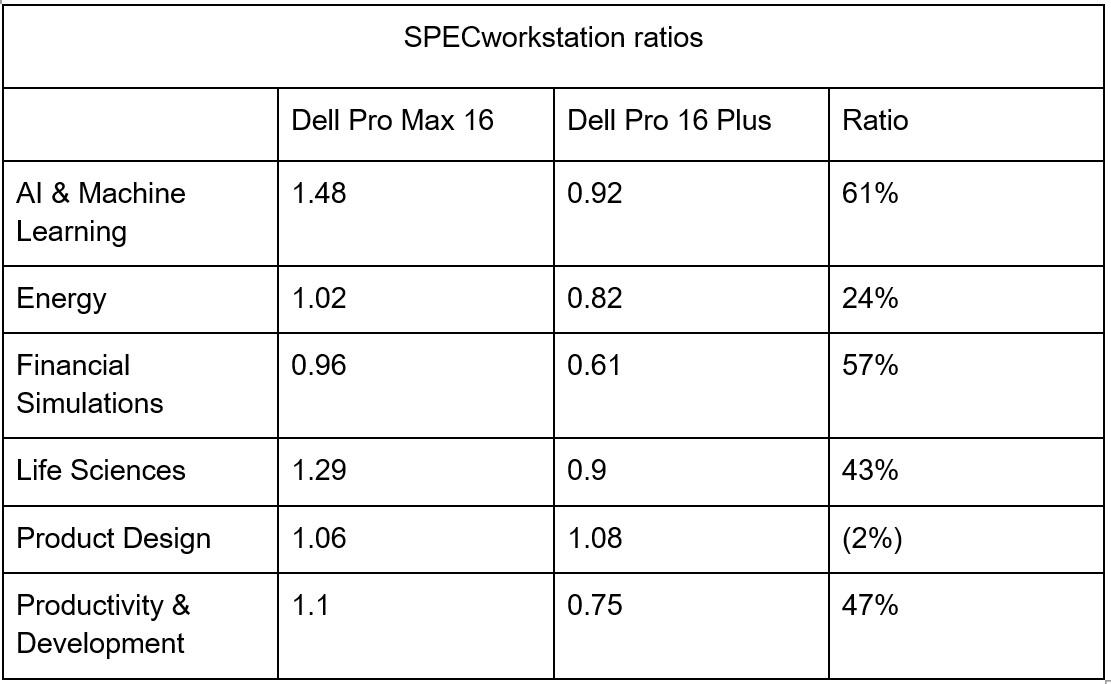
A separate benchmark, SPECworkstation 4.0, measures performance across professional application workloads, mostly focused on the processor. Higher scores indicate faster performance. The ratio column in the table below shows the comparison as a percentage.
What’s right for you
Benchmarks translate into real workflow differences, but your interpretation of the results depends on how you work.
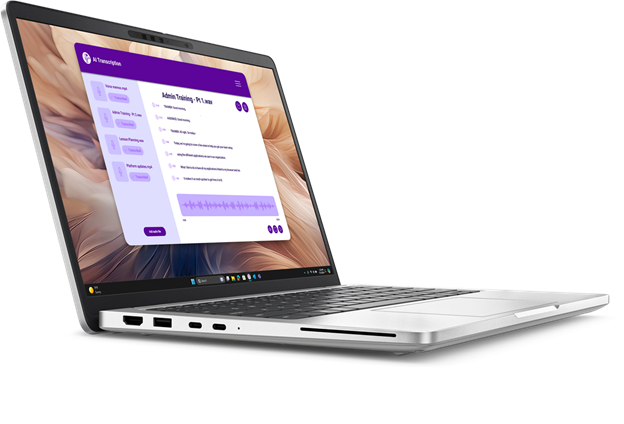
Pro Plus fits professionals who:
-
- Work primarily in documents, spreadsheets, and presentations
- Run business intelligence tools like Power BI or Tableau
- Write and test code without compiling massive projects
- Edit photos in Lightroom or Photoshop without heavy batch processing
- Prioritize battery life and portability
- Experience demanding tasks in bursts rather than sustained, multi-hour sessions
For these work patterns, Pro Plus delivers excellent performance, and you’ll appreciate its efficiency during long days away from power outlets.
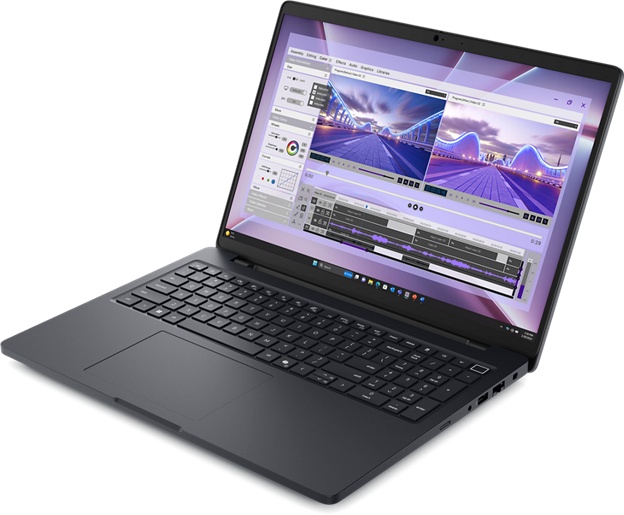
Pro Max is for professionals who:
-
- Edit videos in Premiere, DaVinci Resolve, or Final Cut with 4K or higher footage
- Create and render 3D content in Blender, Maya, 3ds Max, Cinema 4D or similar tools
- Design buildings and visualize CAD projects in Revit, AutoCAD or MicroStation
- Create engineering projects and run simulations in SOLIDWORKS, the ANSYS suite, Inventor and other tools
- Train or fine-tune machine learning models locally
- Process large datasets that keep CPUs pinned for extended periods
- Need ISV-certified graphics for professional application acceleration and stability
The benchmark gaps translate directly into time savings. A 78% performance advantage on sustained workloads means deadlines met with room to spare.
Workflows of the Future
AI-accelerated workflows are reshaping creative industries. Local inference, neural rendering, and real-time ray tracing are only a few of the compute-intensive workflows that were niche or nonexistent a few years ago but have quickly become commonplace. AI relies on GPU acceleration, which Pro Plus’s built-in graphics can’t meaningfully provide.
Pro Max offers more flexibility. Its shared memory architecture allows the built-in Intel Arc Pro 140T GPU to dynamically access up to 87% of system RAM for graphics processing. As engineering and AI projects grow, this variable allocation lets your system take on heavier workloads without requiring a hardware upgrade.
When that’s not enough, Pro Max can also be configured with NVIDIA discrete GPUs. If your work is moving toward AI acceleration, Pro Max is the only option that won’t hit a dead-end. If your workflows are traditional and likely to stay that way, Pro Plus will serve you well.
Making the decision
Neither system is universally “better.” The right choice depends on an honest assessment of how you actually work. If your demanding tasks come in bursts with recovery time in between, Pro Plus delivers capable mobile performance without the premium. If your work involves sustained computational output, Pro Max’s thermal architecture pays for itself in time saved and deadlines met. Understand your workflow demands, and the best choice to meet your needs will become clear.
Ready to explore which Dell system fits your professional reality? Connect with a Dell representative to discuss your specific workflow requirements and configuration options.
To learn more about the Dell Pro Max workstation, click here.