$249.99
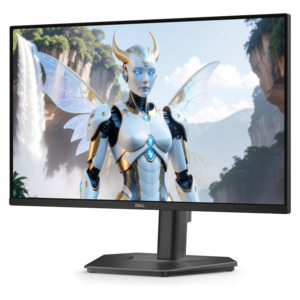
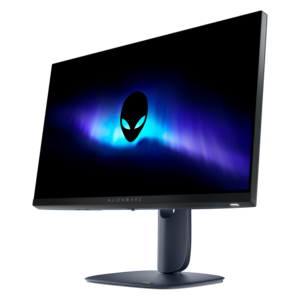
A Fast IPS gaming monitor delivering vivid colors and ultra-smooth visuals at a 320Hz refresh rate.
Elevate your visual experience with our selection of fast IPS monitors. Designed to deliver exceptional clarity, vibrant colors, and smooth performance, these monitors are perfect for gamers, creative professionals, and anyone who values high-quality visuals. With advanced technology that ensures rapid response times and stunning image quality, fast IPS monitors provide an immersive viewing experience for work or play. Discover the perfect balance of speed and precision in our curated collection of fast IPS monitors.
A Fast IPS gaming monitor delivering vivid colors and ultra-smooth visuals at a 320Hz refresh rate.
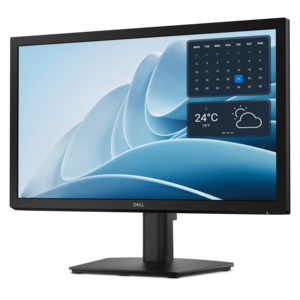
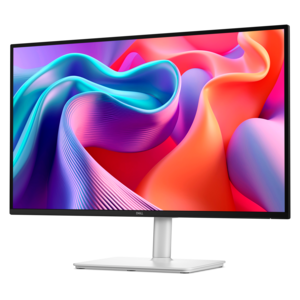
A productivity monitor offering 100Hz refresh and eye comfort solutions that reduce blue light emissions.
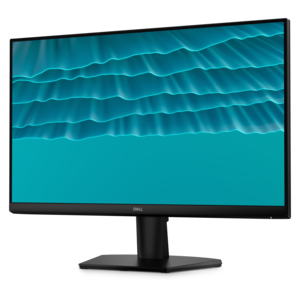
A crisp FHD monitor with smooth 144Hz visuals, built-in speakers, and TÜV 4-star eye comfort certification.
A fast IPS FHD monitor with 240Hz refresh rate, adjustable stand and TÜV Rheinland eye comfort.
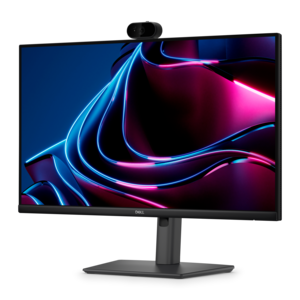
A Full HD IPS monitor with built-in webcam and USB-C hub, designed for streamlined open-workspace collaboration.
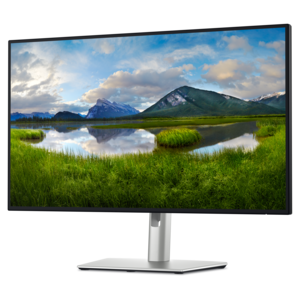
A 4K monitor with IPS Black, 3000:1 contrast, 120Hz refresh, ambient light sensing, and eye comfort.
Fast IPS monitors combine the broad viewing angles and lively color reproduction associated with IPS panels with the quick pixel response needed for smooth, responsive motion. In practical terms, a fast IPS display uses a panel tuned to transition between colors more quickly than a conventional IPS monitor, often with advertised response times around 1 millisecond or less when measured under specific conditions. A higher refresh rate complements that response time by allowing the screen to update more frequently, making camera movement, scrolling, and animation appear clearer. This combination can be especially valuable in fast-paced games, where a quick turn through a detailed environment or a sudden movement across the screen may look more defined with less visible smearing or ghosting. It can also make everyday computer use feel more fluid: windows glide across the desktop, web pages scroll with greater clarity, and video playback appears more natural. Fast IPS monitors are not limited to gaming setups. Students, remote workers, content creators, and anyone who spends long stretches at a desk can appreciate the spacious image, consistent color appearance, and responsive feel. Wide viewing angles are helpful when sharing a screen with someone nearby, while accurate-looking colors support photo editing, digital illustration, video work, and general design tasks. For a gaming room, study area, or home office, a fast IPS monitor can serve as a versatile centerpiece rather than a display reserved for one type of activity. As cooler months encourage more time indoors, it can also make a practical gift for someone building a new desk setup, upgrading from an older screen, or balancing schoolwork with entertainment.
When comparing fast IPS monitors, begin with the relationship between refresh rate, resolution, and the capabilities of the computer that will drive the display. A Full HD monitor with a very high refresh rate may be a strong fit for competitive games because it is generally less demanding to render, while a Quad HD display can provide a sharper image and more room for multitasking without requiring the demands of a 4K panel. A 4K monitor offers exceptionally detailed text, images, and game environments, although reaching a high frame rate at that resolution typically calls for a powerful graphics card. The best choice depends on the games and applications being used, the desired image detail, and the hardware already on the desk. Refresh rates such as 144Hz, 165Hz, 240Hz, or higher can improve motion clarity when the computer produces enough frames to take advantage of them, but a high refresh rate alone does not guarantee a better experience. Look for adaptive synchronization support, which helps the monitor coordinate its refresh timing with the graphics output to reduce tearing and stuttering. Response-time specifications should also be read carefully because manufacturers may list different measurements, modes, or conditions. Overdrive controls can speed up pixel transitions, but an aggressive setting may create bright inverse trails or other artifacts around moving objects. A useful monitor offers adjustable response behavior so the image can be tuned to the system and the type of content on screen. Resolution, refresh rate, and response time work together; choosing them as a balanced set is more important than selecting the highest number in a single category. For additional options focused on clear, detailed viewing, explore Sharp Monitors.
Panel characteristics and desk-friendly features deserve equal attention. Fast IPS technology is known for strong color consistency and wide viewing angles, but it may not produce the deepest blacks found on some VA or OLED displays. In a dim room, dark scenes can appear more gray than black, particularly when the screen is viewed beside a display with stronger native contrast. That trade-off may be worthwhile for users who value motion clarity, color performance, and a broad range of uses. Check the monitor’s brightness rating if it will sit in a sunlit room, and consider whether a matte surface would help limit distracting reflections. A height-adjustable stand, tilt and swivel controls, and VESA mounting support can make a noticeable difference during long work or gaming sessions. The top of the screen should sit near eye level, with the display positioned far enough away to view comfortably without leaning forward. Port selection is another practical consideration: HDMI and DisplayPort connections may support different combinations of resolution and refresh rate, while USB ports, an audio connection, or a built-in hub can reduce desktop clutter. Some displays include speakers, but separate audio equipment may be preferable for fuller sound. Features such as an on-screen crosshair, low-blue-light mode, flicker reduction, or multiple input support can add convenience, though they should not replace a well-tuned panel and ergonomic setup. A fast IPS monitor can be a thoughtful present for a gamer who wants clearer competitive play, a creative hobbyist who needs dependable color, or a family member creating a more comfortable workspace. Match the screen size to the viewing distance and desk depth, verify that the computer can support the chosen resolution and refresh rate, and prioritize the features that will be used every day.
Add the products you would like to compare, and quickly determine which is best for your needs.