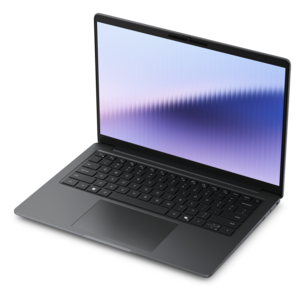
13th Gen Intel Core Processor Laptops
Explore the next level of performance and efficiency with 13th gen Intel Core processor laptops. Designed to support demanding tasks, seamless multitasking, and smooth entertainment experiences, these laptops cater to both professionals and everyday users. Discover a wide range of options that combine advanced processing power with sleek designs, ensuring you find the perfect device to match your lifestyle and computing needs. Elevate your productivity and stay ahead with the latest in laptop technology powered by 13th gen Intel Core processors.
This product is not available
Check out the following recommendations.




13th Gen Intel Core Processor Laptops
Laptops powered by 13th generation processors bring together responsive everyday computing, multitasking capability, and designs suited to everything from a crowded lecture hall to a dedicated home workspace. This processor generation includes options for portable productivity systems as well as higher-powered laptops built for demanding creative applications and gaming. Many processors in this family use a hybrid architecture, combining performance cores for more intensive work with efficient cores that help handle background activity. The practical benefit is the ability to balance different kinds of tasks, such as editing a presentation while a video meeting runs and several research tabs remain open. Actual responsiveness depends on the complete configuration, including memory, graphics, cooling, and the applications in use, rather than the processor generation alone. For students, these laptops can support note-taking, research, online coursework, and group projects. For professionals, they can serve as a daily workspace for spreadsheets, documents, presentations, and remote collaboration. Creative users may need more graphics capability and memory for photo editing, video production, or three-dimensional design. Processor suffixes help distinguish intended uses: U-series options generally emphasize efficient operation in portable systems, P-series options target performance in thin-and-light designs, and H- or HX-series options typically appear in laptops intended for more demanding workloads. These categories describe design priorities, not guaranteed battery life or application performance. A higher-powered processor can finish intensive tasks faster when the laptop has sufficient cooling, but it may also require a larger power adapter and more active fan operation. Battery endurance varies with screen brightness, battery capacity, display technology, power settings, and workload. Reading documents between classes is a different demand from exporting a long video or playing a graphics-intensive game. That range makes 13th generation processor laptops relevant to many routines, with the best fit shaped by what happens throughout the day rather than by a single specification.
The physical design of a laptop matters just as much during daily use as the components inside it. A compact chassis can be easier to slide into a backpack or open on a small café table, while a larger display gives spreadsheets, editing timelines, and side-by-side documents more breathing room. Screen size alone does not determine portability; overall dimensions, weight, and the size of the power adapter all affect what goes into a commuter bag. Aluminum housings can offer a firm, refined feel, while well-designed polymer housings can provide a practical balance of weight and resilience. Material choice by itself does not establish durability, which also depends on construction, hinge design, and handling. A comfortable keyboard, a responsive touchpad, and a screen that stays steady during typing become especially noticeable during longer writing sessions. For someone working near a bright window, display brightness and reflection handling can matter more than a small increase in resolution. For photo work, color coverage and accuracy deserve attention, while frequent readers may appreciate a taller screen shape that shows more of a document at once. Touch input and convertible hinges, where included, add flexibility for annotating documents, viewing recipes on a kitchen counter, or sharing a presentation across a table. Pen support varies by configuration and should not be assumed from a touchscreen alone. Ports also shape the everyday experience: connecting an external monitor, a mouse, or a camera is simpler when the laptop supports the necessary connections without extra adapters. USB-C ports can differ in charging, video output, and data capabilities, even when their connectors look identical. A clear webcam, useful microphones, and accessible privacy controls are worthwhile considerations for regular video calls. For a graduation gift or a household computer shared among adults, a manageable size, comfortable controls, and compatibility with familiar applications can be more meaningful than specifications chosen without the recipient’s routine in mind.
Memory, graphics, and local file capacity help determine how comfortably a 13th generation processor laptop handles its intended workload over time. For many everyday multitasking routines, 16GB of memory provides useful headroom for browser tabs, office applications, and video calls running together, although requirements vary by software. Larger creative projects, virtual machines, and other memory-intensive work can benefit from more. Upgrade options differ between laptop designs, and some systems use soldered memory, making the initial configuration important for long-term fit. A solid-state drive supports quick access to applications and files, while capacity determines how much room remains for photo libraries, downloaded coursework, and large project folders. Integrated graphics can suit everyday productivity, video playback, and some lighter creative tasks; demanding games, complex visual effects, and certain design applications may benefit from a dedicated graphics processor. For shoppers whose primary focus is play, Intel Gaming Laptops provides a related category to explore alongside considerations such as graphics performance, display refresh rate, and cooling design. A fast-refresh display can make motion look smoother when the system produces sufficient frame rates, but the processor alone does not determine gaming performance. Sustained workloads also highlight the importance of ventilation. A laptop used on a firm desk has a better opportunity to move air through its vents than one resting on a blanket or soft cushion. Routine care is straightforward: keep vents unobstructed, clean the screen with an appropriate soft cloth following the manufacturer’s directions, and avoid spraying liquid directly onto the computer. A padded sleeve helps protect the finish during travel, while careful handling of hinges and charging connectors can reduce avoidable wear. Operating system updates, supported drivers, and regular backups help keep a daily-use laptop dependable. Together, thoughtful configuration and ordinary care make these systems adaptable companions for school, work, creative projects, and entertainment, whether the day involves carrying notes between classrooms or settling into an evening of focused work at home.
FAQs:
Laptops with 13th Gen Intel Core processors offer enhanced performance, improved multitasking capabilities, and increased energy efficiency, making them ideal for productivity, creative tasks, and entertainment.
The 13th Gen Intel Core processors are designed with advanced power management features that help optimize battery usage, allowing for longer use between charges without sacrificing performance.
Yes, laptops powered by 13th Gen Intel Core processors deliver robust graphics and processing power, making them well-suited for gaming, video editing, graphic design, and other demanding applications.
Absolutely. The advanced architecture of the 13th Gen Intel Core processors supports smooth operation of professional software and efficient multitasking, helping you manage multiple applications with ease.
Many laptops equipped with 13th Gen Intel Core processors include the latest connectivity options such as Wi-Fi 6E, Thunderbolt 4, and Bluetooth 5.2, providing faster data transfer and seamless wireless connections.