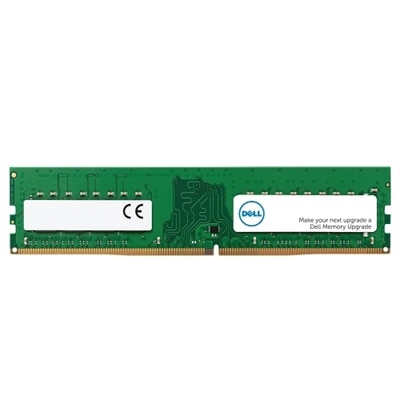
16GB DDR4 Memory
Upgrade your computing experience with 16GB DDR4 memory, designed to support faster performance and enhanced multitasking for a wide range of devices. Whether you're building a new system or expanding your current setup, 16GB DDR4 offers the reliability and efficiency needed for work, gaming, and everyday tasks. Explore options that deliver the power and responsiveness modern applications demand. Find the right 16GB DDR4 solution to help unlock your device’s full potential.
This product is not available
Check out the following recommendations.
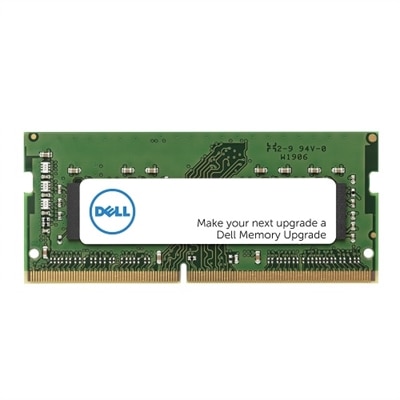
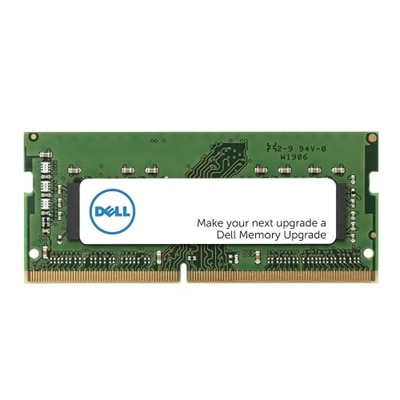

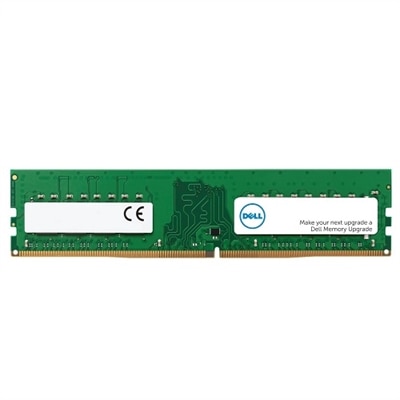
16GB DDR4 Memory
16GB DDR4 Memory offers a practical way to add responsive performance to a compatible desktop or laptop without replacing the entire computer. With 16GB available, a system can keep more applications active at the same time, making it easier to move between a web browser with multiple tabs, email, video calls, office documents, photo libraries, and music without the pauses associated with limited memory. It can also provide a comfortable foundation for everyday gaming, schoolwork, home projects, light content creation, and general multitasking. A family computer used for homework in the afternoon and streaming in the evening may feel more capable with additional memory, while a work-from-home setup can benefit when spreadsheets, collaboration tools, browser windows, and video meetings are open together. Memory does not replace a faster processor or a solid-state drive, and it does not increase storage capacity, but it helps the computer manage active tasks more smoothly. For shoppers comparing capacity options, 16GB is often a balanced choice for common computing needs. Those who routinely edit large media files, work with demanding creative software, run virtual machines, or keep numerous intensive applications open may prefer to explore a higher-capacity option such as 32GB Memory. A memory upgrade can also be a thoughtful gift for a student, remote worker, hobbyist, or PC enthusiast, particularly when their current computer slows down during ordinary multitasking. Before purchasing, identify the computer’s exact model or motherboard and review its memory specifications. DDR4 modules are not interchangeable with DDR3 or DDR5, even when the module appears similar, because each generation uses different electrical characteristics and physical keying. Compatibility information should also confirm the maximum supported capacity, number of available slots, supported memory speed, and whether the computer requires a particular configuration.
The physical form factor is one of the most important details when selecting 16GB DDR4 Memory. Desktop computers generally use full-size UDIMM modules, while laptops and other compact computers typically use shorter SODIMM modules. These formats are different sizes and are not interchangeable, so selecting the correct type is essential before installation. Capacity can be supplied as one 16GB module or as a matched 2x8GB kit. A single module may leave an additional slot available for a future upgrade, although two matched modules can enable dual-channel operation on systems that support it. Dual-channel memory can improve data transfer between the memory and other components, with the effect varying according to the computer, software, and workload. If the system already contains memory, check whether the new module will match its capacity, speed, voltage, and specifications closely enough for reliable operation. Mixing modules may cause the computer to operate at the speed of the slowest module, and mismatched configurations can sometimes create stability issues. Some laptops provide limited access to memory or use partially integrated memory, so the manufacturer’s documentation should be consulted before ordering. Installation typically involves shutting down the computer, disconnecting power, opening the access panel, and releasing the existing module or adding the new one to an open slot. Handle memory by its edges, avoid touching the gold contacts, and work on a clean, dry surface free of static buildup. An anti-static wrist strap or another approved grounding method can help protect sensitive components. After installation, confirm that the computer recognizes the full capacity in its system settings. If it does not start normally, power down and reseat the module, then verify that it is installed in the recommended slot. For laptops, the manufacturer’s service instructions are especially useful because clips, covers, and battery-disconnection steps differ between models.
Speed is another consideration when comparing DDR4 memory. Many compatible computers support speeds around 3200MHz, but the best choice depends on the system’s processor, motherboard, firmware, and existing memory. A module rated for a higher speed may run at a lower supported speed when installed in a computer with more limited specifications. This behavior is normal, but shoppers should use the computer manufacturer’s documentation as the final reference rather than assuming that a higher number guarantees better performance. Memory timings, voltage, and supported profiles can also affect how a module operates. Desktop systems may offer XMP or a similar memory profile setting in the BIOS or UEFI, while some platforms use another profile standard or do not provide manual memory tuning at all. When supported, enabling the appropriate profile can allow the memory to run at its advertised settings instead of a conservative default, but stability and compatibility should take priority over maximum frequency. Users who prefer a straightforward setup can leave settings at the system default, while experienced PC builders may review the firmware options after installation and run a trusted memory diagnostic if needed. The right 16GB DDR4 Memory selection is ultimately the one that matches the computer’s form factor and generation, fits within its supported capacity, and works with its speed and configuration requirements. During the warmer and cooler parts of the year alike, a dependable memory upgrade can make a familiar computer feel less crowded and more prepared for browsing, communication, entertainment, learning, and creative work.
FAQs:
Upgrading to 16GB DDR4 memory enhances system performance by enabling smoother multitasking, faster application loading, and improved responsiveness. This upgrade is particularly beneficial for users who run multiple programs simultaneously, work with large files, stream media, or use memory-intensive applications such as video editing software and games.
16GB DDR4 RAM is compatible with systems that support the DDR4 standard. It's important to check your computer’s specifications to ensure compatibility, as DDR4 is not interchangeable with DDR3 or other memory types. Additionally, laptops require DDR4 SODIMM modules, while desktops typically use full-sized DIMMs.
To determine if your system can be upgraded to 16GB DDR4 memory, review your device’s documentation or use online tools to check the maximum supported memory and the number of available slots. Many modern laptops and desktops support 16GB or more, but it’s always best to verify before purchasing.
DDR4 SODIMM (Small Outline Dual In-line Memory Module) is a compact version of DDR4 memory designed specifically for laptops and small form factor PCs. Standard DDR4 modules, often referred to as DIMMs, are larger and typically used in desktop computers. The two types are not interchangeable due to differences in size and pin configuration.
Yes, upgrading to 16GB DDR4 RAM can significantly enhance gaming experiences and creative workflows. It provides the necessary memory for modern games, video editing, graphic design, and other demanding tasks, ensuring smoother performance and reducing lag when running multiple applications or working with large files.