$879.99
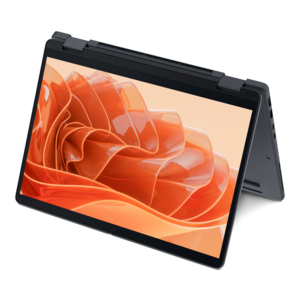
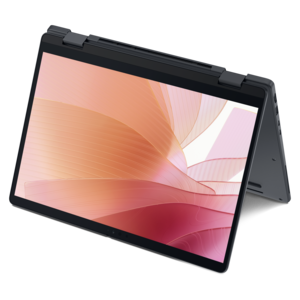
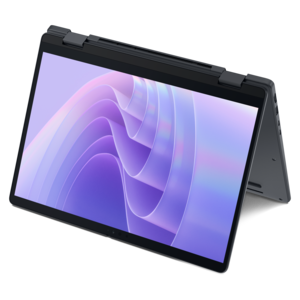
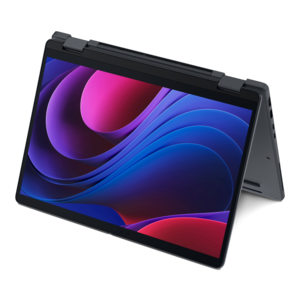
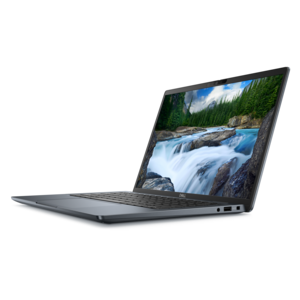
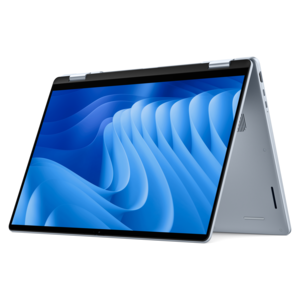
A versatile 2-in-1 laptop with Intel Core processors, DDR5 memory, and multiple modes for creative work.
2 in 1 laptops with pen support offer the flexibility to seamlessly transition between work, creativity, and entertainment. Designed for those who value versatility, these innovative devices combine the power of a laptop with the convenience of a tablet, making them ideal for note-taking, sketching, or collaborating on projects. Explore a range of 2 in 1 laptops with pen support to find the perfect solution for your dynamic lifestyle and productivity needs.
A versatile 2-in-1 laptop with Intel Core processors, DDR5 memory, and multiple modes for creative work.
A versatile 2-in-1 laptop with AI experiences, all-day battery life, and seamless multitasking.
A remarkably thin 2-in-1 laptop powered by AMD Ryzen AI PRO 400 Series processors for performance.
A thin 2-in-1 laptop powered by AMD Ryzen AI PRO 400 Series processors for versatile performance.
A remarkably thin 2-in-1 laptop combining versatile portability with performance powered by advanced Core Ultra processors.
A thin 2-in-1 laptop combining versatility, portability, and performance with Series 3 Intel Core Ultra processors.
An AI-powered tablet with optional keyboard, active pen, advanced thermals, HDR cameras, and Intel Core Ultra.
A versatile 2-in-1 laptop with built-in AI and a spacious display for creative work.
A durable, serviceable Chromebook laptop or 2-in-1 designed specifically for K–12 learning environments.
A 2-in-1 laptop with pen support brings together the everyday convenience of a notebook and the hands-on feel of a tablet. With a 360-degree hinge, the display can fold back into tablet mode for writing, sketching, reading, or presenting, then return to a familiar laptop position for typing and multitasking. Some designs use a detachable keyboard, which can make the device feel even lighter when it is being used as a digital notepad. The pen adds another layer of flexibility: handwritten notes can be captured during a meeting, diagrams can be marked up directly on screen, and ideas can be outlined with the natural movement of a pen on paper. For students, these systems can be useful in lectures and study sessions, where a single device can hold textbooks, assignments, reference material, and handwritten annotations. Professionals may use one to review documents, sign forms, sketch a presentation layout, or jot down a quick reminder while standing in a hallway between meetings. Creative users can use pen input for illustration, photo adjustments, storyboarding, and early design work, while families may appreciate a shared computer that works for homework, streaming, browsing, and casual creative projects. To explore additional configurations and screen sizes, visit Best 2 In 1 Laptops.
When comparing these laptops, start with the way you expect to use the pen. A pressure-sensitive stylus can make lines respond more naturally to a light or firm touch, which matters when drawing, shading, or writing quickly. Tilt recognition can be helpful for digital art and broad brush effects, while a responsive touchscreen keeps handwriting from feeling delayed or uneven. Check whether the pen is included with the configuration or offered separately, and consider how it will be stored and charged. A pen that attaches magnetically or fits into a built-in garage is less likely to disappear in a crowded backpack; a rechargeable model can be convenient, provided it is easy to power before a class or workday. The screen deserves equal attention. A compact 13-inch display is easy to carry and comfortable for note-taking on a small café table, while a 14-inch model often provides a practical balance of workspace and portability. A larger 15- or 16-inch screen gives drawings, spreadsheets, and side-by-side windows more room to breathe, though it may add weight. Resolution affects the clarity of fine text and detailed artwork, and a bright panel can be valuable when moving between an office, a classroom, and a sunny room at home. For watching video or scrolling through long documents, a smooth refresh rate can make movement feel more fluid. Touchscreen glass may reflect overhead lights, so viewing angles, brightness, and your usual environment are worth considering together rather than separately.
Performance, comfort, and battery life shape how enjoyable a 2-in-1 feels after the first few weeks. For everyday browsing, writing, video calls, and schoolwork, an efficient modern processor with adequate memory should keep apps responsive as you move between tasks. Users working with large presentations, creative software, coding tools, or many browser tabs may benefit from more memory and faster storage, especially when the laptop needs to wake quickly and handle several demanding applications at once. A solid keyboard remains important even when pen input is the headline feature. Look for comfortable key travel, a precise touchpad, and a layout that suits long typing sessions. A hinge should feel steady when you write on the screen, with enough resistance to hold its position without requiring excessive force. Weight also matters in real life: a device that feels manageable on a short commute may become tiring when carried with chargers, notebooks, and other accessories every day. Battery capacity, charging speed, and the availability of a compact power adapter can influence whether it lasts through a full class schedule, a long flight, or an afternoon of meetings. These laptops can make thoughtful gifts for a student beginning a new term, a family member who enjoys drawing, or a professional who prefers handwritten planning, particularly when the recipient values flexibility and wants one device for work and personal use. Consider the software they already rely on, the type of pen work they enjoy, the amount of storage they need, and whether they prefer a small travel-friendly screen or a larger canvas before choosing a configuration.
Add the products you would like to compare, and quickly determine which is best for your needs.