2 TB Solid State Drives
Looking to upgrade your storage? Discover the power and efficiency of 2 TB solid state drives, designed to meet the demands of modern computing. Whether you're a gamer, content creator, or professional on the go, these SSDs offer ample space and enhanced performance for all your files and applications. With faster boot times, quicker data access, and improved reliability over traditional hard drives, 2 TB solid state drives are the perfect solution for those seeking to optimize their digital experience. Explore our selection and find the ideal drive to boost your system's capabilities today.
This product is not available
Check out the following recommendations.




2 TB Solid State Drives
A 2 TB solid-state drive gives a compatible laptop or desktop room for everyday applications, large project folders, and a growing collection of games, photos, and videos. Solid-state drives, commonly called SSDs, keep data on flash memory rather than spinning magnetic disks, so they operate without the mechanical movement of a traditional hard drive. That difference can make a computer feel more responsive when starting up, opening applications, or finding files, especially when an SSD replaces an older hard drive as the main system drive. The 2 TB capacity is useful for people whose digital lives extend beyond documents and email: a student keeping several semesters of coursework alongside creative projects, a photographer organizing original images and edited exports, or a gamer who prefers to keep several large titles installed. A drive with this capacity contains approximately two trillion bytes before formatting. Some operating systems display that as roughly 1.82 TiB, sometimes using a TB label, and formatting, recovery partitions, and system files can reduce the space available for personal files. The number of photos, games, or hours of footage that fit depends heavily on file size, image resolution, compression, and software requirements, so a single fixed file count rarely describes real-world use. For a home computer shared by several people, the extra room can help keep separate accounts, school assignments, and family media together without constant reshuffling. For creative work, it can accommodate active files, reference materials, and temporary working space on the same drive, although a separate backup remains important. Capacity alone does not determine speed, and moving from a smaller SSD to a 2 TB SSD does not automatically make every task faster. Its clearest benefit is breathing room: fewer interruptions to clear space before installing an application, importing a memory card, or downloading the next set of project assets. That flexibility makes 2 TB a practical capacity for a primary computer drive or a dedicated drive for frequently used files.
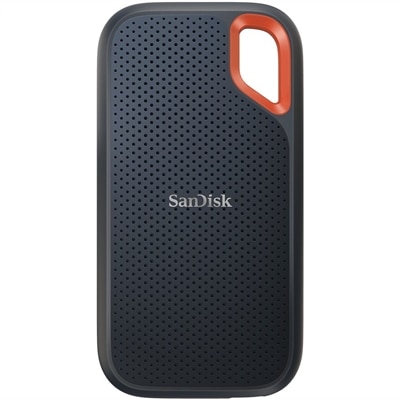
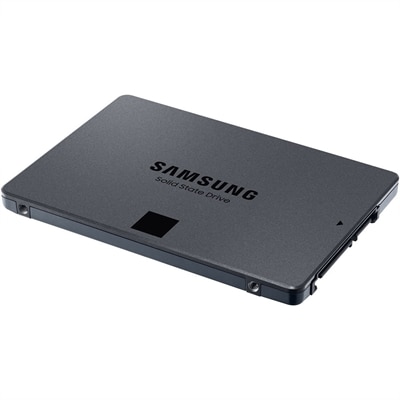
The physical format and connection type determine where a 2 TB SSD fits and how it communicates with a computer. Internal options commonly include 2.5-inch SATA drives and compact M.2 drives, while external SSDs connect through an enclosure and an appropriate external port. A 2.5-inch SATA SSD typically has a protective casing around its electronics and fits a compatible drive bay, making it relevant to many older laptops and desktops designed for that format. Bay dimensions, mounting hardware, and the required power and data connections still matter. An M.2 SSD is a narrow circuit board that mounts directly into a compatible slot, saving space inside slim laptops and compact desktop builds. M.2 describes the physical format, not a guarantee of performance or compatibility: the slot must support the drive’s interface, length, and connector arrangement. Some systems accept M.2 SATA drives, while others support PCIe NVMe drives, and those terms are not interchangeable. NVMe uses a communication protocol designed for flash memory over PCIe and can support much higher transfer rates than SATA. In practical terms, SATA SSDs can approach about 550 MB/s for sequential transfers, while compatible NVMe configurations can reach several thousand megabytes per second. Actual results depend on the drive, computer, workload, and cooling, rather than capacity alone. Large video transfers may highlight these differences more clearly than opening a short document or browsing the web. For an external SSD, the computer’s port, cable, and enclosure can each limit transfer speed, even when the drive inside is capable of more. A compact external format can suit someone carrying photo libraries between a home desktop and a laptop, while an internal drive keeps the workspace free of another cable. When a computer only needs room for an operating system and a modest set of applications, 256GB Solid State Drives represent a smaller-capacity category; a 2 TB drive better accommodates larger local libraries and room for future projects. In either case, compatibility with the intended computer comes before the capacity printed on the label.
Daily use also brings considerations beyond fit and headline transfer speeds. For gaming, an SSD can shorten loading screens and help games access assets efficiently, but it does not replace the graphics hardware or processing power responsible for most frame-rate performance. For photo and video editing, a 2 TB SSD can hold active projects close at hand, with space for previews, caches, and exports; sustained write performance becomes more relevant when a task involves hundreds of gigabytes rather than a few small files. Some drives write quickly at first and slow during longer transfers as their fast cache fills, so peak speed is only part of the performance picture. Flash-memory type, controller design, and onboard memory can also affect responsiveness under demanding workloads. Durability has a similarly practical side. With no moving read heads or spinning platters, SSDs are generally more tolerant of bumps than hard drives, but they are not immune to damage, electrical faults, or data loss. Internal circuit boards need careful handling, and external casings do not imply water resistance or drop protection unless those properties are specifically documented. Heat can affect performance, particularly during lengthy transfers on fast NVMe drives; suitable airflow and any computer-approved thermal pad or heatsink help the drive operate as intended. A heatsink must also fit the available clearance, especially inside a thin laptop. Endurance ratings, often expressed as terabytes written, describe a rated amount of data written over the drive’s supported life rather than a precise expiration point. Routine documents and occasional downloads place different demands on a drive than repeated video captures or daily transfers of large working folders. Keeping some free space, maintaining supported firmware, and using the operating system’s SSD maintenance features can support consistent operation; traditional manual defragmentation is generally unnecessary. External drives benefit from secure cable connections and proper ejection before unplugging. Whether intended for personal use or as a practical gift for someone upgrading a compatible computer, a 2 TB SSD works best as part of a thoughtful setup that includes a separate, current backup of important files.
FAQs:
A 2 TB solid state drive provides significantly faster data access, improved reliability due to the absence of moving parts, and quieter operation compared to traditional hard drives. Users benefit from quicker boot times, faster file transfers, and enhanced overall system responsiveness, making it a great choice for both everyday computing and demanding tasks.
Creative professionals, gamers, students, and anyone who regularly works with large files or multitasks extensively can benefit from a high speed 2tb ssd. The increased capacity and speed make it ideal for video editing, gaming, storing large photo libraries, or running resource-intensive applications.
Yes, a 2 terabyte solid state drive can be easily installed in an external enclosure and connected via USB or Thunderbolt ports. This makes it a versatile option for users who need portable, high-capacity storage for backups, media libraries, or transferring files between devices.
Most dell 2tb ssd models are compatible with both laptops and desktops, provided the device supports the appropriate interface (such as SATA or NVMe). Always check your device’s specifications to ensure compatibility before installation.
When choosing between a mini ssd dell and a standard-sized SSD, consider the physical size and interface of your device, as well as your portability needs. Mini SSDs are ideal for ultrabooks, compact laptops, or as portable external drives, while standard-sized SSDs may offer broader compatibility with desktops and larger laptops.