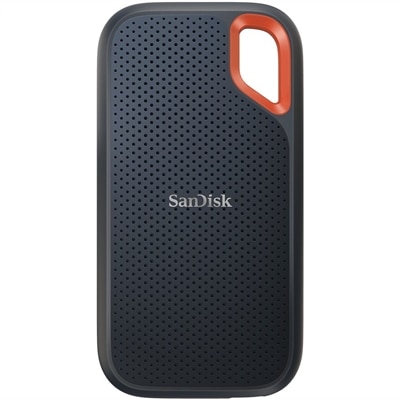
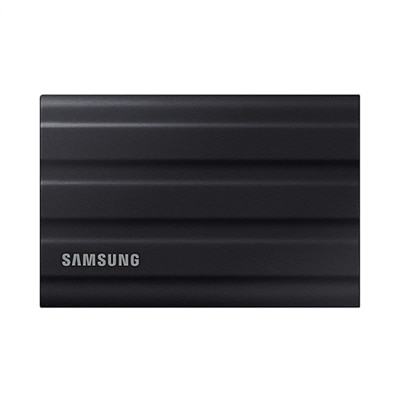
256GB Solid State Drives
Upgrade your storage and enhance your system’s performance with 256GB solid state drives. Perfect for users seeking reliable capacity and faster data access, these drives offer a balanced solution for everyday computing needs. Whether you’re looking to boost your laptop’s speed or expand your desktop’s storage, 256GB solid state drives provide an efficient and dependable option for a variety of devices. Explore a range of choices designed to fit seamlessly into your workflow and help you get more done, every day.
This product is not available
Check out the following recommendations.
256GB Solid State Drives
When considering a 256GB Solid State Drive, it’s important to think about how you use your device and what you need from your storage. A 256GB SSD is a practical choice for those looking to upgrade an older laptop or desktop, especially if you’re seeking a balance between performance, reliability, and value. For many, the appeal lies in the speed and responsiveness that an SSD offers compared to traditional hard drives. Whether you’re booting up your operating system, launching applications, or transferring files, the difference is tangible—programs load faster, and day-to-day multitasking becomes seamless. College students, remote workers, and home office users often find that a 256GB SSD for laptop use provides enough space for essential files, productivity software, and web browsing, all while keeping the device lightweight and efficient. For those who enjoy capturing photos during summer outings or editing video clips from family gatherings, a 256GB SSD can comfortably house these memories, though you may want to pair it with cloud storage or an external drive for larger media libraries.
The purchase decision often comes down to intended use and future-proofing. A 256GB SSD is typically ideal as a primary drive in systems where speed is critical and storage needs are moderate. For example, it’s a smart upgrade for a family desktop that’s used for schoolwork, streaming, and everyday tasks, or for a secondary device dedicated to travel or presentations. Many professionals who travel frequently appreciate the durability of SSDs, as they are less susceptible to damage from bumps or drops compared to traditional spinning drives. If you’re considering a dell ssd 256gb, you’ll find that it delivers reliable performance for most productivity tasks and is a straightforward way to breathe new life into an older machine. Those who manage larger files or more demanding creative workloads might opt for a higher-capacity solution, but for many users, especially during the busier summer and early fall seasons when schedules fill with projects and trips, a 256GB SSD strikes a sweet spot between speed, portability, and affordability. It’s also worth noting that ssd price tends to be more accessible at this capacity, making it a sensible upgrade or gift for students heading back to school or anyone looking to refresh their tech setup as the weather warms.
When shopping for a 256GB solid state drive, consider compatibility with your device—form factors like M.2 NVMe and 2.5-inch SATA each have their advantages and specific use cases. M.2 NVMe drives offer lightning-fast data transfer rates and are common in newer laptops and desktops, while 2.5-inch SATA drives are a popular choice for reviving older systems that may not support the latest interfaces. If you’re comparing options like a 320GB solid state drive or a traditional dell hard drive, keep in mind that SSDs offer not only faster speeds but also greater energy efficiency and quieter operation. For those who anticipate growing storage needs in the future, it may be helpful to explore larger capacities; you can find a range of options, including 2 TB Solid State Drives, to ensure you have room for expanding files and applications. Ultimately, a 256GB SSD is a versatile, high-performance solution that fits a wide variety of users and scenarios, making it a thoughtful upgrade or gift that can transform everyday computing into a smoother, more enjoyable experience.
FAQs:
A 256GB solid state drive provides significantly faster boot times, quicker application launches, and improved overall system responsiveness compared to traditional hard drives. It also operates silently, generates less heat, and is more resistant to physical shock, making it a reliable choice for both laptops and desktops.
Yes, many users install the operating system and essential applications on a 256GB SSD to take advantage of its speed, while using a secondary hard drive or SSD for additional storage. This setup allows for fast system performance and ample space for larger files or media libraries.
A 256GB SSD can provide fast load times and smooth performance for light to moderate gaming or creative tasks. However, users with large game libraries or who work with high-resolution media files may benefit from pairing the SSD with additional storage, or choosing a higher-capacity drive.
Solid state drives are more energy-efficient than traditional spinning hard drives. Upgrading to a 256GB SSD can help extend battery life in laptops, allowing users to work or browse longer between charges.
256GB SSDs are commonly available in 2.5-inch SATA and M.2 NVMe or SATA form factors. The best choice depends on your device’s compatibility: 2.5-inch SATA drives fit most older laptops and desktops, while M.2 drives are designed for modern, slim laptops and newer desktops. Always check your device’s specifications before purchasing.