1 TB Solid State Drives
Upgrade your storage solution with 1 TB solid state drives, designed to provide ample space for your files, applications, and games. Whether you're looking to boost the performance of your laptop or desktop, these drives offer a reliable option for expanding capacity and enhancing overall efficiency. Explore a variety of 1 TB solid state drives to find the perfect fit for your computing needs and experience smoother data management on all your devices.
This product is not available
Check out the following recommendations.
1 TB Solid State Drives
A 1 TB solid-state drive offers a practical balance of capacity, speed, and everyday convenience for people who want more responsive storage without moving to an oversized or highly specialized solution. Unlike a traditional hard disk drive, an SSD has no spinning platters or moving read heads, so it can access files quickly, operate quietly, and better withstand the bumps and movement that come with carrying a laptop between home, school, work, and travel. A 1 TB capacity is well suited to a broad range of uses: it can hold a substantial photo library, a large collection of documents, creative projects, applications, and several modern games, while still leaving room for future files. Keep in mind that a drive labeled 1 TB typically appears as approximately 930 GB to 931 GB in an operating system. This difference comes from the way storage manufacturers and computers calculate capacity, along with space reserved for formatting and system functions. For a desktop computer, an internal SSD can shorten startup times, make applications feel more responsive, and help large files open or save with less waiting. In a laptop, replacing an older drive or adding compatible solid-state storage can make a noticeable difference during everyday work, especially when opening multiple programs, organizing photos, or moving between browser tabs and productivity tools. A 1 TB SSD can also be a thoughtful gift for a student, remote worker, photographer, gamer, or family member who regularly runs short on space and would appreciate a faster, cleaner way to manage important files.
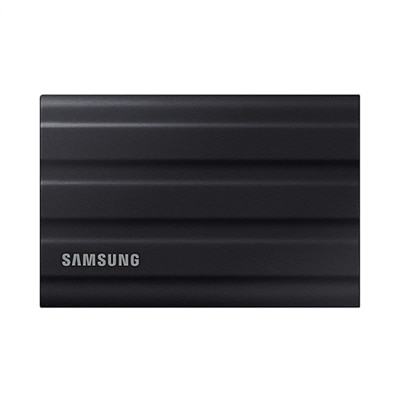
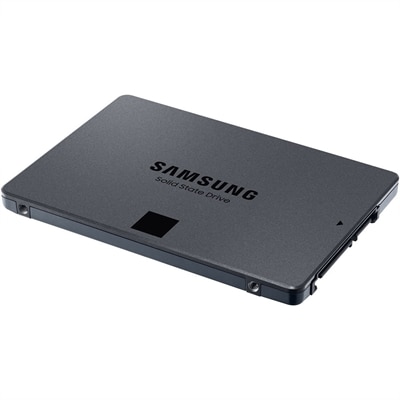
Choosing the right 1 TB solid-state drive begins with confirming how it connects to the computer or device. M.2 NVMe drives are compact internal drives that install directly into a compatible M.2 slot on a motherboard. They are common in newer laptops and desktop computers and can deliver very high transfer rates, particularly when the system supports PCIe Gen 4. Depending on the drive and the host device, Gen 4 NVMe storage may reach advertised sequential speeds in the range of 5,000 to 7,000 MB/s, while Gen 3 NVMe drives generally provide lower but still strong performance. The computer’s slot and PCIe generation matter: a newer drive may function in an older compatible system, but it may operate at the limits of that system rather than its maximum listed speed. A 2.5-inch SATA SSD is another internal option, especially for older laptops and desktop computers with a traditional 2.5-inch drive bay. SATA models are typically limited to around 550 MB/s, but they can still feel dramatically faster than a mechanical hard drive and may be the simplest match for an aging computer. External SSDs connect through USB and are useful for transferring files between computers, maintaining a portable work library, backing up photos and videos, or expanding storage for compatible gaming consoles. Check the available USB port, cable, operating system support, and device requirements before choosing an external model, since connection standards can affect performance. For internal upgrades, confirm the physical dimensions, interface, available slot or bay, operating system requirements, and whether the computer manufacturer permits user-installed storage. A desktop may offer more installation flexibility, while a thin laptop may require a specific M.2 size and careful access to its internal components.
Performance is only one part of selecting 1 TB solid-state storage. Consider the kinds of files being handled, how often the drive will be used, and whether the drive will serve as primary storage, a secondary library, or a backup destination. Sequential read and write speeds are helpful for large transfers such as video projects, but random performance can have a greater effect on everyday tasks like launching programs and loading many small files. Endurance ratings, often expressed through a total terabytes written figure, can help indicate how much data a drive is designed to handle over its service life; ordinary browsing, schoolwork, office tasks, and photo storage usually place less demanding workloads on a drive than frequent professional video production or constant data-intensive use. Some internal NVMe drives include a heat spreader or require adequate airflow, since sustained transfers can produce heat and may reduce speeds temporarily if the drive becomes too warm. It is also wise to keep current backups of irreplaceable documents, photographs, and creative work, because faster storage is not a substitute for data protection. A portable SSD can slip into a small bag for an afternoon of editing or a visit with family, while an internal drive can give a well-used computer a quieter, more immediate feel during the cooler months when home projects, digital organization, and indoor entertainment take up more time. When 1 TB is not enough for a growing collection of media, archived projects, or long-term backups, exploring higher-capacity options such as 8 TB Hard Drives can provide additional room. By matching the form factor, interface, speed, endurance, and intended workload to the device, shoppers can choose storage that fits naturally into their routine and remains useful well beyond the initial upgrade.
FAQs:
Upgrading to a 1 TB solid state drive provides significantly faster boot times, quicker application launches, and improved overall responsiveness compared to traditional hard drives. The larger capacity also allows you to store more files, games, and multimedia content without worrying about running out of space. Additionally, SSDs are more durable and energy-efficient, making them ideal for both laptops and desktops.
To ensure compatibility, check your device's specifications for supported SSD form factors (such as M.2 or 2.5-inch) and interface types (like SATA or NVMe PCIe). Most recent Dell laptops and desktops support a range of SSD types, but it’s always best to consult your user manual or the Dell support website for detailed compatibility information.
Yes, installing a 1 TB SSD can greatly enhance gaming performance by reducing load times, speeding up game installations, and providing smoother in-game asset streaming. Games stored on an SSD benefit from faster data access, which can make a noticeable difference in open-world or resource-intensive titles.
Many Dell laptops and desktops are designed for straightforward SSD upgrades, often requiring only basic tools and minimal technical knowledge. Detailed installation guides are available on the Dell support website, and many users find the process manageable with step-by-step instructions. If you’re unsure, professional installation services are also available.
Before installing a new 1 TB SSD, it’s important to back up your data and create a recovery drive if you plan to transfer your operating system and files. You can use cloning software to migrate your data from the old drive to the new SSD, ensuring a seamless transition without losing important files or settings.