21 9 Monitors
Experience a new level of productivity and immersion with 21:9 monitors, designed to enhance both work and entertainment setups. The ultra-wide aspect ratio offers expansive screen real estate, making multitasking seamless and visuals more engaging. Whether you're editing content, managing multiple applications, or enjoying cinematic visuals, 21:9 monitors provide a versatile solution to meet your needs. Explore a range of options to find the perfect fit for your workspace or home office.
This product is not available
Check out the following recommendations.




21 9 Monitors
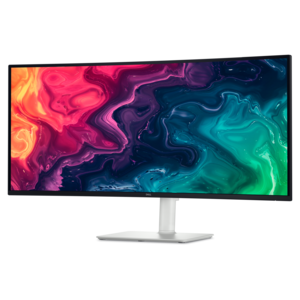
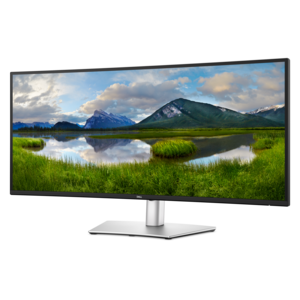
A 21:9 monitor, also called an ultrawide monitor, gives you a broader horizontal workspace than a traditional 16:9 display. That extra width can make a noticeable difference when you are arranging several windows, reviewing a wide spreadsheet, editing a timeline, or playing a game designed to fill your peripheral vision. Instead of placing two separate screens side by side with a bezel between them, a single 21:9 display creates one continuous canvas for documents, browser tabs, communication tools, and creative applications. Many people find that this arrangement feels cleaner and more natural on a desk, especially when working from home or building a flexible study area during the cooler months. A 21:9 monitor can also be a practical upgrade for someone who spends long stretches at a desk, since it reduces the need to constantly minimize and reopen windows. Screen size is an important starting point. A 29-inch model can provide a spacious improvement without overwhelming a compact workstation, while a 34-inch or larger display offers more room for side-by-side tasks and a more cinematic viewing experience. Before choosing a screen, measure the available desk width and depth, and remember to leave room for a keyboard, mouse, speakers, notebooks, and comfortable arm movement. A curved design can help bring the outer edges into a more consistent viewing distance, while a flat panel may suit users who prefer a familiar shape or need to mount the display flush against a wall. Viewing distance, desk height, and lighting all affect comfort, so features such as height adjustment, tilt, swivel, low-blue-light settings, and flicker reduction are worth considering alongside the screen’s size. If a wide display is more than your space requires, a compact option such as 24.5 Inch Monitors may be easier to position and still provide a comfortable dedicated screen for everyday computing.
Resolution and refresh rate help determine how a 21:9 monitor looks and feels in use. Common ultrawide resolutions include WFHD at 2560 x 1080, which can be a sensible fit for general office work and gaming, and higher-resolution formats such as 3440 x 1440, which provide sharper text and finer detail across a larger screen. A higher resolution is especially useful when reading small type, working with photographs, arranging design elements, or keeping several applications visible at once, although it also asks more from the computer’s graphics hardware. Refresh rate describes how often the display can update the image, and a higher rate can make pointer movement, scrolling, camera panning, and fast-paced games appear smoother. Basic productivity tasks may be comfortable at a standard refresh rate, while gaming and motion-heavy work can benefit from a display rated at 100Hz, 144Hz, 165Hz, 200Hz, or beyond, provided the computer can supply a matching frame rate. Response time, adaptive sync support, and input lag also matter for responsive gameplay. For color-sensitive work, look at the panel technology, color coverage, viewing angles, and factory calibration rather than relying on resolution alone. IPS panels are often valued for consistent color and wide viewing angles, while other panel types may offer strong contrast or a fast response. Brightness and HDR capability can add depth to compatible movies and games, but real-world results depend on the display’s peak brightness and the content being viewed. Connectivity is another key purchase consideration. HDMI and DisplayPort support can make it easier to connect a desktop, laptop, or gaming system, while USB-C can simplify a laptop setup by carrying video, data, and power through one cable on compatible displays. Built-in USB ports can keep accessories within reach, and an audio output can help connect headphones or speakers without reaching behind the computer. Check the specifications of every device in the setup before purchasing, including supported resolution, refresh rate, cable requirements, and power delivery.
These monitors suit a wide range of users. A remote worker might keep a video meeting, project brief, and spreadsheet visible across one screen, reducing the constant window switching that can interrupt concentration. A student can place research materials beside a writing application, while a photographer or video editor can spread a long timeline across the display and keep tool panels accessible. Streamers, designers, programmers, and financial analysts may appreciate the added width for dashboards, code, charts, and preview windows. Gamers often choose 21:9 displays for the expanded field of view and immersive presentation of racing games, role-playing adventures, flight simulations, and open-world environments. Compatibility deserves special attention in this area: many modern games support ultrawide formats, but some older titles or competitive games may display with black bars, crop the image, or stretch it if 21:9 is not natively supported. The same consideration applies to movies and video services, since content created in a different aspect ratio may show bars at the sides or top and bottom. For work and entertainment, check the operating system and application support, graphics output on the computer, and the monitor’s on-screen settings. A monitor with built-in speakers can reduce desk clutter, although separate speakers or headphones may provide a fuller sound experience. A sturdy stand, VESA mounting support, and cable-management features can make the finished setup feel more polished, especially when the display is part of a shared home office or a refreshed workspace. A 21:9 monitor can also make a thoughtful gift for someone who enjoys gaming, creative projects, remote work, or building a more organized computer station. Pairing it with a suitable video cable, monitor arm, keyboard, mouse, or desk lighting can help the recipient put the wider screen to use with less setup. During the transition between warmer and cooler seasons, when indoor work and entertainment often take up more of the day, a well-chosen ultrawide monitor can become the central surface for focused tasks, relaxed viewing, and immersive play.
FAQs:
A 21:9 ultrawide monitor provides a significantly wider workspace compared to traditional monitors, allowing you to view multiple applications side by side without the need for multiple screens. This is especially useful for multitasking, editing large spreadsheets, or managing creative projects where having more horizontal space can streamline your workflow and reduce the need for constant window switching.
A 1440p ultrawide resolution delivers sharp, detailed visuals across a broader field of view, making content appear more immersive and lifelike. Whether you're watching movies, gaming, or working with high-resolution images, the increased pixel count ensures clarity and vibrant color reproduction, which is particularly noticeable when using wide-format media or editing tools.
21:9 displays are popular among gamers, creative professionals, and multitaskers. Gamers enjoy a wider field of view in supported titles, while creative professionals like video editors and graphic designers appreciate the ability to keep timelines and toolbars visible at all times. Those who manage multiple tasks or applications simultaneously also find ultrawide monitors useful for improving organization and efficiency.
While 21:9 monitors are optimized for PC use, some modern gaming consoles support ultrawide resolutions for select games. However, compatibility can vary, and not all console games will make full use of the 21:9 aspect ratio. For the best experience, it's recommended to check the specifications of your console and the games you wish to play.
When selecting a 21:9 monitor, consider features such as panel type (IPS, VA, or TN), refresh rate, response time, connectivity options, ergonomic adjustments, and whether the screen is flat or curved. These factors can impact color accuracy, viewing comfort, and performance based on your intended use, whether it's for gaming, professional work, or general entertainment.