$549.99
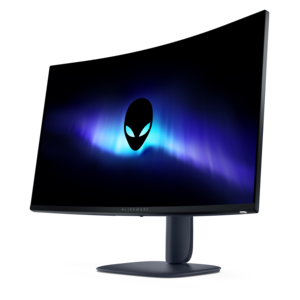
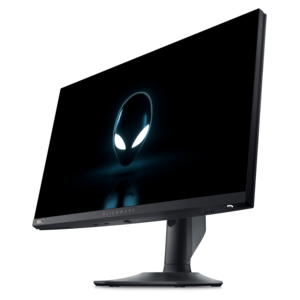
A high-performance IPS gaming monitor delivering ultra-smooth 500Hz refresh rates with AMD FreeSync Premium.
Enhance your workspace or gaming setup with 24.5 inch monitors, designed to deliver an optimal balance of screen size and desk space. Ideal for both productivity and entertainment, these monitors provide a versatile display solution for a variety of needs. Explore a wide selection to find the perfect 24.5 inch monitor that fits seamlessly into your environment and supports your daily activities.
A high-performance IPS gaming monitor delivering ultra-smooth 500Hz refresh rates with AMD FreeSync Premium.
A 24.5-inch monitor offers a practical balance between comfortable viewing space and a manageable desk footprint. With a screen that measures 24.5 inches diagonally, this size fits neatly into compact work areas, dorm rooms, bedrooms, home offices and shared family spaces without making the desktop feel crowded. It is also well suited to side-by-side monitor arrangements, giving you room for a document, browser window, chat app or reference image while keeping the overall setup within easy reach. Many displays in this category use a 1920 x 1080 Full HD resolution, which keeps text, menus and everyday applications clear while remaining easy for a broad range of computers to drive. That balance makes 24.5-inch monitors a dependable choice for schoolwork, office tasks, browsing, streaming and casual gaming. If you spend long stretches reading spreadsheets or writing, look for an adjustable stand with height, tilt, swivel or pivot movement so the top of the display can be positioned comfortably at eye level. A slim bezel can make a dual-monitor arrangement look more continuous, while built-in cable management helps keep the area behind the screen from becoming a nest of cords. Connectivity is another useful point to review: HDMI is common for laptops, desktops and game systems, while DisplayPort may be preferred for certain computer setups and higher refresh-rate performance. Some models include audio connections, USB ports or built-in speakers, although external accessories may provide a more tailored experience. For a first home office, a compact gaming station or a flexible screen for a child’s study area, this monitor size is easy to live with and simple to place.
Refresh rate is particularly important for people who play fast-moving games. A standard 60Hz display refreshes the image 60 times per second, while 120Hz, 144Hz, 165Hz, 180Hz or higher options can make camera movement, scrolling and on-screen action appear smoother when the computer can produce enough frames. Competitive players often favor the 24.5-inch format because the entire display can remain within their central field of view, reducing the need for broad eye or head movement when tracking maps, opponents and changing information. A higher refresh rate can also make ordinary desktop motion feel more fluid, but it should be considered alongside response time, adaptive synchronization and the capabilities of the graphics hardware. A fast panel cannot create detail that the computer does not render, and a powerful computer may not reach its potential when paired with a slower display. Full HD is often a sensible resolution for high-frame-rate gaming, especially with a mid-range graphics card, while less common QHD options can provide sharper text and finer detail if that is a greater priority than maximum frame rates. Panel type also shapes the experience. IPS panels are often chosen for consistent color and wide viewing angles, making them useful for shared viewing, creative hobbies and general productivity. Other panel technologies may emphasize contrast or speed. Brightness, matte versus glossy finish and low-blue-light or flicker-reduction features can matter when a desk sits near a window or when evening work continues under softer room lighting. During the cooler months, when more time may be spent indoors, a comfortable display can make a desk feel more inviting for work, study, digital art, video calls and entertainment.
Choosing among 24.5-inch monitors begins with the way the screen will be used most often. For office productivity, prioritize readable text, a comfortable stand, a sharp image and enough inputs for the computers or accessories you connect. For gaming, compare refresh rate, response time, adaptive synchronization support and compatibility with the computer’s graphics output. For photo editing, design or content creation, pay closer attention to color coverage, color accuracy, viewing consistency and the ability to adjust the screen precisely. A monitor that will be shared by several people may benefit from a wide viewing angle and a stand that makes it easy to reposition the display. A screen intended for a smaller desk should be measured together with its base, since a generous stand can require more depth than the panel itself. VESA mounting support can open up additional placement options, including an arm that frees valuable desktop space or a multi-monitor mount for a more organized layout. It is also worth considering whether the monitor will connect to a laptop, desktop, console or more than one device, and whether the included cables match those connections. These displays can be a thoughtful gift for a student setting up a study corner, a remote worker refining a home office or a gaming enthusiast building a compact station, particularly when the recipient values practical improvements that are used every day. If a larger canvas is more appropriate for detailed multitasking, group viewing or an expansive creative workspace, explore Extra Large Monitors. For many desks, however, the 24.5-inch format delivers an appealing middle ground: enough room to see work and play clearly, without taking over the room.
Add the products you would like to compare, and quickly determine which is best for your needs.