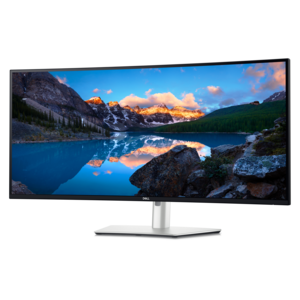
$2249.99
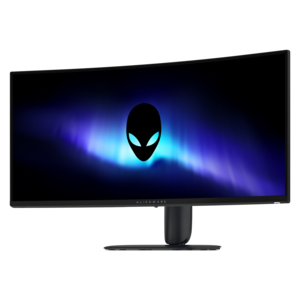
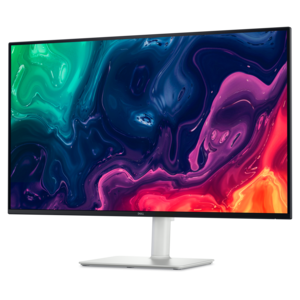
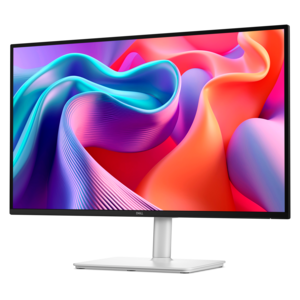
A curved 5K Thunderbolt hub monitor with a smooth 120Hz refresh rate for immersive productivity.
Extra large monitors are designed to enhance your viewing experience, whether you're working on complex tasks, gaming, or enjoying multimedia content. With expansive screen sizes that deliver stunning visuals and ample space for multitasking, these monitors offer an immersive experience that can transform the way you interact with your digital world. Explore our collection of extra large monitors to find the perfect addition to your setup, elevating productivity and entertainment to new heights.
A curved 5K Thunderbolt hub monitor with a smooth 120Hz refresh rate for immersive productivity.
A curved ultrawide WQHD gaming monitor delivering vivid color and an exceptionally smooth 240Hz refresh rate.
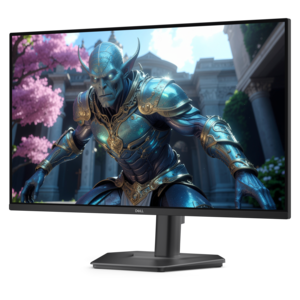
A 4K monitor with up to 120Hz refresh rate and dual 5W speakers for immersive entertainment.
Extra large monitors create a broad, immersive workspace for people who need more room than a conventional desktop display can provide. These screens generally begin around 45 inches, measured diagonally, and can extend to 75 inches, 84 inches or more. Some use an ultrawide format that places a long, continuous canvas in front of you, while others use a traditional 16:9 shape at an unusually large scale. A curved panel can help bring the outer edges into a more comfortable viewing position, especially when you sit close enough to work with several windows at once. Depending on the display, resolution may range from expansive 5K2K formats to 4K and higher, giving text, timelines, maps and creative work a crisp appearance across the screen. An extra large monitor can replace a two-display setup by letting you arrange documents, spreadsheets, communication tools and reference material side by side without a visible bezel dividing the workspace. It can also serve as an engaging screen for gaming, streaming content or viewing detailed images, with a large field of view that makes virtual environments feel more enveloping. When comparing options, consider the screen’s actual width and height, not only its diagonal measurement, and confirm that the available desk, table or wall has enough space. A screen of this scale can be the visual centerpiece of a room, so it is worth planning where it will sit, how far away you will be seated and whether sunlight or overhead lighting may create reflections.
The right extra large monitor depends on the way you work and the details that matter most during a typical day. For productivity, look for a resolution that keeps letters and interface elements sharp, along with a layout that supports multiple open applications. Picture-by-picture or picture-in-picture modes can be useful when you need to view two sources at the same time, such as a desktop computer and a laptop. A built-in USB hub can reduce cable clutter, while USB-C connectivity may allow a compatible laptop to send video, data and power through one cable. HDMI and DisplayPort connections provide flexibility for computers, game systems and other sources, but always check the supported resolution and refresh rate for each port. Gamers may prioritize a high refresh rate, low response time and adaptive synchronization for smoother movement, particularly in fast-paced titles. Creative professionals can benefit from accurate color coverage, consistent brightness and a resolution that shows fine details in photographs, video, illustrations and three-dimensional projects. People using a large display for presentations, monitoring dashboards or collaborative work may prefer integrated speakers, touch capability or a format that is easy for several viewers to see. An adjustable stand can make a meaningful difference, although very large screens are often mounted to a wall or a reinforced arm. Check the mounting standard, monitor weight and the strength of the supporting surface before installation. Even a screen that looks impressive in a showroom can feel tiring if it is too close, too high or positioned at an angle that causes neck strain. Place the top of the active viewing area near eye level, keep the center of the screen directly in front of you and leave enough distance to take in the full image without constant head movement.
Extra large monitors are a natural fit for home offices, design studios, trading and analysis workstations, classrooms, conference areas and entertainment spaces where a shared, highly visible image is useful. A financial analyst can keep charts, news and worksheets open in one view; a video editor can spread a long timeline across the display while keeping preview and controls visible; and a software developer can compare code, documentation and test results without repeatedly switching windows. At home, one large screen can bring a cinematic feel to games and content while also providing a comfortable canvas for remote work during the cooler months, when more time may be spent indoors. For a shared workspace, viewing distance and text size are especially important, since a screen that looks comfortable at a desk may need different scaling when placed across a room. Consider built-in audio if the display will be used for calls or entertainment, but dedicated speakers or a headset may provide a richer experience. Energy use, sleep settings and automatic brightness features can also matter when the monitor remains on for long stretches. Cable routing deserves attention as well: a clean path behind the desk or along the wall keeps the area easier to maintain and makes it simpler to connect accessories. Shoppers with limited space may prefer browsing Small Monitors, while anyone choosing an extra large screen should measure doorways, elevators, desk depth and wall clearance before delivery. With careful attention to dimensions, resolution, connectivity, ergonomics and the activities it will support, an extra large monitor can turn an ordinary workstation into a spacious, organized and highly immersive place to work, create and play.
Add the products you would like to compare, and quickly determine which is best for your needs.