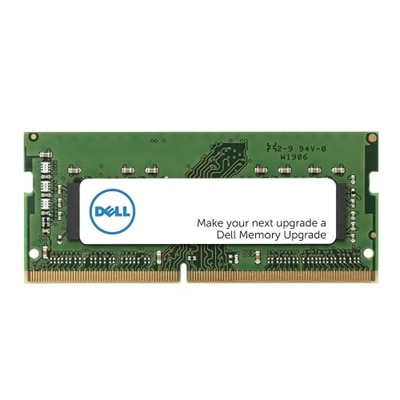
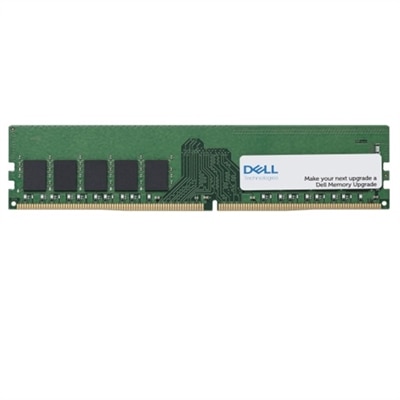
2RX8 RAM
Upgrade your system’s performance and efficiency with 2RX8 RAM, designed to support a wide range of computing needs. Whether you’re enhancing a desktop or boosting a laptop, 2RX8 RAM offers a reliable solution for smoother multitasking and improved responsiveness. Explore options that cater to both everyday users and demanding professionals, making it easy to find the right memory for your setup. Discover how 2RX8 RAM can help elevate your computing experience.
This product is not available
Check out the following recommendations.




2RX8 RAM
2Rx8 RAM refers to a memory module with a dual-rank, x8 chip organization. In this label, “2R” means the module has two ranks, or two independently addressable groups of memory chips, while “x8” describes the width of each individual memory chip’s data path. A typical non-ECC 64-bit rank is formed from eight x8 chips, although the exact physical layout can vary by module design and memory generation. During operation, the system’s memory controller can alternate between the two ranks, a process known as rank interleaving, which may improve memory efficiency and provide modest performance benefits in some workloads compared with a similarly configured single-rank module. The 2Rx8 designation does not, by itself, identify the RAM generation, capacity, clock speed, voltage, or form factor. Those details are equally important when selecting an upgrade. A 2Rx8 module may be designed for a particular DDR generation, such as DDR4 or DDR5, and DDR generations are not interchangeable because they use different physical keying, signaling, and electrical requirements. Desktop computers generally use full-size DIMMs, while many laptops and compact computers require smaller SO-DIMM modules. Before purchasing, check the computer’s service manual or manufacturer specifications for supported memory type, maximum capacity, supported speed, number of slots, and whether the system accepts dual-rank modules. A memory label can look familiar while still being incompatible if the module uses the wrong generation or physical format. It is also useful to compare the listed speed with the system’s supported speed. Faster memory may operate at a lower supported speed when installed in a computer with a more limited memory controller, but the computer cannot exceed its hardware and firmware limits simply because a module has a higher rating. Capacity matters just as much: adding RAM can make everyday computing feel smoother when a laptop or desktop is frequently short on available memory, but total installed capacity must stay within the system’s supported limit.
2Rx8 RAM can be a practical choice for people who keep many browser tabs open, work with large spreadsheets, edit photos or video, compile software, use creative applications, or move between several programs without closing them. It can also help a family computer feel less strained when one person is attending a video meeting while another uses cloud applications, streams media, or works on documents. Gamers may appreciate additional memory when modern games run alongside voice chat, recording tools, launchers, and background utilities, although system performance also depends on the processor, graphics hardware, storage, and software settings. For a work-from-home setup, a memory upgrade can reduce the pauses that occur when the computer starts relying heavily on slower storage as temporary memory. It is a practical present for a student, remote worker, photographer, or home office user when the computer’s existing configuration supports it, particularly when the recipient already has a dependable laptop or desktop and needs more room for demanding tasks. RAM is installed inside the computer, so it is best suited to someone who is comfortable checking specifications and following careful upgrade instructions. If the computer is still covered by a service agreement, or if opening the chassis requires specialized steps, professional installation may be the sensible option. Before handling a module, shut down the computer completely, disconnect power, and follow the device maker’s instructions. Hold the memory by its edges, avoid touching the gold contacts, and make sure the notch aligns with the slot before applying even pressure. A properly seated module should fit firmly without being forced. After installation, the operating system or firmware can confirm the detected capacity; a memory diagnostic can provide an additional check if the system behaves unexpectedly.
Matching memory modules is one of the simplest ways to support dependable operation. For the most consistent results, choose modules with the same capacity, DDR generation, speed rating, voltage, and rank configuration, ideally from a matched kit when installing more than one stick. Many modern systems can operate with a combination of 2Rx8 and 1Rx8 modules, but compatibility depends on the computer’s memory controller, firmware, module density, and total number of ranks. When different modules are mixed, the system commonly runs all installed memory at the slowest shared timings and supported speed. In some configurations, adding more ranks can increase the electrical load on the memory controller and may reduce the maximum stable speed or require a lower memory setting. A computer may start successfully with mixed modules and still show occasional instability under sustained workloads, so matching specifications remains the best approach for a dependable dual-channel configuration. Dual-channel operation generally requires placing compatible modules in the correct slots, not simply filling any available openings; the installation guide identifies the recommended arrangement. Error-correcting memory is a separate consideration as well. ECC and non-ECC modules are not universally interchangeable, and most consumer laptops and desktops are designed for non-ECC memory, while supported professional systems may require a specific ECC type. Registered or buffered memory also has different platform requirements and should not be assumed compatible with standard unbuffered modules. For additional background on the chips and components used in computer memory, explore RAM Chips. Taking a few minutes to verify the computer’s exact requirements helps ensure that a 2Rx8 upgrade delivers the extra capacity and responsive feel intended, whether the computer is used for quiet study, a busy home office, creative projects, or demanding entertainment.
FAQs:
2rx8 RAM refers to a dual-rank memory module where chips are arranged on both sides of the module, with each rank providing a set of memory chips. The 'x8' indicates the width of the data bus for each chip. This configuration can offer improved performance and stability in many systems, especially when paired with compatible hardware.
2rx8 RAM modules are ideal for users who need enhanced multitasking capabilities, such as professionals working with creative software, students managing multiple applications, or gamers seeking smoother performance. They are also well-suited for those looking to maximize the memory capacity of their desktops or laptops.
It is possible to mix 2rx8 RAM with other types, such as 1rx16 PC4 RAM, but the system may default to the speed and performance of the lower-rated module. For optimal stability and performance, it is recommended to match the rank and specifications of all installed memory modules.
Dual-rank (2rx8) RAM can provide better performance through interleaving, allowing the memory controller to access one rank while the other is being refreshed. This can result in improved data throughput and overall system stability, particularly in dual-channel memory setups.
Yes, 2rx8 RAM is often a great choice for upgrading older desktops and laptops, as it can enhance multitasking, increase memory capacity, and extend the useful life of the system. It is important to ensure compatibility with your device before upgrading.