RAM Chips
Upgrade your computing experience with a wide selection of RAM chips designed to enhance performance and efficiency. Whether you're building a new PC, optimizing a gaming setup, or improving the speed of your workstation, choosing the right RAM chips is essential for seamless multitasking and reliable operation. Explore options tailored for desktops, laptops, and servers to find the ideal solution that fits your needs and keeps your system running smoothly.
This product is not available
Check out the following recommendations.




RAM Chips
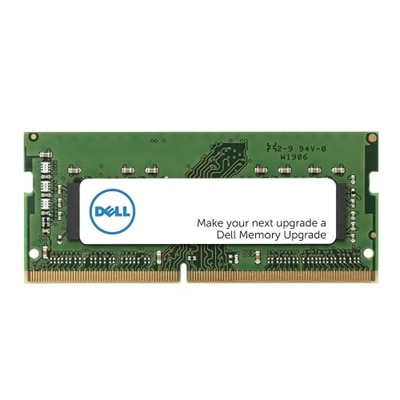
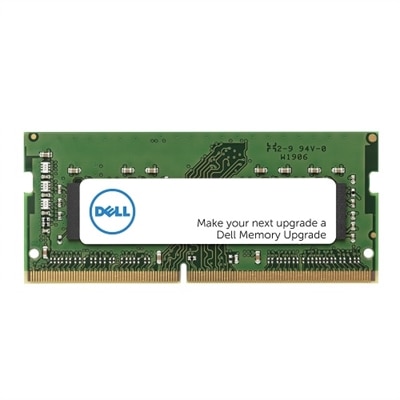
RAM chips are the short-term working memory that helps a computer keep pace with the tasks happening in the foreground. When you open a browser with several tabs, edit a photo, join a video call, stream a show, or launch a game, the processor relies on RAM to hold the data and instructions it needs immediate access to. Unlike a storage drive, RAM is volatile memory, which means its contents disappear when the computer is powered off. That temporary nature is a strength during everyday use: RAM can provide rapid access to active information without making the processor repeatedly retrieve it from long-term storage. Most desktop and laptop memory is based on DRAM, or dynamic random-access memory, which continually refreshes the electrical charge used to represent data. SRAM, or static random-access memory, is faster and more expensive, so it is generally reserved for small amounts of processor cache rather than user-installable system memory. The term “RAM chips” may refer to the individual memory chips mounted on a module, while a complete upgrade is commonly identified as a memory module or DIMM. For desktop computers, standard DIMMs fit into motherboard memory slots; compact laptops typically use smaller SODIMMs. Browsing DIMM RAMs can help shoppers compare memory intended for compatible desktop systems and understand the difference between a bare component and a ready-to-install module.
Compatibility should be the first consideration when choosing RAM. A motherboard or laptop has a defined memory type, generation, physical form factor, maximum supported capacity, and often a limit on the number of modules it can recognize. DDR4 and DDR5 are distinct generations, and they are not interchangeable because their notch positions, electrical requirements, and operating specifications differ. A DDR5 module cannot be installed in a DDR4 slot, even if the capacity and appearance seem similar. Desktop users should look for UDIMM compatibility, while laptop owners generally need SODIMM memory designed for their system. Checking the computer’s service manual or system specifications before ordering is a dependable way to confirm the correct format. Capacity matters as well. A modest amount may be sufficient for web browsing, writing, email, and streaming, while multitasking, creative applications, software development, and modern games can benefit from additional memory. More RAM does not automatically make every computer faster, particularly when the processor, graphics hardware, or storage drive is the limiting factor, but insufficient RAM can cause noticeable slowdowns as the system moves inactive data to slower storage. Speed, measured in data-transfer rates, and latency also affect responsiveness, although the best choice is the fastest specification the computer officially supports. Installing matched modules can enable dual-channel operation on systems that support it, allowing the memory controller to access more than one channel efficiently. Mixing modules may work, but the system can run all installed memory at the speed and timings of the slowest compatible module, and mismatched kits may reduce stability.
RAM can be a practical upgrade for a household computer that has begun to feel crowded under a growing number of open applications. Students may appreciate the smoother transition between research tabs, documents, presentations, and virtual classes. Remote workers can keep communication tools, spreadsheets, cloud applications, and browser windows available without closing everything between tasks. Creative users working with large images, video timelines, music projects, or three-dimensional designs often benefit from having more room for active files, while PC gamers may see fewer pauses when a game runs alongside voice chat, recording software, or other background tasks. It can also be a thoughtful gift for someone preparing a desktop for school, building a computer for a hobby, or refreshing an older laptop that still meets their needs in every other respect. Before giving memory as a gift, it is helpful to identify the exact computer model and supported specification, since a module that fits one system may be unsuitable for another. Installation is usually straightforward on an accessible desktop: shut down completely, disconnect power, ground yourself to reduce static discharge, open the case, align the notch, and press evenly until the retaining clips lock into place. Laptops may require removing a bottom panel and following manufacturer instructions, and some systems have memory soldered directly to the motherboard rather than using removable slots. After installation, the operating system should display the new total capacity, but a built-in memory diagnostic can provide additional reassurance. During the cooler months, when indoor work, study, entertainment, and creative projects often occupy more of the day, dependable RAM helps a computer keep active tasks close at hand and reduces the friction of moving between them.
FAQs:
A RAM chip, or Random Access Memory chip, serves as the computer’s short-term memory. It temporarily stores active data and instructions, allowing the processor to quickly access the information needed for running applications, multitasking, and performing real-time operations.
Compatibility depends on several factors, including the type of RAM supported by your motherboard (such as DDR4 RAM or DDR5), the maximum supported capacity, and the physical form factor (DIMM for desktops, SODIMM for laptops). Checking your system’s specifications or using a system scanner tool can help ensure you select the right RAM chip.
1rx8 PC3 RAM refers to a specific type of DDR3 RAM module with a single rank and eight memory chips per side. This configuration can affect compatibility and performance, depending on your motherboard’s requirements. Always verify your system’s supported RAM configurations before purchasing.
Upgrading RAM is one of the most cost-effective ways to improve system performance, especially for multitasking, running memory-intensive applications, or enhancing overall responsiveness. It’s a straightforward upgrade that often yields immediate benefits without the complexity of changing other components.
Genuine Dell RAM, or dell memoria ram, is rigorously tested for compatibility and reliability with Dell systems. Using manufacturer-approved memory ensures optimal performance, stability, and support, reducing the likelihood of technical issues or system errors.