DIMM RAMs
Upgrade your system’s performance and efficiency with a wide selection of DIMM RAMs designed to meet the demands of modern computing. Whether you’re building a new PC, enhancing your workstation, or seeking reliable memory solutions for gaming and multitasking, DIMM RAMs offer the versatility and speed to support a variety of applications. Explore options that cater to both everyday users and power users looking for seamless operation and improved responsiveness. Discover how DIMM RAMs can help elevate your computing experience.
This product is not available
Check out the following recommendations.




DIMM RAMs
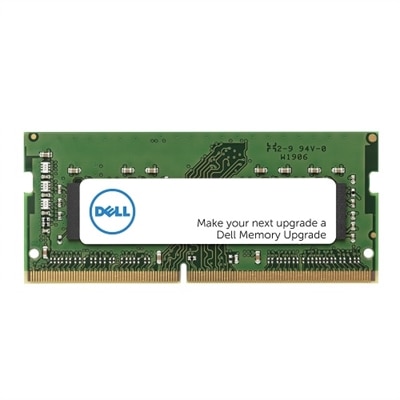
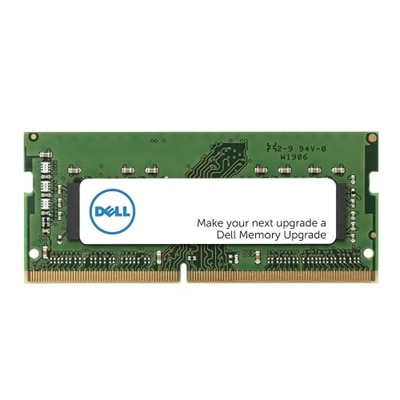
DIMM RAMs, short for Dual In-line Memory Modules, are the removable memory sticks most commonly installed in desktop computers. A DIMM contains several DRAM chips mounted on a small circuit board, with gold connector contacts arranged along both sides. Those contacts work independently, creating a broad connection between the memory module and the computer’s processor. When you open a compatible desktop and see one or more narrow modules seated in long slots on the motherboard, you are looking at DIMM memory. RAM provides the short-term workspace a computer uses while applications are running, helping the system keep frequently needed instructions and information readily available. Adding or replacing compatible memory can make everyday multitasking feel more comfortable, particularly when many browser tabs, office applications, creative tools or communication programs are open together. A computer used for photo adjustments, music creation, coding, schoolwork or home office tasks may benefit from additional capacity, while a family desktop can feel more responsive when several people use it for different activities. DIMM RAMs are intended primarily for desktop systems; laptops and compact computers generally use the smaller SO-DIMM format, so the computer’s design should be confirmed before choosing a module. The terms look similar, but the physical dimensions and connector layout are different, and a SO-DIMM will not replace a full-size desktop DIMM simply because both are types of RAM.
Compatibility should be the first consideration when comparing DIMM RAMs. Begin by checking the desktop’s motherboard or system documentation for the supported memory generation, such as DDR4 or DDR5, along with the maximum capacity, supported module sizes and available number of slots. DDR generations are not interchangeable: each uses a distinct electrical design and a differently positioned notch along the connector edge, which helps prevent an incompatible module from being installed. The notch should line up with the key in the motherboard slot without force. Speed is another specification to review. A module may be labeled with a data rate that indicates how quickly it can transfer information, but the computer and motherboard determine the speed at which it will operate. Using matched modules is often a practical approach because many desktop systems can use two or more modules together for dual-channel performance. For the most predictable result, choose modules with the same capacity, generation and rated speed, and follow the motherboard manufacturer’s guidance for the recommended slot arrangement. Capacity matters as well: modest memory can suit browsing, writing and routine household tasks, while more demanding software and heavier multitasking generally benefit from a larger amount of RAM. Newer options, including CUDIMM designs with an onboard clock driver, may support high-speed performance on systems built for that standard, but they require explicit motherboard and processor compatibility. A careful check of the existing configuration can prevent an expensive mismatch. For additional options and general memory comparisons, visit Computer RAM. Before installation, shut down the desktop, disconnect power and touch an unpainted metal surface to reduce static electricity. Press the module straight into the aligned slot until the retaining clips secure it, then confirm that the system recognizes the full capacity after startup. DIMM RAMs can be a thoughtful gift for someone refreshing a home office, building a desktop for creative projects or giving an older family computer a practical boost, provided the recipient’s system specifications are known. During the cooler months, when indoor work, learning and entertainment often take up more time, reliable memory can make a familiar desktop feel roomier and easier to use without changing the way someone works.
FAQs:
Upgrading to higher-speed DIMM RAM, like 6400MT/s modules, can significantly improve your system’s ability to handle demanding tasks. Faster memory speeds result in quicker data transfer, reduced loading times, and enhanced multitasking capabilities, making it ideal for users running resource-intensive applications such as video editing, gaming, or large-scale data processing.
32GB RDIMM dual rank memory modules are particularly beneficial for professionals working with complex software, creators editing high-resolution media, gamers seeking smooth performance, and anyone who regularly uses multiple applications at once. These modules provide ample capacity and bandwidth for intensive workloads, supporting greater system stability and responsiveness.
Dual rank DIMM RAM modules contain two sets of memory chips, allowing for more efficient data access and improved performance in certain workloads compared to single rank modules. In everyday use, this can translate to better multitasking, smoother operation of memory-hungry programs, and greater overall system efficiency.
Yes, installing Dell RAM or Dell laptop memory is typically a straightforward process. Most desktop and laptop systems are designed for easy access to memory slots, and the modules are engineered for compatibility and reliability. Following your device’s manual and ensuring the correct DDR generation and capacity are matched will help ensure a smooth upgrade.
For detailed information about specific DIMM RAM configurations such as 2RX8 RAM, you can visit the dedicated page at 2RX8 RAM, where you’ll find technical details and compatibility guidance to help you choose the right memory for your needs.