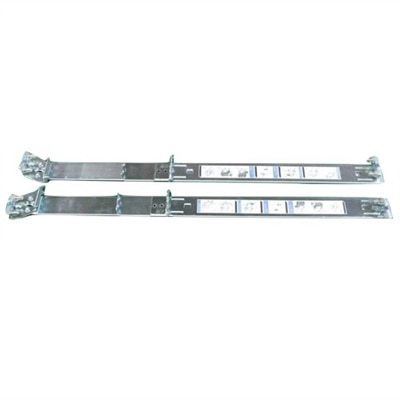
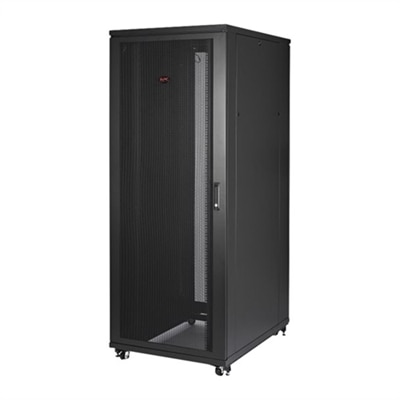
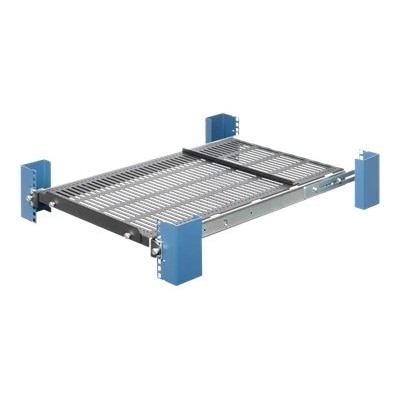
2U Server Rack Shelves
Maximize your data center or office organization with 2u server rack shelves, designed to enhance the storage and accessibility of your essential equipment. Perfect for supporting a variety of devices, these shelves offer a reliable solution for managing servers, networking hardware, and accessories within your rack system. Explore a range of options to find the ideal fit for your setup, ensuring efficient use of space and streamlined operations.
This product is not available
Check out the following recommendations.




2U Server Rack Shelves
Computer shelves and workspace accessories help create a more organized setting for laptops, compact desktops, monitors, and the small essentials that tend to collect around them. A thoughtfully arranged surface can separate everyday equipment from notebooks and paperwork, keep frequently used connections accessible, and make a shared workstation easier to reset between users. The most useful shelf dimensions depend on the equipment being supported and the space around it, not simply the width of the desk. A laptop needs enough usable surface for its feet to rest securely, while a compact desktop may need additional clearance around side vents, rear connections, and its power cable. Monitor placement calls for particular attention to the footprint of the stand, which can extend farther forward or outward than the screen itself. Published shelf dimensions may include raised edges, brackets, or other structural features, so the usable platform deserves a separate look whenever those measurements are provided. Depth matters just as much as width: a device that fits neatly on paper may still need room behind it for a connector and a relaxed cable bend. In a home office tucked into a bedroom corner, a shelf can help establish a distinct place for computer equipment without spreading it across the entire work surface. At a shared study desk, a clearly defined platform can keep a display or desktop in a consistent position while leaving the surrounding area flexible. A shelf used for a laptop should also suit the way that laptop is operated. Raising the screen may make an external keyboard and mouse useful, but placing the computer above a comfortable typing position without those accessories can make everyday work awkward. The right arrangement supports the equipment while preserving comfortable reach, clear sightlines, and enough open space for the tasks that happen beside the screen.
Materials and construction influence how a computer shelf feels in daily use, how much weight it can support, and how well its finish holds up over time. Steel construction can provide rigidity, although performance depends on the thickness of the material, the shape of the supports, and the overall design. Aluminum can reduce weight, but its suitability still depends on the stated capacity and intended installation. Wood and engineered wood offer a different surface texture and appearance, with care requirements that vary by finish. No material alone establishes strength, and a substantial-looking platform should never substitute for a documented load rating. The combined weight of the supported equipment and accessories needs to remain within the manufacturer's limit. Load distribution matters, too: a broad, evenly distributed load is not necessarily equivalent to the same weight concentrated beneath a few small feet. Shelves should be used in their specified orientation, with the recommended supports and hardware, rather than adapted to an installation they were not designed for. Freestanding accessories need a level, stable surface, while attached shelves depend on the suitability of the supporting furniture and fastening method. Surface details can make a noticeable difference during ordinary tasks. Smooth, finished edges are more comfortable near hands and cables; appropriately placed nonslip pads can help reduce movement; and a durable coating can make routine dust removal easier. Raised borders may help contain small accessories, but they should not interfere with a device's feet, ports, or ventilation. An open or perforated platform can leave more pathways for air, yet openings do not guarantee adequate cooling if the equipment is crowded or its vents are obstructed. A solid platform provides an uninterrupted surface, but the device still needs the clearances specified by its manufacturer. These details become especially important during long work sessions, when a laptop, desktop, or monitor may remain powered on for hours.
Everyday usability comes down to how easily equipment can be reached, cleaned, and kept in its intended position. A tidy workspace still needs enough flexibility for ordinary moments: connecting a headset before a meeting, unplugging a laptop at the end of the day, or reaching a monitor control without shifting everything around it. Cable routing should leave those actions straightforward. Cords need sufficient slack for their intended movement, without hanging where a chair wheel or passing foot can catch them. Connections should not be pressed tightly against a wall or bent sharply around a shelf edge. Power adapters also need appropriate ventilation and should not be buried beneath papers or tucked into a tightly packed space merely to hide them. When a shelf includes a moving platform, its travel path needs to remain clear, and cables must accommodate the full permitted movement without pulling on ports. Any moving feature should be operated within the manufacturer's instructions, including restrictions on loading and extension. Care is generally easiest when it becomes part of the normal desk-cleaning routine. Dust can be removed with a soft cloth, while spills should be addressed promptly using methods appropriate to the surface finish. Cleaning liquid should not be sprayed toward nearby electronics, and abrasive pads or harsh solvents can damage some coatings. Periodic checks can reveal loose hardware, worn pads, wobbling supports, or changes in alignment before they interfere with everyday use. Rechecking fit and capacity is especially useful after replacing a monitor or desktop, since newer equipment may have a different footprint or weight even when it appears similar in size. For remote workers, students, and households sharing a computer area, the practical value of a shelf lies in this dependable organization rather than appearance alone. A screen stays where it is comfortable to view, the keyboard has room to move, and essential accessories remain within reach. With suitable dimensions, secure support, and manageable cable paths, shelving can make a compact workspace feel more deliberate while keeping the equipment accessible for the work it needs to do.
FAQs:
A 2U rack shelf is versatile and can accommodate a variety of equipment such as compact desktops, network switches, audio/video components, backup drives, modems, wireless routers, and other small electronics or accessories that benefit from organized, accessible storage within a server rack.
2U server rack shelves are popular among IT professionals, content creators, small business owners, gamers, audio/visual technicians, and anyone looking to optimize their workspace or home tech setup. They are especially useful in environments where organization and accessibility are priorities.
A 2U rack shelf provides a dedicated space for devices, which helps centralize cables and makes it easier to route and secure them. This reduces clutter, minimizes the risk of tangling, and allows for cleaner, more efficient cable runs within your rack setup.
Yes, a 2U rack shelf is suitable for both professional and home environments. Its standardized design makes it compatible with a wide range of server cabinets and racks, making it a practical choice for offices, studios, home labs, and personal workspaces alike.
By providing stable support and promoting airflow around devices, a 2U rack shelf helps prevent overheating and physical strain on equipment. This organized setup can extend the lifespan of your electronics by ensuring they operate within optimal conditions.