$429.99
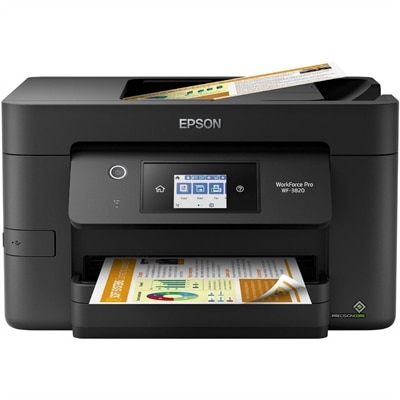
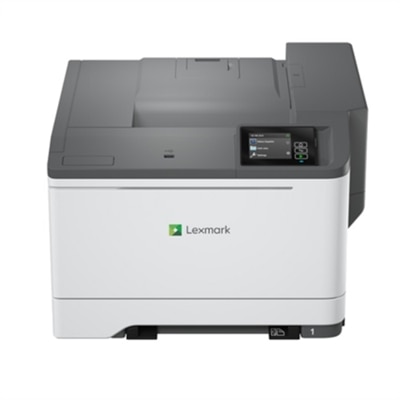
A color laser multifunction printer with wireless connectivity, 26-ppm printing, and an intuitive touchscreen.
Discover the ultimate convenience and efficiency with 3 in 1 wireless printers. Perfect for both home and office use, these versatile devices combine printing, scanning, and copying functionalities into one sleek unit, eliminating the need for multiple machines. With seamless wireless connectivity, you can easily print from your smartphone, tablet, or computer without the hassle of tangled cords. Whether you're handling important documents or creative projects, 3 in 1 wireless printers offer a reliable solution to meet all your needs effortlessly.
A color laser multifunction printer with wireless connectivity, 26-ppm printing, and an intuitive touchscreen.
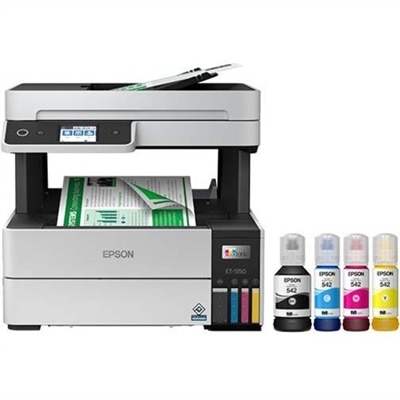
A white wireless 3-in-1 supertank printer delivering professional-quality color prints with fast, cartridge-free inkjet printing.
A 3 in 1 wireless printer brings printing, scanning and copying together in one practical device, making it a useful choice for homes, apartments, student workspaces and small offices. Instead of keeping separate equipment for each task, users can print everyday documents, scan signed forms and copy pages from a single compact footprint. Wireless connectivity lets a computer, tablet or smartphone send jobs without requiring a cable between the device and printer, which can make a shared workspace feel less cluttered. Many models connect through Wi-Fi and support mobile printing platforms, allowing users to print a boarding pass from a phone, scan a receipt for digital records or make a copy of a permission form from across the room. When comparing options, confirm that the printer supports all three functions—printing, scanning and copying—as some similar-looking devices may focus on only one or two tasks. It is also helpful to review the printer’s dimensions, paper capacity, print speed and control panel. A compact unit may fit neatly on a shelf or desk, while a larger model may be better suited to a busy household or workspace that handles frequent print jobs. An automatic document feeder can save time when scanning or copying multiple pages, while a flatbed scanner is often useful for books, photographs, identification documents and other items that cannot be fed through a roller. Duplex printing, which places content on both sides of a sheet, can help reduce paper use and keep longer documents easier to handle.
Choosing between inkjet and laser technology is one of the most important purchase considerations for a 3 in 1 wireless printer. Inkjet models are often a flexible choice for households that print a mix of schoolwork, forms, colorful charts, recipes and occasional photos. They can produce smooth color transitions and are well suited to projects where visual detail matters. Laser models are generally designed around speed, crisp text and efficient high-volume document printing, making them a strong fit for workspaces that regularly print reports, invoices, shipping labels or other text-heavy pages. Black-and-white laser printers can be especially practical when color is not essential, while color laser options offer a balance of fast document output and color capability. Users should look beyond the initial purchase price and consider the cost and expected yield of replacement ink or toner, the frequency of printing, and whether the printer has separate color cartridges or a combined color cartridge. Someone who prints only a few pages at a time may appreciate a model designed for occasional use, while a family managing homework, household forms and creative projects may benefit from a higher-capacity paper tray and economical replacement supplies. For offices and home businesses, monthly duty cycle, print speed and the availability of an automatic document feeder can be just as important as image quality. Those who prefer a color laser setup can also explore Wireless Color All In One Laser Printers for a related category. Before choosing, consider the kinds of pages that will appear most often, from sharp black text to colorful graphics, and match the printer technology to those regular tasks.
Wireless features can make a noticeable difference in everyday use, but connection details deserve close attention. Dual-band Wi-Fi may help a compatible printer work smoothly on networks that use both 2.4 GHz and 5 GHz connections, while mobile compatibility can make printing from a phone or tablet more convenient. A clear setup process, dependable companion app and straightforward settings are valuable for households with several users, particularly when everyone needs to send documents from different rooms. Look for features such as wireless scanning, cloud service compatibility, easy network setup and the ability to save scanned files in commonly used formats. A color touchscreen or clearly labeled controls may simplify routine tasks, especially when making a quick copy without opening a computer. Families may use a 3 in 1 wireless printer for school assignments, permission slips, activity schedules, recipes and craft templates; remote workers may rely on it for contracts, forms and shipping paperwork; and small businesses may use it to organize client documents, receipts and invoices. It can also be a thoughtful gift for someone moving into a first apartment, setting up a home office or preparing a study area, since one device can handle several practical needs without taking over the room. During the warmer months and into cooler seasons, a wireless printer can support everything from travel documents and household planning to indoor projects and organized recordkeeping. For the best fit, compare print resolution, scan resolution, speed, paper sizes, media handling and supply availability alongside the device’s footprint and connectivity options. A well-matched 3 in 1 wireless printer can turn a corner of a desk into a capable document station, ready for quick copies, careful scans and clear prints whenever they are needed.
Add the products you would like to compare, and quickly determine which is best for your needs.