Compact Wireless All In One Printers
Compact wireless all in one printers offer a convenient solution for home offices, small businesses, and anyone looking to maximize space without sacrificing performance. Designed to streamline printing, scanning, and copying tasks, these versatile devices fit seamlessly into any workspace. With easy wireless connectivity and a space-saving footprint, compact wireless all in one printers make it simple to handle everyday document needs efficiently and effortlessly. Discover options that combine functionality and flexibility to help you stay productive wherever you work.
This product is not available
Check out the following recommendations.




Compact Wireless All In One Printers
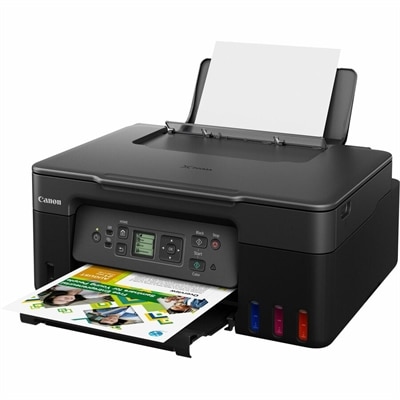
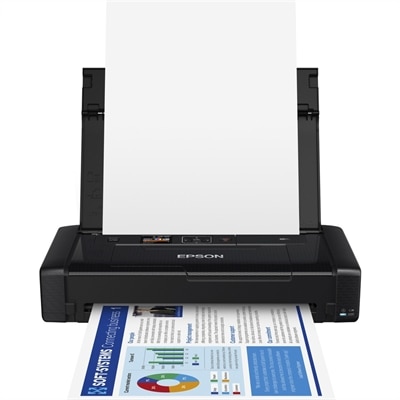
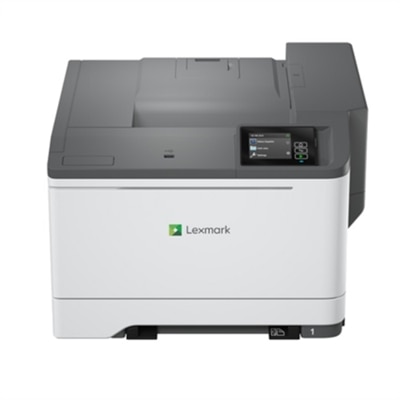
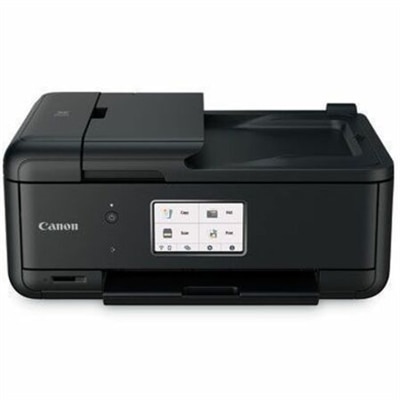
Compact wireless all-in-one printers combine printing, scanning, and copying in a space-saving design suited to home desks, study areas, and smaller workspaces. Wireless connectivity lets compatible laptops, desktops, tablets, and phones send documents to the printer without a direct cable connection, while the built-in scanner handles paper documents and photographs. Some models also include fax capability, although that feature is not standard across the category. For a household that prints school assignments, copies signed forms, and scans receipts, these multifunction printers bring several everyday tasks into one manageable footprint. Their appeal is especially clear on a desk already shared by a monitor, keyboard, and stack of notebooks: one device can take the place of a separate printer and scanner. Compact dimensions still deserve a closer look, since the space needed during use can be larger than the measurements with everything folded shut. An extended output tray, an upright paper support, or an open scanner lid may require extra room at the front, back, or top. A shallow shelf might accommodate the printer body but leave too little clearance to lift the lid over a workbook. A sturdy, level surface with accessible power and room for ventilation helps make a small printer comfortable to use. Wireless does not usually mean cordless; most printers in this category still need an electrical outlet. Enclosed paper drawers can keep a workspace looking tidy, while rear-feed designs may offer a straightforward path for supported specialty paper. The best physical fit depends on where paper enters, where finished pages emerge, and how easily supplies can be replaced without moving the machine. For a broader look at space-saving printing formats, Compact Printers includes the wider category beyond multifunction designs. Within the all-in-one format, a balanced combination of size, paper handling, and everyday access matters more than a small footprint alone, particularly when the printer sits beside a busy work area rather than on a dedicated cabinet.
Print technology and paper handling shape what a compact wireless all-in-one printer feels like in daily use. Color inkjet designs can suit households that alternate between text documents, illustrated assignments, craft templates, and occasional photographs. Photo results depend on the printer’s capabilities, ink system, settings, and compatible paper, so color printing alone does not guarantee the finish expected from a dedicated photo workflow. Compact laser multifunction designs are often a practical fit for text-heavy work, with monochrome versions serving applications such as correspondence, shipping labels on supported sheets, and multipage reference documents. Not every compact printer supports color, borderless printing, or the same range of paper sizes and weights. Plain paper, glossy photo paper, envelopes, and heavier presentation sheets each place different demands on the feed mechanism, making supported media specifications relevant to both output quality and reliable operation. Automatic two-sided printing can make lengthy documents easier to handle and reduce paper use, but some machines require pages to be turned and reloaded manually. Similarly, a flatbed scanner is useful for a single receipt, a photograph, or a page from a bound document, while an automatic document feeder can simplify scanning a stack of loose sheets. Two-sided printing and two-sided scanning are separate capabilities; having one does not establish that the other is included. Scan resolution, document size limits, and available file formats matter when turning paper records into readable digital files. A clear scan of a signed agreement requires a different level of detail than preserving a small photograph for enlargement. Paper capacity also affects the rhythm of use. A smaller tray may be sufficient for a few pages each week, whereas frequent printing makes easy refilling and orderly output more noticeable. Print speed figures provide context, though actual timing varies with document complexity, quality settings, and connection conditions. For occasional users, the wait for the first page may be more relevant than the speed of a long print run. These differences help distinguish a printer suited to brief household tasks from one intended to support regular home-office paperwork.
Wireless convenience depends on compatibility as much as on the presence of Wi-Fi. Support for a computer’s operating system, a phone’s printing functions, and any required printer software helps determine how smoothly documents move from screen to paper. Some printers support direct wireless connections between a device and the printer, while others offer mobile printing through compatible apps or built-in operating-system features. These methods are not interchangeable, and printing from outside the home may require additional services or account setup. A readable display and clearly labeled controls can make copying an identification document or checking a paper alert simpler without reaching for a computer. In a shared household, that ease of operation is valuable when one person prints a return label and another needs a copy of a permission slip moments later. Students, remote workers, hobbyists, and people organizing household records may all find this combination useful, provided the printer matches their actual workload. As a practical gift for someone setting up a study space or home office, compatibility, desk clearance, and ongoing supply requirements matter more than appearance alone. Most compact designs use molded plastic housings, with trays, hinges, rollers, and scanner glass that benefit from careful handling. Lightweight construction makes repositioning easier, but extending trays gently and avoiding pressure on the scanner lid help protect moving parts. Routine care typically includes removing dust with a soft cloth, cleaning scanner glass according to the manufacturer’s directions, and keeping paper dry, flat, and within the tray’s marked capacity. Inkjet printers may need periodic use and built-in maintenance cycles to maintain print quality, while laser designs have their own toner and component replacement requirements. Recommended monthly print volume is a more useful indication of an appropriate ongoing workload than a maximum duty-cycle figure alone. Access to paper paths, straightforward supply replacement, and clear maintenance prompts can make long-term ownership less disruptive. With suitable care and realistic workload expectations, a compact wireless all-in-one printer can keep everyday paperwork close at hand without taking over the room.
FAQs:
When choosing a compact wireless all in one printer for home use, consider features such as wireless connectivity options like Wi-Fi and Bluetooth, compatibility with your devices (including smartphones and tablets), print quality, scanning and copying capabilities, and ease of setup. Additional features like automatic document feeders, duplex printing, and support for mobile printing apps can further enhance convenience and productivity.
Yes, many compact wireless all in one printers support mobile printing, allowing you to print directly from your phone using Wi-Fi or Bluetooth connections. Look for models labeled as a bluetooth printer for phone or those that are compatible with popular mobile printing apps. This feature is especially useful for printing photos, documents, and emails on the go.
Many all in one wireless printers can handle specialty papers, including sticker sheets, making them suitable for printing custom stickers for crafts, organization, or creative projects. Be sure to check the printer’s specifications for supported media types and thicknesses to ensure it meets your needs as a sticker printer.
To maintain optimal print quality, regularly update your printer’s firmware, use genuine ink or toner cartridges, and perform routine maintenance such as cleaning the print heads and aligning cartridges. Keeping the printer in a dust-free environment and using the recommended paper types also helps ensure consistently high-quality prints.
While traditional all in one printers are designed for two-dimensional printing, scanning, and copying, some users complement their workspace with a dedicated 3d printer for home to handle creative projects that require three-dimensional output. For tasks like printing photos, stickers, or documents, an all in one printer wireless model is ideal, while a separate 3D printer is recommended for modeling and prototyping.