$149.99
A compact wireless all-in-one inkjet printer with five-ink printing, duplexing, scanning, faxing, and smartphone connectivity.
Discover the perfect balance of performance and convenience with our range of compact printers. Ideal for both home offices and small business setups, these space-saving devices are designed to deliver high-quality prints without taking up much room. Whether you need to print documents, photos, or creative projects, our selection of compact printers offers reliable solutions that fit seamlessly into any workspace. Explore the versatility and efficiency of these modern printing marvels and find the right one to meet your needs.
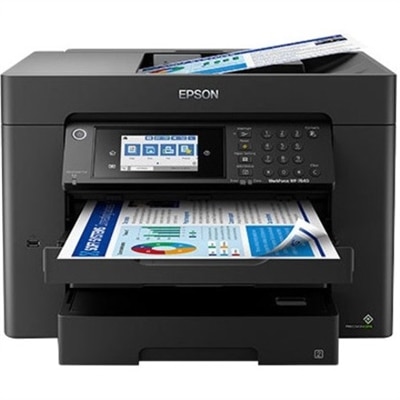
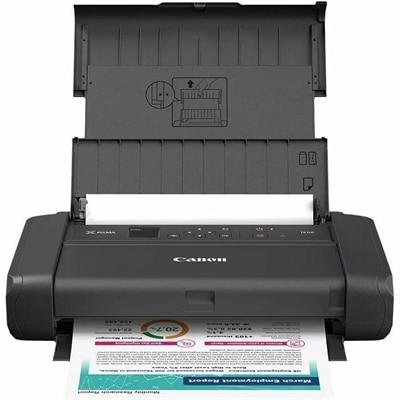
A compact wireless all-in-one inkjet printer with five-ink printing, duplexing, scanning, faxing, and smartphone connectivity.
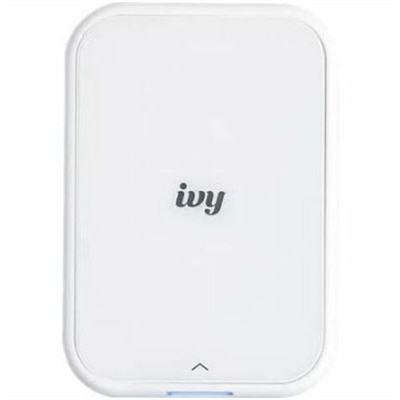
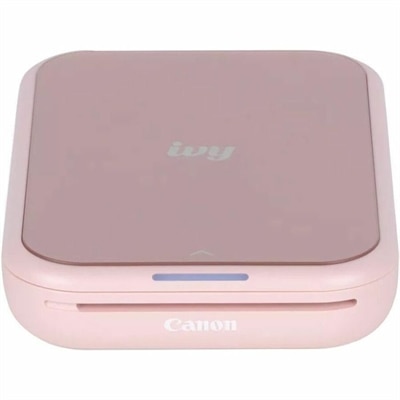
A portable, pure white zero-ink photo printer creating personalized stickers from your smartphone.
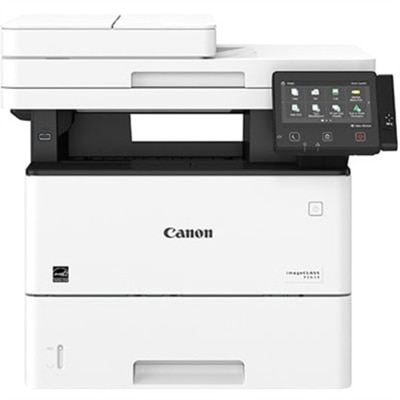
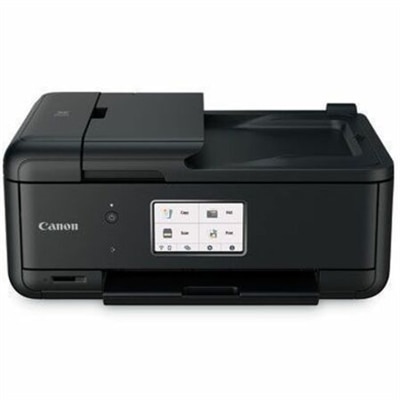
A monochrome multifunction laser printer with copier, fax, scanner, 45-ppm output and customizable color touchscreen.
Compact printers bring everyday document and photo printing to spaces where a full-size office machine would feel out of place. Their smaller footprints suit apartment desks, shared workspaces, dorm rooms, and home offices tucked into a bedroom or living area. Within this category, compact inkjet printers typically accommodate color documents and photos, compact monochrome laser printers focus on black-and-white output, and portable photo printers produce smaller images using specialized printing systems. Compact all-in-one printers add scanning and copying, although those extra functions can increase the space required. These distinctions matter more than size alone: a printer for occasional return labels has different requirements from one used for weekly lesson plans, client paperwork, or family snapshots. Letter-size printing is useful for school assignments, forms, and household records, while smaller photo formats suit journals, keepsake boxes, and pictures shared after a gathering. A compact printer’s practical footprint includes more than its closed dimensions. Paper trays may extend forward or backward, printed sheets need room to exit, and a scanner lid needs clearance above the machine. On a shallow shelf, rear paper loading can be awkward even when the printer itself fits comfortably. A stable, level surface with accessible outlets and room around ventilation openings makes daily use easier. Lightweight plastic housings help keep many small printers manageable, but tray hinges, paper guides, and access panels also influence how confidently the machine handles repeated use. A printer that stays on a desk does not necessarily need the same reinforced carrying arrangement as one that moves between work locations. Compact describes space efficiency; portable describes a design intended to travel, and the two are not interchangeable. For a student printing an assignment before class or a remote worker preparing a form for a signature, the best fit is often a machine that handles the usual task without requiring the desk to be rearranged each time. Its paper capacity, controls, and output tray should work comfortably within that everyday routine.
Print technology shapes both the results and the care a compact printer needs. Inkjet printers apply liquid ink to paper and can be a flexible choice for mixed text, color graphics, and photos when paired with suitable media. Photo quality depends on the printer, ink, paper, and source image rather than the compact label itself. Monochrome laser printers use toner powder and are well suited to crisp text documents, particularly when color output is unnecessary. Toner does not dry out like liquid ink, though laser printers still require compatible supplies and routine attention to paper handling. Some pocket-size photo printers use heat-sensitive paper with embedded color-forming chemistry, while others use dye-sublimation systems with matched ribbons and paper. These approaches are intended for specific media sizes and should not be mistaken for general-purpose letter-size printing. Small document printers may also use direct thermal technology, which requires compatible thermal paper; the suitability of those prints for long-term records depends on the media and exposure to heat or light. For everyday paperwork, supported paper weight, printable margins, and legibility at normal text sizes deserve attention. Automatic two-sided printing can reduce paper handling, but it is not standard across compact designs, and manual duplex printing requires turning and reinserting the sheets. An all-in-one flatbed scanner can capture receipts, signed forms, and photographs, while an automatic document feeder, when included, makes multipage tasks less hands-on. Care is usually straightforward: keep paper dry and flat, avoid overfilling trays, and remove dust according to the manufacturer’s instructions. Inkjet printheads may need periodic use and prescribed maintenance to keep ink flowing properly. Cleaning cycles consume ink, so following the recommended process is preferable to repeated unnecessary cleaning. Closed trays and covers help protect the paper path when the printer is idle. For durability, gentle handling of fold-out parts and correct jam removal matter just as much as the outer casing, especially in a busy household where several people share the same machine.
Connectivity determines how naturally a compact printer fits alongside the devices already in use. USB provides a direct connection to a compatible computer, while Wi-Fi can let supported laptops, phones, and tablets print without a cable running across the desk. Wi-Fi Direct, where supported, can establish a connection without a conventional wireless router, but setup and device compatibility vary. Bluetooth is common in certain small photo printers, yet its presence does not automatically mean a printer can accept every type of document from every device. Supported operating systems, mobile printing services, required apps, and initial setup steps are worth checking together rather than treating a wireless label as a guarantee. A shared household may benefit from straightforward device switching, while a home office may place more weight on reliable document printing and clear status alerts. In a dorm room or other managed environment, local wireless restrictions can affect setup, making a supported direct connection useful. For printing away from a fixed workspace, Travel Printers offer a related category centered on mobility. Battery operation, when included or supported through an optional battery, can help at a temporary worktable or meeting location without a convenient outlet. Charging methods, battery endurance, packed dimensions, and the need to carry paper or other consumables all affect practical portability. A protective case can shield trays and housings during transport, while manufacturer guidance should determine carrying orientation and acceptable storage temperatures. At home, everyday convenience may come from a readable control panel, a paper tray that needs less frequent refilling, or an output path that keeps finished pages from sliding onto the floor. Noise and startup behavior also matter when a printer sits beside a study area or in a shared living room. As a gift for a college student, a relative organizing family photos, or someone establishing a home workspace, a compact printer is most useful when its paper formats, connections, and maintenance needs match the recipient’s habits. The lasting appeal is practical: clear documents and tangible photos within reach, without giving over an entire desk to printing.
Add the products you would like to compare, and quickly determine which is best for your needs.