$379.99
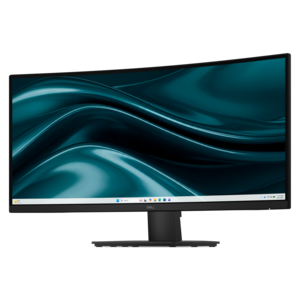
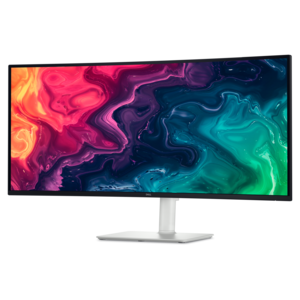
A curved WQHD USB-C monitor with 120Hz refresh and dual 5W speakers for entertainment.
Experience the future of visual clarity with our stunning range of 3440x1440 monitors. Designed to elevate your viewing experience, these ultra-wide displays provide unparalleled immersion and productivity for both work and play. Whether you're diving into the latest blockbuster game or multitasking across multiple applications, 3440x1440 monitors offer expansive screen real estate and exceptional detail that transforms everyday computing into a captivating journey. Explore our collection to find the perfect monitor that meets your needs and enhances your digital lifestyle.
A curved WQHD USB-C monitor with 120Hz refresh and dual 5W speakers for entertainment.
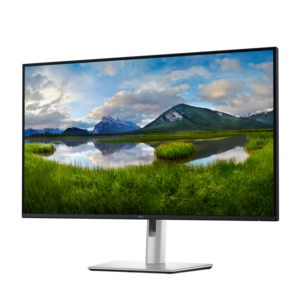
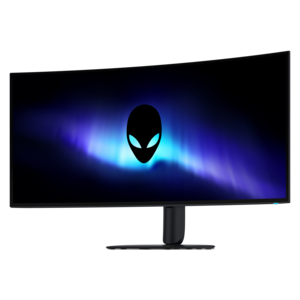
A curved WQHD monitor with 165Hz refresh rate, 1ms MPRT, and TÜV Rheinland 3-star certification.
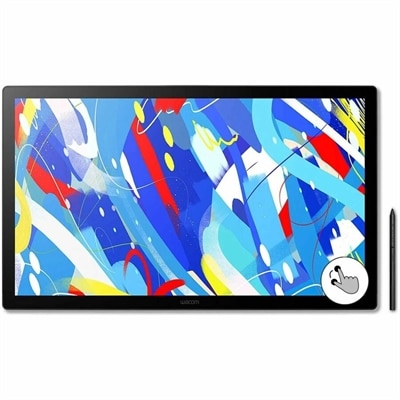
A professional drawing display with 2.5K WQHD resolution, etched anti-glare glass, multitouch, and pressure-sensitive stylus.
A 3440x1440 monitor, also known as an UltraWide QHD or UWQHD monitor, combines a 21:9 aspect ratio with 3440 horizontal pixels and 1440 vertical pixels. This wider shape gives you noticeably more room from left to right than a standard 16:9 display, while preserving the sharp, comfortable detail associated with 1440p resolution. Many monitors in this category measure around 34 inches diagonally, creating a broad viewing area that can feel expansive without overwhelming a typical desk. For office work, the extra width makes it easier to place two full-size windows side by side, such as a spreadsheet beside email, a research page beside a document, or a video meeting beside notes. It can also reduce the need to constantly minimize, resize, and rearrange applications throughout the day. A single ultrawide display may provide a cleaner setup than two separate monitors, with fewer bezels interrupting the center of the image and fewer cables running across the back of the desk. When choosing among 3440x1440 monitors, consider how the screen will fit into your workspace as carefully as you consider its resolution. Measure the available width and depth, account for the stand, and leave room for a keyboard, mouse, laptop, desktop, speakers, and other accessories. A curved panel can help the edges sit at a more consistent viewing distance, especially on a screen this wide, while a flat panel may suit users who prefer straight lines for design work or a more traditional appearance. Adjustable height, tilt, and swivel can make a meaningful difference during long work sessions, helping you position the top of the display and the center of the screen at a comfortable angle.
These monitors are also well suited to gaming, particularly for players who appreciate a wider field of view and a more enveloping image. Supported games can use the 21:9 format to show more of a racing circuit, landscape, or game environment across the sides of the screen, creating a stronger sense of presence than a conventional display. A 3440x1440 monitor sits between standard 1440p and 4K in graphics demand: it offers a substantial increase in horizontal detail without requiring the same level of performance as a 4K display at comparable settings. Before choosing one for gaming, check the capabilities of the desktop or laptop that will drive it. The graphics processor must render more pixels than it would for a typical 2560x1440 screen, so frame rates can vary depending on the game, visual settings, and hardware. Comparing your system with 2560x1440 Resolution Monitors can help put the resolution and performance requirements into perspective. Refresh rate is another important consideration. A higher refresh rate can make motion appear smoother during fast camera movement, competitive play, and everyday scrolling, provided the computer can deliver enough frames per second. Response time, adaptive synchronization support, and the type of panel also influence the experience. VA panels are often appreciated for strong contrast and deep-looking dark scenes, while other panel technologies may emphasize viewing angles or color consistency. Look for features that match the way you play rather than focusing on one specification alone. A display with useful preset modes, low-latency settings, and a stand that holds the screen securely can make a gaming setup feel more polished. The wide format can also be enjoyable for watching films, exploring panoramic photography, and keeping a game, chat window, or streaming controls visible without covering the main action.
A 3440x1440 monitor can serve as a practical centerpiece for many kinds of setups, from a home office that doubles as a creative workspace to a compact gaming area used during the cooler months. Photographers, video editors, designers, programmers, and financial professionals may value the horizontal workspace for timelines, tool panels, code, charts, and reference material. Creators should pay close attention to color coverage, color accuracy, brightness, and viewing-angle consistency, particularly when the screen will be used for photo or video work. A monitor with USB-C connectivity may simplify a laptop setup by allowing compatible devices to connect through one cable for video, data, and charging, though the precise power delivery and port functions differ by display. HDMI and DisplayPort connections provide flexibility for desktops, laptops, game consoles, and other compatible equipment, while built-in USB ports can keep a keyboard, mouse, webcam, or storage accessory within easy reach. Integrated speakers may help reduce desk clutter for calls, casual videos, and background audio, although dedicated speakers or headphones can provide a fuller listening experience. These features also make an ultrawide monitor a thoughtful gift for someone setting up a first home office, improving a study area, or building a more immersive gaming station. The best choice depends on the recipient’s computer, available desk space, preferred activities, and comfort with a wide screen. During brighter parts of the year and into darker evenings, a display with adjustable brightness, a comfortable viewing mode, and low-glare treatment can make extended use easier on the eyes. Give equal attention to practical details such as warranty coverage, included cables, mounting compatibility, and the location of the control buttons. With the right combination of resolution, size, refresh rate, connectivity, and ergonomic adjustment, a 3440x1440 monitor can bring a spacious, organized feel to everyday computing without requiring a two-screen arrangement.
Add the products you would like to compare, and quickly determine which is best for your needs.