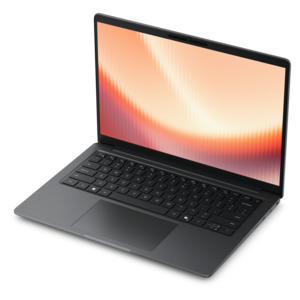
$629.99
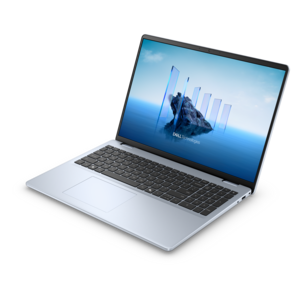
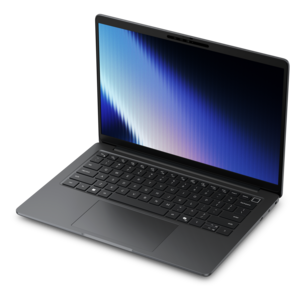
A laptop featuring an FHD camera, enlarged ergonomic keyboard, and AMD Ryzen™ processing.
3D rendering laptops are essential tools for creative professionals and enthusiasts who demand high performance and reliability for their design projects. Whether you’re working with complex models, detailed animations, or immersive visualizations, finding the right laptop can make all the difference in your workflow. Explore a wide selection of 3D rendering laptops designed to support intensive tasks and help bring your ideas to life with speed and precision.
A laptop featuring an FHD camera, enlarged ergonomic keyboard, and AMD Ryzen™ processing.
A laptop featuring Intel® 13th Gen processors, a built-in FHD camera, and an enlarged ergonomic keyboard.
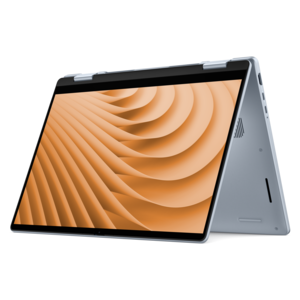
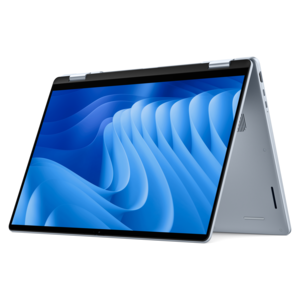
A versatile 2-in-1 laptop with Intel Core processors, DDR5 memory, and multiple modes for creative work.
A portable laptop with a sleek design, 16:10 display, and AI PC options for productivity anywhere.
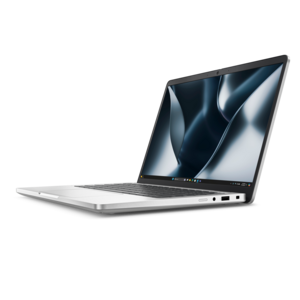
An exceptionally thin and lightweight laptop designed for ultimate mobility.
A modern laptop with AMD Ryzen™ processors, delivering effortless productivity and captivating entertainment in a design.
A modern laptop with Intel® Core™ processors and graphics for effortless productivity and captivating entertainment.
A lightweight AI-powered laptop designed for creative professionals and small businesses.
A sleek laptop powered by the latest AMD Ryzen™ AI 400 Series processors for demanding users.
A versatile 2-in-1 laptop designed for AI experiences and seamless multitasking on the go.
A lightweight AI-powered laptop with Intel Arc graphics, ideal for creative professionals and small businesses.
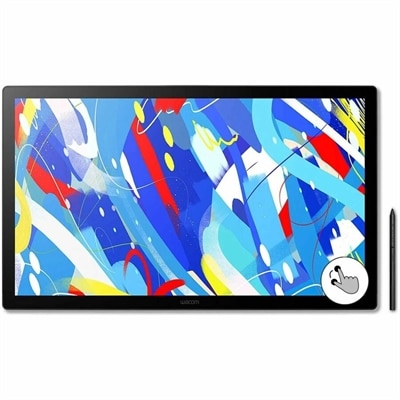
A professional drawing display with 2.5K WQHD resolution, etched anti-glare glass, multitouch, and pressure-sensitive stylus.
A durable, modular productivity laptop featuring robust security, a 16:10 display, numeric keypad and AI options.
An AI-ready laptop with a spacious display, designed for creators and developers seeking high performance.
A sleek laptop powered by AMD Ryzen™ AI 400, designed for powerful performance and modern multitasking.
A sleek laptop delivering smooth AI experiences and accelerated creative workflows for demanding high-performance users.
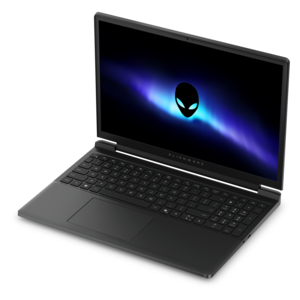
A gaming laptop powered by AMD Ryzen 200 Series processors and NVIDIA GeForce RTX laptop graphics.
A professional laptop delivering powerful on-device AI, impressive unplugged performance, and groundbreaking battery life.
A versatile 2-in-1 laptop with built-in AI and a spacious display for creative work.
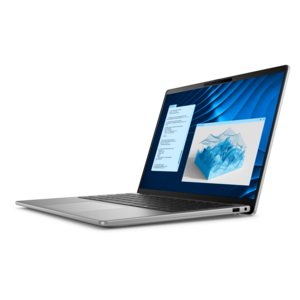
A secure, scalable commercial AI PC in a sleek, durable aluminum body for on-the-go multitasking.
A remarkably thin laptop powered by AMD Ryzen AI PRO 400 Series processors for professional performance.
A powerful gaming laptop with Intel Core processors and NVIDIA GeForce RTX graphics for immersive gaming.
A remarkably thin professional laptop combining portability and performance with Intel Core Ultra Series 3 processors.
A remarkably thin laptop powered by AMD Ryzen AI PRO 400 Series processors for professional performance.
A laptop for 3D rendering needs more than a fast processor and an attractive display. Rendering places sustained demands on nearly every major component, especially when a scene includes dense geometry, detailed textures, realistic lighting, particle effects, animation, or high-resolution output. Begin with the graphics processing unit, or GPU, because many modern rendering engines can use GPU acceleration to process lighting, reflections, shadows, and other visual effects in parallel. A dedicated GPU with substantial video memory is especially helpful when working with large scenes or switching between modeling, texturing, animation, and rendering applications. For an overview of graphics options, explore Laptop GPUs. As a practical starting point, look for a current dedicated GPU with at least 8GB of video memory; 12GB, 16GB, or more can provide additional room for complex assets and demanding visual settings. The processor remains equally important for CPU-based rendering, simulation, code compilation, scene preparation, and everyday multitasking. A high-performance multi-core processor can shorten lengthy render queues and keep the system responsive while several creative applications are open. Memory is another essential consideration. While 16GB may be adequate for introductory modeling, 32GB is a sensible target for modern 3D work, particularly when a project includes large assemblies, high-resolution materials, or multiple reference applications. Professionals working with massive environments, detailed characters, architectural interiors, or complex animations may benefit from 64GB or more. Fast solid-state storage also makes a noticeable difference when opening large project files, loading asset libraries, saving iterations, and moving between active projects. Capacity matters as well as speed, since 3D files, cached simulations, texture libraries, and rendered images can fill a smaller drive quickly. A laptop with a responsive solid-state drive and room for future work can feel dramatically less restrictive over time.
Portability and sustained performance should be considered together. A slim laptop is convenient for classrooms, studios, client meetings, design reviews, and travel, but compact systems have less physical room for airflow and heat dissipation. Rendering can keep the processor and GPU working at high levels for minutes or hours, so an effective cooling design is important for maintaining consistent performance during extended workloads. Look for a system with robust ventilation, well-designed heat management, and a chassis built to support demanding use. A larger desktop-replacement design may offer stronger cooling, higher-wattage components, a more comfortable keyboard, and a broader selection of ports, while a lighter model may better suit creators who carry their work from one location to another. Screen quality also deserves careful attention. A sharp display with accurate color, generous brightness, and a useful viewing area makes it easier to inspect fine edges, material details, shadows, and subtle color transitions. A larger screen can reduce the need to constantly collapse tool panels, while a high-resolution display helps reveal flaws before a project reaches final output. An external monitor can expand the workspace when the laptop is used at a desk, but the built-in screen should still be comfortable for mobile work. Consider the keyboard, touchpad, webcam, speakers, and port selection, too. These details may seem secondary beside processing power, yet they shape the rhythm of everyday creative work. A dependable keyboard is valuable during long modeling sessions, a precise touchpad helps when a mouse is not available, and modern connectivity makes it easier to attach displays, drawing devices, storage drives, and other accessories. Battery life is useful for planning, reviewing, and light editing away from an outlet, though demanding rendering generally draws enough power that plugged-in operation is the practical choice.
These laptops can serve a wide range of people, from students learning three-dimensional design to professionals creating products, buildings, environments, motion graphics, visual effects, and technical illustrations. An architecture student might use one to turn a rough floor plan into a sunlit interior, adjusting materials and camera angles between classes. A designer may rely on it to test the shape of a new product, while an animator can use it to preview movement, refine surfaces, and produce polished frames without remaining tied to a fixed workstation. Engineers, educators, independent creators, and small studios may also value a capable laptop because it combines creative flexibility with the convenience of a portable workspace. For someone beginning a 3D course or building a freelance portfolio, a well-equipped laptop can be a thoughtful and practical gift, particularly when it offers enough performance to support learning as skills develop. The best choice depends on the type of rendering performed, the complexity of typical projects, and the expected lifespan of the system. Entry-level work may be comfortable with a capable midrange GPU, a modern multi-core processor, and 32GB of memory, while professional production benefits from stronger graphics, more video memory, expanded system memory, and a larger solid-state drive. Certification for demanding creative applications can provide additional reassurance for business users, although software compatibility, driver support, warranty coverage, and service options should also be reviewed. It is wise to leave some headroom rather than choosing a configuration that only meets today’s requirements. 3D projects tend to grow: scenes gain more detail, textures become larger, simulations become more intricate, and several applications are often used at once. Choosing balanced hardware with strong cooling, ample memory, fast storage, a capable dedicated GPU, and a high-performance processor helps a rendering laptop remain useful as creative ambitions grow.
Add the products you would like to compare, and quickly determine which is best for your needs.