256GB Solid State Drives
Upgrade your storage and enhance your system’s performance with 256GB solid state drives. Perfect for users seeking reliable capacity and faster data access, these drives offer a balanced solution for everyday computing needs. Whether you’re looking to boost your laptop’s speed or expand your desktop’s storage, 256GB solid state drives provide an efficient and dependable option for a variety of devices. Explore a range of choices designed to fit seamlessly into your workflow and help you get more done, every day.
This product is not available
Check out the following recommendations.




256GB Solid State Drives
A 256GB solid-state drive is a flash-based drive that holds an operating system, applications, and personal files without the spinning platters or moving read heads found in a traditional hard drive. In a compatible laptop or desktop, an SSD can shorten startup times, make applications feel more responsive, and reduce the pauses that interrupt everyday tasks. That difference is especially noticeable when an older computer takes several minutes to settle down after signing in or hesitates while switching between a browser, a spreadsheet, and a video call. For students working on assignments, households managing documents and photos, and professionals using office applications, 256GB can provide a practical amount of capacity when large media collections live elsewhere. The advertised capacity uses decimal gigabytes: 256 billion bytes equals approximately 238 gibibytes, before formatting and system partitions take their share. Some operating systems display that smaller figure while labeling it GB, so the number shown on screen may differ from the capacity on the packaging. The usable space also needs to accommodate the operating system, installed software, updates, and temporary files. Documents and spreadsheets generally take relatively little room, while high-resolution video, extensive photo libraries, and modern games can fill a drive much faster. A computer used mainly for email, streaming, online coursework, and cloud-based documents has different capacity needs from one used to edit footage or maintain a large game library. Even cloud-connected workflows can occupy substantial local space when files are marked for offline access. A 256GB SSD therefore fits best where the working collection is modest and reasonably predictable. Its strengths are quick access to frequently used files and responsive everyday computing, rather than room for every project, download, and media file accumulated over many years. Keeping some capacity free also gives applications space for temporary work and helps the drive manage incoming writes.
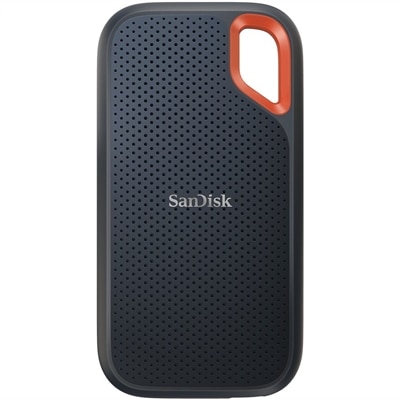
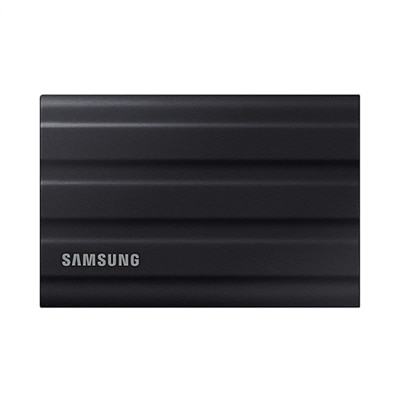
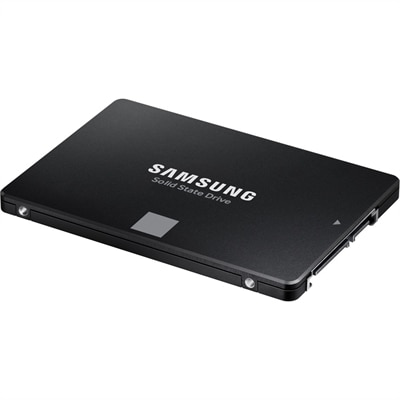
Physical fit and connection type are central differences among 256GB solid-state drives, even when their capacities match. A 2.5-inch SATA SSD has a rectangular enclosure and is designed for a compatible drive bay and SATA connection. Many models are approximately 7 millimeters thick, but the computer’s supported dimensions, mounting hardware, and connector arrangement still matter. In a desktop, this format typically uses separate SATA data and power connections; in a laptop, it may connect through an existing caddy, cable, or internal connector. Some desktop cases need an adapter bracket to secure a 2.5-inch drive in a larger bay. An M.2 SSD is a narrow circuit board that mounts directly in a compatible motherboard slot, usually with a retaining screw or latch. M.2 describes the physical format, not the communication protocol: an M.2 drive may use SATA or PCIe with NVMe, and the slot must support the drive’s requirements. Size codes add another useful distinction. An M.2 2280 board is 22 millimeters wide and 80 millimeters long, while more compact computers may require a shorter board. Connector keying, supported length, available clearance, and any existing thermal cover all affect compatibility. Matching the computer’s documented requirements is more dependable than judging a drive by appearance alone. Performance also depends on the interface. SATA SSDs commonly approach sequential read speeds of roughly 500 to 550 megabytes per second, while NVMe SSDs can exceed that range substantially when paired with a suitable PCIe connection. Actual results depend on the drive, computer, workload, and operating conditions. Advertised sequential speeds describe large, continuous transfers and do not capture every aspect of opening applications or accessing many small files. For everyday browsing and document work, replacing a mechanical hard drive with either compatible SSD type can be more noticeable than moving between two SSDs. For frequent transfers of larger files, the interface and sustained write performance become more important, particularly when a drive’s faster write cache fills during a long transfer.
Construction, endurance, and everyday handling also shape how a 256GB SSD fits into a computer’s useful life. A 2.5-inch model generally protects its electronics inside a metal or plastic enclosure, while an M.2 board leaves components more exposed during installation. Once properly mounted, both formats operate without mechanical seek noise and are generally less vulnerable to movement than spinning hard drives. That makes solid-state drives well suited to laptops carried between a desk, classroom, and kitchen table, although resistance to movement does not make them immune to drops, electrical damage, or failure. Flash memory has a finite write endurance, often expressed as terabytes written, or TBW. That rating describes a cumulative writing allowance under specified conditions rather than an exact prediction of how long a drive will last. Warranty terms and endurance ratings are useful considerations alongside capacity, especially for computers that repeatedly record, export, or rewrite large files. For ordinary document editing and web-based work, the pattern of use is quite different from continuous video capture. Heat management matters as well: an SSD should have the airflow or thermal hardware required by its design and the computer manufacturer’s specifications. An added heatsink is not automatically appropriate, particularly inside a thin laptop where clearance is limited. Routine care is mostly about protecting the computer, keeping vents unobstructed, applying appropriate system and drive updates, and maintaining a separate backup of important files. Solid-state construction does not replace a backup, and routine manual defragmentation is not part of normal SSD care; supported operating systems generally manage SSD optimization through functions such as TRIM. For a family computer holding a manageable set of documents or a student laptop focused on coursework, 256GB may remain a comfortable fit. For a growing collection of games, video projects, or locally saved photographs, 2 TB Solid State Drives offer a higher-capacity category to consider, with the same need to match physical dimensions and interface requirements. The most suitable capacity leaves room not only for today’s essential files but also for the updates, applications, and projects that gradually become part of daily use.
FAQs:
A 256GB solid state drive provides significantly faster boot times, quicker application launches, and improved overall system responsiveness compared to traditional hard drives. It also operates silently, generates less heat, and is more resistant to physical shock, making it a reliable choice for both laptops and desktops.
Yes, many users install the operating system and essential applications on a 256GB SSD to take advantage of its speed, while using a secondary hard drive or SSD for additional storage. This setup allows for fast system performance and ample space for larger files or media libraries.
A 256GB SSD can provide fast load times and smooth performance for light to moderate gaming or creative tasks. However, users with large game libraries or who work with high-resolution media files may benefit from pairing the SSD with additional storage, or choosing a higher-capacity drive.
Solid state drives are more energy-efficient than traditional spinning hard drives. Upgrading to a 256GB SSD can help extend battery life in laptops, allowing users to work or browse longer between charges.
256GB SSDs are commonly available in 2.5-inch SATA and M.2 NVMe or SATA form factors. The best choice depends on your device’s compatibility: 2.5-inch SATA drives fit most older laptops and desktops, while M.2 drives are designed for modern, slim laptops and newer desktops. Always check your device’s specifications before purchasing.